

How does colocation support disaster recovery and business continuity?
Colocation helps businesses stay online during an outage by moving critical systems into a professionally managed data center with redundant power, cooling, network connectivity, and physical security. It is especially valuable for disaster recovery because it gives you a remote, resilient location where applications, data, and network services can keep running if your primary site goes down.


Introduction
Business continuity is about keeping essential operations running, while disaster recovery is about restoring systems after disruption. Colocation supports both by giving organizations a stable secondary environment for backup systems, replication, failover, and remote operations.
Instead of relying only on an on-premises server room, businesses can use colocation as a hardened offsite location designed for uptime. That lowers the risk that a fire, flood, power failure, or cyber incident will take out both production and recovery systems at the same time.
Why Colocation Helps
| Capability | How It Supports DR and BC |
| Geographic redundancy | Places critical systems far enough away from the primary site to reduce the risk of a shared disaster |
| Redundant power | Backup generators, UPS systems, and multiple feeds help keep systems running during utility outages |
| Network diversity | Multiple carriers and diverse routes reduce the chance of a single network failure taking down access |
| Strong physical security | Protects backup infrastructure from theft, intrusion, and environmental risks |
| Expert operations | 24/7 monitoring and facility staff help speed response during incidents |
Geographic Redundancy
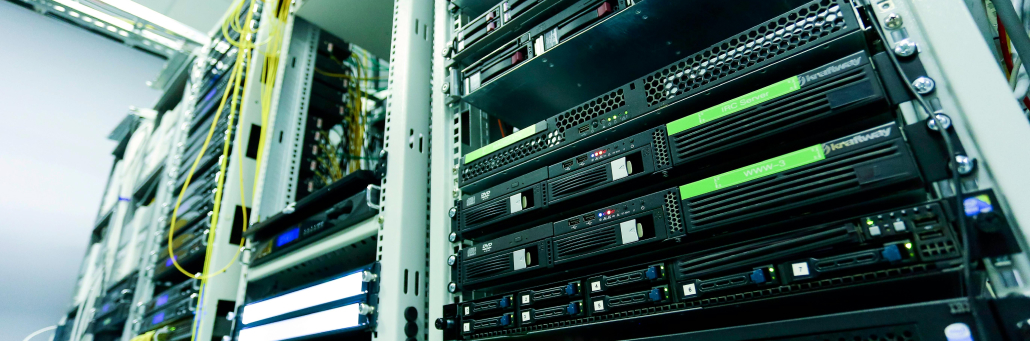
One of the biggest advantages of colocation is location diversity. By placing backup systems in a separate facility or region, businesses reduce the chance that a local storm, power outage, or regional emergency impacts both sites at once.
This matters because disaster recovery fails when the backup environment is too close to the primary one. A good colocation strategy creates enough distance to protect against shared risk while still keeping systems reachable and manageable.
Faster Recovery
Colocation can shorten recovery time because the infrastructure already exists. Instead of scrambling to build a recovery site after an outage, the business can fail over to a prepared environment with power, connectivity, and hardware already in place.
That can reduce downtime from hours or days to minutes or a much shorter operational window, especially when colocation is paired with replication, orchestration, and cloud interconnects.
Better Than On-Prem Alone
| Recovery Approach | Strengths | Limitations |
| On-prem only | Full control, no third-party dependency | High risk if the primary site is unavailable |
| Secondary office site | Simple to understand and operate | Often lacks the power, cooling, and network redundancy of a data center |
| Colocation DR site | Purpose-built resilience, redundancy, and professional support | Requires planning and coordination |
What To Look For
| Feature | Why It Matters |
| Multiple power feeds | Helps protect against utility disruption |
| Generator backup | Keeps systems online during extended outages |
| Carrier diversity | Supports network resilience and failover |
| Cloud interconnects | Makes hybrid recovery and cloud bursting easier |
| Replication tools | Keeps data synchronized between primary and recovery sites |
Planning Considerations
A strong colocation-based DR plan starts with clear recovery time objectives and recovery point objectives. Once those are defined, the business can choose the right facility, connectivity design, and replication strategy to match its tolerance for downtime and data loss.
It is also important to test the plan regularly. Disaster recovery only works if the failover process, credentials, dependencies, and communications are all verified before an actual emergency happens.
Why Fireline?
Fireline can support the connectivity side of a colocation strategy by delivering the business internet needed to connect distributed systems, remote teams, and recovery sites. That helps businesses keep critical applications reachable and makes it easier to move traffic during a failover event. Pair your business communications with Fireline Communications for a more reliable partner for your telecommunications.
Secure Your VPN
Colocation gives businesses a resilient offsite foundation for disaster recovery and continuity planning. With geographic diversity, redundant infrastructure, and better connectivity options, it helps reduce downtime and keeps critical systems available when the primary environment is disrupted.
Contact us today to discuss your business internet needs.
Call our business team: 877-347-3147
Learn more about our Dedicated Data Center Solutions
FAQs
What is a VPN in simple terms?
A VPN is a secure, encrypted tunnel that lets remote users connect to a private network over the internet.
How does a VPN protect remote workers?
It encrypts their traffic, hides it from outsiders, and lets them access company systems more securely from off-site locations.
Does a VPN make remote work completely safe?
No. It is an important security layer, but it should be paired with MFA, device protection, and access controls.
Can employees use a VPN on public Wi‑Fi?
Yes, and that is one of the most common use cases. A VPN helps protect traffic when workers use untrusted networks.
What is the difference between a VPN and remote access VPN?
A remote access VPN is the type used by individual employees to securely connect to a private network from outside the office.
Why would a business choose a VPN instead of direct access?
Because direct exposure of internal systems is riskier, while a VPN adds encryption and a control point for secure access.