Stadiums are evolving fast. From immersive fan experiences to operational efficiency, connectivity is the backbone. Modern venues must compete with the living room—huge TVs, instant replays, and second screens—while delivering unique in-person energy. This guide covers core technologies powering stadiums, with real-world examples and practical steps for owners and operators.

stadium technology by Fireline Broadband

Why Stadiums Need Advanced Connectivity

Stadiums serve fans, teams, broadcasters, sponsors, and operators. Fixed networks, wireless, IoT, AI, and edge computing create seamless experiences:

  • Fans expect no dead zones, Augmented Reality (AR) overlays, and in-seat ordering.
  • Teams need biometrics and performance analytics.
  • Broadcasters demand multi-camera 4K feeds.
  • Operators want crowd control and revenue optimization.

Investments like SoFi Stadium ($5.5B) show the scale—1,200 km of cabling at Tottenham Hotspur alone.

Core Technologies

Fixed Communications & Power

Backbone for everything. High-density cabling supports:

  • Wi-Fi Access Points and wireless access points.
  • UHD camera feeds.
  • Video walls and speakers.
  • USB charging at seats.

Example: Tottenham’s 1,640 under-seat Wi-Fi hotspots and 4,500 speakers.

Wireless: Wi-Fi + Fixed Wireless

  • Wi-Fi 6/7: Fan connectivity, analytics, eCommerce.
  • Neutral Host DAS: Shared for MNOs (AT&T, Verizon, etc.).
  • Fixed Wireless: Reliable outdoor coverage, rapid deployment for temporary events.

Example: Crypto.com Arena’s DAS covers 2.5M sq ft with 331 antennas, 30Gbps fiber backbone.

AI/ML & Edge Computing

  • AI: Fan personalization, overcrowding detection.
  • Edge: Low-latency video processing, AR overlays.
  • Cloud: On-demand for analytics, apps.
concerts and stadium technology by Fireline Broadband

Monetization Opportunities

Advanced connectivity unlocks new revenue streams:

Revenue SourceTechnologyExample
In-seat eCommerceWi-Fi + AppsFood/merch delivery ($20-50/order)
Personalized AdsAI + Location DataDynamic sponsorships
Premium AR/VRWi-Fi + Fixed Wireless$15/game pass for replays
eSports EventsEdge + CloudOff-season gaming tournaments
Data InsightsBig AnalyticsSell anonymized fan data

ROI Example: Wi-Fi portals generate ad revenue while enabling frictionless payments.

Implementation Challenges & Solutions

ChallengeImpactSolution
High Costs$50-100/seatNeutral host DAS sharing
Capacity SpikesHeadliner congestionWi-Fi 6 + Fixed Wireless
Legacy InfrastructurePoor coverageFiber backbone upgrade
MNO CoordinationSlow deploymentSingle point of contact
stadium technology by Fireline Broadband

How Fireline Broadband Helps Stadiums

Fireline Broadband delivers stadium-grade connectivity that powers the technologies above:

  • Symmetrical 10Gbps+ fiber backhaul for DAS, cameras, edge computing
  • Rapid deployment (hours, not months) for events and renovations
  • Event-grade SLAs with 99.999% uptime guarantees
  • Scalable capacity from 1Gbps to 100Gbps+
  • Redundant paths for zero-downtime operations

Real stadium wins:

  • Multi-gigabit circuits for 4K video walls and drone camera feeds
  • Bonded cellular failover during peak crowd surges

Why Fireline? Stadium operators save 30-50% vs. MNO direct deals through neutral infrastructure. Stadiums like Crypto.com Arena use similar models—Fireline provides the fiber foundation.

Key Applications

ApplicationTechnologyBenefit
Smart WayfindingWi-Fi + Digital SignageReal-time navigation
Second ScreensWi-Fi + Augmented RealityPersonalized replays, stats
Drone/UHD CamsFiber + EdgeMulti-angle 4K streams
Holograms/AR/VRWi-Fi + AIImmersive overlays
eCommerceWi-Fi PortalIn-seat delivery, betting
Crowd SafetyIoT + MLOvercrowding alerts

Examples:

  • SoFi’s 70K sq ft Infinity Screen.
  • Verizon’s AR games in NFL stadiums.
boxing stadium technology by Fireline Broadband

Why Connectivity Matters During Recovery

Internet and network resilience matter just as much as endpoint security during a ransomware event. If critical systems rely on a single connection or a fragile network design, recovery can be slower and more difficult. Redundant internet access, failover planning, and stable connectivity help keep communication available during an incident.

For healthcare organizations, strong connectivity also supports remote coordination, cloud-based recovery tools, and patient communication during downtime. If a primary path fails, a backup connection can help keep recovery teams working.

How Healthcare Leaders Should Think About Resilience

Healthcare leaders should treat ransomware preparedness as an operational requirement, not just a security project. The goal is to reduce the chance of an incident, but also to make sure the organization can continue delivering care if one happens.

That means aligning IT, clinical operations, compliance, and executive leadership around a shared plan. It also means making investments before a crisis, not after. The organizations that recover best are usually the ones that planned for failure in advance.

stadium technology by Fireline Broadband

Ready to future-proof your stadium internet system?

The stadiums of tomorrow aren’t just venues—they’re connected entertainment ecosystems generating revenue, safety, and unforgettable experiences. Start with a strong fiber backbone, neutral host DAS, and Wi-Fi 6, then layer on AI, IoT, and fixed wireless for scale.

Fireline Broadband makes it simple: stadium-grade 10Gbps+ fiber/fixed wireless, rapid deployment, and event SLAs that keep fans connected and operators profitable.

Call our business team:877-347-3147
Learn more about our Dedicated Internet Solutions

Stadium operators: The future is connected. Build it now.

FAQs About Stadium Internet

What’s the difference between Wi-Fi and fixed wireless in stadiums?

Wi-Fi handles lots of fans streaming and ordering food at once. Fixed wireless uses radio signals for reliable outdoor coverage where wiring is tough.

Why do stadiums need so much cabling?

All the video screens, speakers, Wi-Fi hotspots, and network gear need a strong “data highway” underneath. Tottenham Stadium used 1,200 km of cable!

How does a stadium make money from connectivity?

Fans buy food/merch from their seats, watch personalized replays for $15, play AR games, and see targeted ads. Wi-Fi portals show ads too.

What’s a neutral host DAS?

Instead of AT&T, Verizon, and others each building separate networks (expensive!), stadiums build one shared system all carriers use.

Do fans get free Wi-Fi?

Yes! Connect to stadium Wi-Fi for maps, ordering, and replays. Some premium features (AR, stats) might cost extra.

How does Fireline help stadiums?

Fireline delivers the super-fast fiber internet backbone + fixed wireless that powers Wi-Fi, cameras, and connected systems. They set it up fast.

Can old stadiums upgrade to future tech?

Yes! Start with better Wi-Fi + fiber backbone, then add fixed wireless and smart sensors later. Fireline handles the heavy lifting.

Why Connectivity Matters at EDC

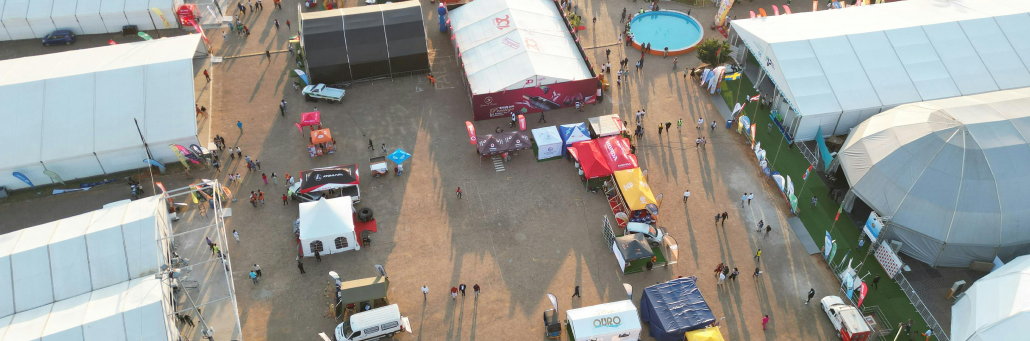
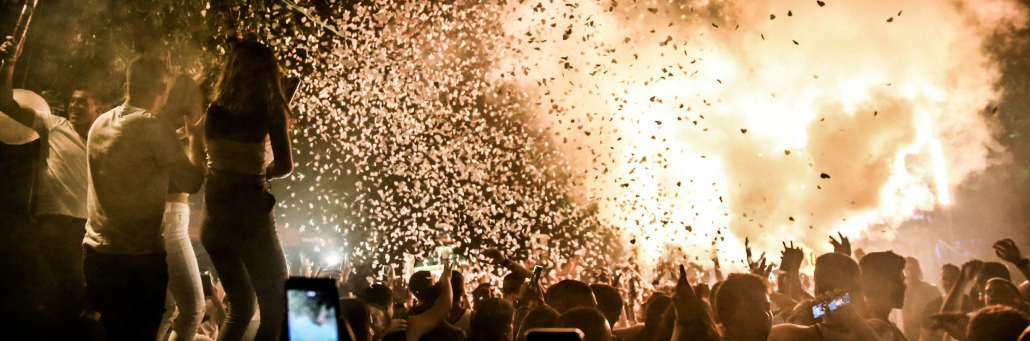
EDC is built on energy, movement, and nonstop activity, but behind the lights and music is a huge communications challenge. With hundreds of thousands of people trying to text, pay, navigate, post, and coordinate at the same time, network congestion becomes part of the experience. That means connectivity is not just a technical detail at EDC — it affects how people enter, move around, meet up, spend money, and stay safe.

For attendees, weak service can turn simple things into hassles. A delayed text can mean missing your friends. A slow app can make it harder to find set times or venue maps. A dead signal can slow down mobile payments, ride coordination, and even basic planning once the crowd peaks. For vendors and staff, the stakes are even higher because connectivity affects transactions, operations, and response time.


Keeping EDC connected with Fireline Broadband

Why EDC Needs Festival-Grade Internet Connectivity

EDC brings together huge attendee counts, dozens of stages, hundreds of vendors, and nonstop digital activity. That means every part of the event depends on a network that can handle peak demand without dropping out.

At EDC, reliable internet helps power several important functions:

  • Ticketing and entry, including digital tickets and QR code scans.
  • Cashless payments, which speed up food, drink, and merch purchases.
  • Festival apps, which provide maps, schedules, and alerts.
  • Safety and security, including staff communication and incident response.
  • Vendor operations, such as point-of-sale systems and inventory tracking.
  • Social sharing, livestreams, and media uploads.
  • Transportation planning, including rideshare coordination and meetup updates.

When connectivity fails at a festival this large, it affects revenue, guest experience, and event operations all at once.

Why Service Gets Difficult

The main problem is crowd density. Even if a carrier has strong coverage in the area, a festival can overload nearby towers when thousands of phones are active at once. That can cause slow data speeds, delayed messages, and dropped connections, especially during headliner sets and peak arrival or exit times. Temporary network upgrades help, but no system can fully eliminate congestion when demand spikes that high.

Keeping EDC connected with Fireline Broadband

Why Dedicated Fixed Wireless Works

Dedicated fixed wireless uses high-capacity wireless links to deliver private, business-grade internet to the event site. It is a strong fit for festival environments because it can be deployed quickly and scaled for temporary high-demand use.

For EDC, the biggest benefits are:

  • Fast deployment.
  • Low latency.
  • Dedicated bandwidth.
  • Flexible placement.
  • No need for trenching or permanent construction.

Better Than Satellite for Festival Operations

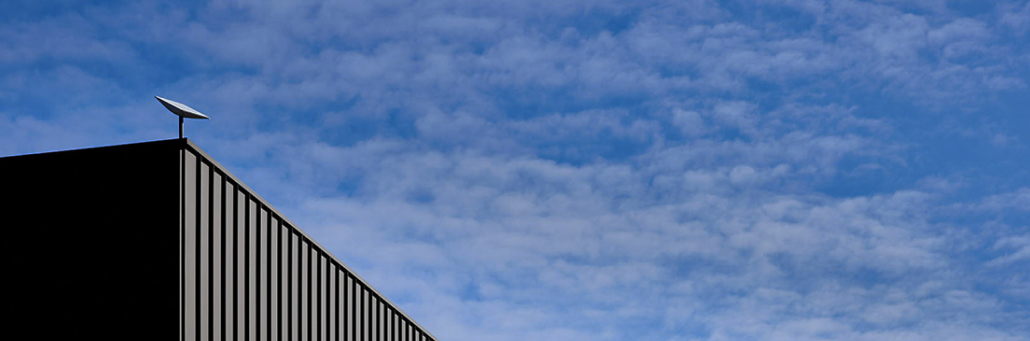
Satellite can reach remote places, but it often introduces higher latency and less predictable performance. That makes it a weaker fit for real-time festival needs like payments, VoIP, live production, and video streaming.

Dedicated fixed wireless is better suited for:

  • Fast point-of-sale transactions.
  • Real-time production coordination.
  • Stable upload performance.
  • VIP and staff networks.
  • Multi-stage event operations.
Keeping EDC connected with Fireline Broadband

EDC Applications That Depend on Connectivity

1. Vendor and POS Systems

  • Tap-to-pay systems, RFID wristbands, and mobile checkout rely on steady network access.
  • Payment delays can slow food lines, merch sales, and bar service.
  • Offline payment backups help, but live syncing is still important for speed and accuracy.

2. Artist and Production Teams

Backstage staff, stage managers, and technical crews need dependable connectivity for schedules, coordination, and communications.

  • <200ms transaction latency
  • Always-on reliability
  • Credit card compliance
  • Cloud POS integration

3. Live Streaming and Media

Backstage staff, stage managers, and technical crews need dependable connectivity for schedules, coordination, and communications.

  • <200ms transaction latency
  • Always-on reliability
  • Credit card compliance
  • Cloud POS integration

4. VIP Guest Wi-Fi

Backstage staff, stage managers, and technical crews need dependable connectivity for schedules, coordination, and communications.

  • <200ms transaction latency
  • Always-on reliability
  • Credit card compliance
  • Cloud POS integration

3. Live Streaming and Media

Backstage staff, stage managers, and technical crews need dependable connectivity for schedules, coordination, and communications.

  • <200ms transaction latency
  • Always-on reliability
  • Credit card compliance
  • Cloud POS integration

A Flexible Event Network

EDC internet should be designed around the event layout, stage locations, vendor zones, and operational needs. Dedicated fixed wireless gives organizers the flexibility to create targeted coverage where it matters most.

A strong deployment may include:

✓ Primary connectivity for production.

✓ Separate vendor networks.

✓ VIP guest access.

✓ Backup links for critical systems.

✓ Temporary infrastructure that is removed after the event.

Keeping EDC connected with Fireline Broadband

Ready for EDC?

Implement your festival connectivity plan with Fireline Broadband. Contact us for a site assessment to get fast, reliable, dedicated fixed wireless for Coachella. We’ll map your coverage challenges and design a network that supports vendors, production, and VIP areas at scale. Stop fighting connectivity. Start running the festival.

Call our business team: 877-347-3147
Learn more about our Event Internet Solutions

Keeping EDC connected with Fireline Broadband

FAQs About EDC Music Festival Internet

Why is EDC internet different from normal event Wi-Fi?

EDC has far higher traffic, more live production demands, and more mission-critical systems than a typical event. It needs dedicated capacity, not shared consumer internet.

Why choose fixed wireless instead of satellite?

Fixed wireless usually delivers lower latency and more consistent real-world performance, which is important for payments, streaming, and live communications.

Can fixed wireless support vendors and POS systems?

Yes. It is well suited for vendor payments, inventory updates, and mobile ordering systems.

Can fixed wireless handle live streaming?

Yes. Dedicated fixed wireless can support media uploads and live coverage when sized properly for the event.

Is this a permanent setup?

No. It is designed for temporary event use and can be deployed, scaled, and removed as needed.

Fast, Reliable Festival Wi-Fi for 250K+ Attendees, POS, Production & VIP

Coachella needs festival-grade internet that handles 125,000 daily attendees, 250+ POS terminals, artist communications, live streaming, and VIP guest Wi-Fi. Dedicated fixed wireless delivers this without satellite latency or consumer internet limitations. Learn how we can help with that.


Music Festival Large Event Internet By Fireline Broadband

What is Festival-Grade Fixed Wireless?

Dedicated fixed wireless uses licensed microwave links from towers to festival sites, creating private, high-capacity internet paths. No digging, no permits, deployed in 48 hours.

Perfect for Coachella’s needs:

  • 25 Gbps total festival capacity
  • 2 Gbps main stage connectivity
  • 250+ vendor POS terminals
  • Multi-camera 4K live streaming
  • VIP guest networks (100+ users/access points)
Music Festival Large Event Internet By Fireline Broadband

Coachella Internet Challenges

Festival AreaUsers/DevicesBandwidth Need
Main Stage20K attendees + production2 Gbps
Vendor Village250 POS + 5K guests1.5 Gbps
VIP Rose Garden2K premium guests500 Mbps
Artist Areas100+ crew/devices750 Mbps
Parking Gates10K vehicles/day400 Mbps

Why Dedicated Fixed Wireless Beats Satellite

Satellite Problems for Festivals:

  • 500-700ms latency (unusable for VoIP/POS)
  • 10-25 Mbps uploads (no 4K streaming)
  • Weather outages during peak weekends
  • Weeks to deploy

Fixed Wireless Advantages:

  • <30ms latency
  • 100-1000+ Mbps uploads
  • Weather resilient
  • 48-hour deployment
Music Festival Large Event Internet By Fireline Broadband

1. Vendor & POS Reliability

250+ food/merch vendors need guaranteed POS uptime:

✓ 99.99% uptime SLA

✓ 1000+ transactions/minute

✓ Real-time inventory sync

✓ Mobile ordering support

✓ No outage revenue loss

POS Terminal Requirements:

  • <200ms transaction latency
  • Always-on reliability
  • Credit card compliance
  • Cloud POS integration

2. Artist & Production Communications

Crystal-clear coordination across 75,000 acres:

✓ Backstage VoIP phones

✓ Stage manager tablets

✓ Lighting/sound control

✓ Security radio integration

✓ Private artist networks

3. Live Streaming & Media

Multi-camera 4K streams without buffering:

✓ Main stage 4K streaming
✓ Artist walk-offs for influencers
✓ Drone footage integration
✓ Red carpet live coverage
✓ Social platform uploads

4. VIP Guest Wi-Fi

Premium experience for bottle service:

✓ Branded guest portals

✓ High-density APs (100+ users/AP)

✓ 4K content delivery

✓ Real-time guest analytics

✓ Content filtering

Rapid Festival Deployment Process

Day 1: Site survey + tower positioning
Day 2: Microwave link testing + AP staging
Day 3: Full activation across all stages
Day 15: Clean removal + site restoration

Coachella Coverage Map Example

  • Main Stage → 2 Gbps microwave
  • Sahara Tent → 1 Gbps P2P
  • Outdoor Theater → 500 Mbps
  • VIP Rose Garden → 250 Mbps
  • Vendor Village → 8 × 250 Mbps APs
  • Parking Gates → 4 × 100 Mbps
Music Festival Large Event Internet By Fireline Broadband

Ready to execute the greatest Coachella-sized event?

Implement your festival connectivity plan with Fireline Broadband. Contact us for a site assessment to get fast, reliable, dedicated fixed wireless for Coachella. We’ll map your coverage challenges and design a network that supports vendors, production, and VIP areas at scale. Stop fighting connectivity. Start running the festival.

Call our business team: 877-347-3147
Learn more about our Event Internet Solutions

FAQs About Coachella Festival Internet

Is there internet at Coachella?

Yes, but it can be unreliable during peak crowd times. Festival traffic often slows service near the main stages, camping areas, and headliner sets.

Can I count on regular cell service?

Not fully. Even strong networks can get congested when tens of thousands of people are using them at once.

Is Wi-Fi available at the festival?

Yes, but dependable Wi-Fi is generally more available for vendors, VIP areas, and production teams than for general attendees.

What is the best internet option if I need to work during Coachella?

A backup plan is smartest, such as a hotspot, satellite internet, or a dedicated event internet setup like with Fireline Broadband, since festival congestion can make normal service inconsistent.

What should attendees do before arriving?

Download the festival app, save important maps and tickets offline, and bring a backup battery or hotspot if staying connected matters.