AI Hosting in Data Centers: A Guide to Infrastructure, Security, and Scalability

Artificial intelligence has moved from research labs into daily business operations. From generative AI tools to computer vision and predictive analytics, companies across every industry are adopting AI to improve products, automate processes, and unlock new revenue streams.
But AI doesn’t run on algorithms alone. It runs on infrastructure.
Behind every AI model is a data center — sometimes thousands of servers working in parallel to train, fine-tune, and deploy intelligent systems. This guide explains what AI hosting in data centers means, why it matters for your business, and how to choose the right infrastructure partner.

Why AI Changes the Data Center Game
Traditional data centers were designed for general-purpose computing: email servers, databases, file storage, and web hosting. These workloads run efficiently on standard servers with central processing units (CPUs).
AI workloads are different. Training a large language model or running real-time inference requires massive parallel processing, which graphics processing units (GPUs) and tensor processing units (TPUs) handle far better than CPUs .
This shift creates new demands:
| Requirement | Traditional Data Center | AI-Ready Data Center |
| Compute type | CPUs (general purpose) | GPUs/TPUs (parallel processing) |
| Power per rack | 5–10 kW | 40–100 kW |
| Cooling method | Air cooling | Direct-to-chip liquid cooling or hybrid systems |
| Network fabric | Gigabit Ethernet | High-bandwidth, low-latency fabric (e.g., InfiniBand) |
| Typical applications | Databases, email, web servers | Model training, inference, big data analytics |
AI-ready data centers are purpose-built to handle these demands. They provide the power, cooling, and connectivity that AI workloads require — and they do it at a scale that most on-premises server rooms cannot match.
Core Components of AI Data Center Infrastructure
1. High-Density Compute
AI training clusters can include hundreds or thousands of GPUs working in parallel. Each GPU consumes significantly more power and generates more heat than a standard CPU. High-density racks in AI data centers often range from 40 kW to 100 kW per rack, compared to 5–10 kW for traditional racks .
What to look for: A provider that offers high-density colocation with flexible power options (AC and DC) and the ability to scale from a single rack to multiple cabinets.
2. Advanced Cooling Systems
Heat is the enemy of performance. AI clusters running at full capacity can overwhelm standard air cooling. That’s why AI-ready facilities use advanced cooling methods:
- Direct-to-chip cooling: Cold plates contact the hottest components (GPUs/CPUs) directly, circulating dielectric fluid to remove heat efficiently.
- Liquid-air hybrid systems: Liquid cooling handles the primary heat sources, while air cooling manages secondary components.
- Closed-loop liquid cooling: Coolant recirculates within a self-contained system, minimizing water usage and leak risks.
Closed-loop systems often use reclaimed or recirculated water, not potable drinking water . This is important for sustainability and regulatory compliance.
3. High-Bandwidth, Low-Latency Networking
Training AI models requires constant communication between thousands of GPUs. Slow or congested networks cause “stragglers” — individual GPUs that lag behind the rest, wasting compute cycles and increasing costs.
What to look for: Redundant fiber backhaul, direct peering to major cloud providers, and low-latency connections to other data centers and AI hubs.
4. Redundant Power and Backup Systems
Downtime during AI training can set projects back days or weeks. AI data centers need uninterruptible power supplies (UPS), on-site generators, and redundant power feeds to maintain continuous operation. Backup generators (often diesel) cover extended outages.
What to look for: A provider that offers high-density colocation with flexible power options (AC and DC) and the ability to scale from a single rack to multiple cabinets.
How Data Centers Use AI to Improve Operations
AI doesn’t just run in data centers — it also helps data centers run better . This is sometimes called AIOps (Artificial Intelligence for IT Operations).
| Application | How AI Helps | Business Benefit |
| Predictive maintenance | Analyzes equipment metrics to forecast failures before they occur. | Reduces unexpected downtime and repair costs. |
| Smart cooling | Adjusts fan speeds, water flow, and setpoints in real time based on workload and weather. | Lowers power usage effectiveness (PUE) and energy bills. |
| Security monitoring | Flags anomalous network traffic or user behavior automatically. | Improves threat detection and response times. |
| Capacity planning | Forecasts future space, power, and cooling needs. | Avoids over-provisioning or running out of capacity. |
| Resource optimization | Dynamically shifts workloads across available servers. | Maximizes utilization and reduces waste. |
For colocation customers, these AI-powered operational improvements translate directly into higher uptime, lower costs, and faster issue resolution — without you having to manage any of it.
Security in AI Data Centers
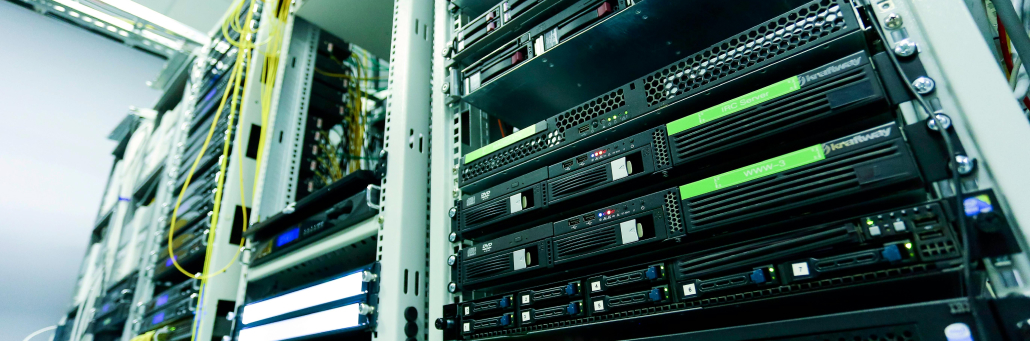
AI workloads often handle sensitive data: customer information, proprietary business models, financial records, or healthcare data. A security breach can mean stolen intellectual property, regulatory fines, or reputational damage. That’s why AI hosting requires layered security that addresses both physical and cyber risks.
Physical Security Layers
- Controlled facility access: Biometric scanners, mantrap entry points, and badge readers.
- 24/7 on-site security personnel: Guards who monitor access and respond to incidents.
- Continuous video surveillance: Cameras covering all entry points, corridors, and server aisles.
- Locked cabinets and cages: Individualized access controls for colocation customers.
- Visitor logging and escort policies: No unaccompanied access to secure areas.\
Cybersecurity Integration
- Encrypted data transmission: In-flight and at-rest encryption for all customer data.
- Firewalls and intrusion detection systems: Monitoring network traffic for anomalies.
- Segregated customer networks: VLANs or software-defined networking to isolate tenants.
- API-based access controls: Programmatic management of firewall rules and permissions.
- Regular third-party audits: Certifications such as SOC 2 Type II and ISO 27001.
Operational Security Practices
- Redundant network paths: Prevents single points of failure from becoming security gaps.
- Remote hands policies: Secure procedures for customer-authorized technician access.
- Incident response plans: Documented and tested procedures for different threat scenarios.
- Environmental controls: Fire suppression systems designed to protect electronics without destroying them.
Key takeaway for decision makers: When evaluating AI hosting partners, ask for their security certifications, request an overview of their incident response plan, and clarify who is responsible for each layer of protection (the shared responsibility model).
Why Choose Fireline Broadband for AI Hosting
Fireline Broadband’s Tier II+ data centers in Los Angeles and Orange County offer AI-ready colocation with direct peering to major interconnection hubs.
What we offer:
- High-density colocation: Rack space from 1U to full cabinets, with redundant A/B power feeds and N+1 cooling.
- Flexible power options: Support for high-density racks up to [your capacity] kW per cabinet.
- Direct fiber connectivity: Low-latency access to One Wilshire, Equinix LA1/LA4/LA5, CoreSite LA, and Las Vegas data centers .
- 24/7 NOC monitoring and security: Biometric access, video surveillance, and on-site personnel.
- Custom cross-connects: Direct links to cloud providers, AI partners, and peering exchanges.
- Competitive pricing: Colocation starting at $200 per month for rack space .
Ideal for LA businesses needing secure, scalable colocation with Southern CA/LV peering.
Data center security is essential because these facilities store and support the systems that power business operations, customer data, and network traffic. A strong security program helps protect against physical threats, cyberattacks, equipment failure, and unauthorized access.
A secure data center typically uses layered protections such as:
- Controlled entry with badges, biometrics, and mantraps.
- 24/7 video surveillance and onsite monitoring.
- Fire suppression and environmental controls.
- Redundant power and cooling systems.
- Firewalls, encryption, and network segmentation.
- Continuous monitoring and incident response procedures.
For a provider like Fireline Broadband, security is especially important because colocation customers are trusting the facility with business-critical infrastructure. That means physical safeguards and network protection should work together to reduce downtime and keep systems resilient.
Who Benefits from AI-Ready Data Center Hosting?
| Use Case | Example | Why It Matters |
| AI model training | LLM development, computer vision | High-density compute and low-latent networking speed training times. |
| Real-time inference | Fraud detection, personalization | Low latency improves user experience and decision speed. |
| Hybrid AI workloads | Cloud + on-premises AI | Direct connections to AWS, Azure, or Google Cloud reduce egress costs. |
| Backup and disaster recovery | Redundant AI infrastructure | Second-site colocation supports RTO/RPO goals. |
| Startups and research | Accelerator programs, university labs | Flexible OpEx model avoids large capital outlays for hardware. |
Ready to power your AI with reliable infrastructure?
AI hosting in data centers is more than plugging in servers. It’s about choosing a facility with the power, cooling, security, and connectivity to keep your models training and your inference running — without surprises.
Fireline Broadband’s Los Angeles and Orange County data centers offer AI-ready colocation to major interconnection hubs, 24/7 security, flexible power, and local support.
Call our business team:877-347-3147
Learn more about our Data Center Solutions
FAQs About AI Hosting
What is an AI-ready data center?
An AI-ready data center is a facility designed to handle the high power density, advanced cooling requirements, and high-bandwidth networking that AI workloads (training and inference) demand. These facilities typically support GPU/TPU clusters, offer 40–100 kW per rack, and use liquid or hybrid cooling systems.
How is an AI data center different from a traditional data center?
Traditional data centers focus on CPU-based workloads (databases, email, web hosting). AI data centers are optimized for parallel processing with GPUs/TPUs, requiring significantly more power per rack, advanced cooling, and low‑latency, high-throughput network fabrics.
Does AI hosting cost more than standard colocation?
Yes, generally. Higher power density, specialized cooling, and high-performance networking increase operational costs. However, for AI projects, the alternative — building your own AI‑ready facility — is often far more expensive. Colocation offers a predictable OpEx model without upfront capital expenditure.
What security measures should an AI data center have?
A secure AI data center uses layered physical controls (biometric access, surveillance, mantraps) and cybersecurity measures (firewalls, encryption, network segmentation). Certifications such as SOC 2 Type II or ISO 27001 indicate a mature security program. You should also understand the shared responsibility model: what the provider secures vs. what you must secure.
Can I connect my AI hosting to public cloud providers?
Yes. Many colocation providers, including Fireline Broadband, offer direct cross-connects to major cloud providers (AWS Direct Connect, Azure ExpressRoute, Google Cloud Interconnect). This supports hybrid AI architectures where training happens in colocation and inference runs in the cloud.
How does AI improve data center operations?
Data centers use AI for predictive maintenance (forecasting equipment failures), smart cooling (reducing energy use), security monitoring (detecting anomalies), and capacity planning (forecasting future needs). These AI-driven efficiencies improve uptime and reduce costs for colocation customers.
What is the future of AI in data centers?
The industry is moving toward even higher power densities, wider adoption of liquid cooling, and more autonomous “lights out” data centers where AI manages cooling, power, security, and compute orchestration with minimal human intervention . Energy efficiency and sustainability will also become more urgent as AI workloads grow .
How do I get started with AI hosting?
Start by assessing your workload requirements: number of GPUs/TPUs, power budget, cooling needs, and connectivity to cloud or partners. Then, request a colocation consultation with a provider like Fireline Broadband to review your options, timeline, and costs.