Artificial intelligence has moved from research labs into daily business operations. From generative AI tools to computer vision and predictive analytics, companies across every industry are adopting AI to improve products, automate processes, and unlock new revenue streams.

But AI doesn’t run on algorithms alone. It runs on infrastructure.

Behind every AI model is a data center — sometimes thousands of servers working in parallel to train, fine-tune, and deploy intelligent systems. This guide explains what AI hosting in data centers means, why it matters for your business, and how to choose the right infrastructure partner.

free speed test by Fireline Broadband

connected - ai hosting by Fireline Broadband

Why AI Changes the Data Center Game

Traditional data centers were designed for general-purpose computing: email servers, databases, file storage, and web hosting. These workloads run efficiently on standard servers with central processing units (CPUs).

AI workloads are different. Training a large language model or running real-time inference requires massive parallel processing, which graphics processing units (GPUs) and tensor processing units (TPUs) handle far better than CPUs .

This shift creates new demands:

RequirementTraditional Data CenterAI-Ready Data Center
Compute typeCPUs (general purpose)GPUs/TPUs (parallel processing)
Power per rack5–10 kW40–100 kW
Cooling methodAir coolingDirect-to-chip liquid cooling or hybrid systems
Network fabricGigabit EthernetHigh-bandwidth, low-latency fabric (e.g., InfiniBand)
Typical applicationsDatabases, email, web serversModel training, inference, big data analytics

AI-ready data centers are purpose-built to handle these demands. They provide the power, cooling, and connectivity that AI workloads require — and they do it at a scale that most on-premises server rooms cannot match.

Core Components of AI Data Center Infrastructure

1. High-Density Compute

AI training clusters can include hundreds or thousands of GPUs working in parallel. Each GPU consumes significantly more power and generates more heat than a standard CPU. High-density racks in AI data centers often range from 40 kW to 100 kW per rack, compared to 5–10 kW for traditional racks .

What to look for: A provider that offers high-density colocation with flexible power options (AC and DC) and the ability to scale from a single rack to multiple cabinets.
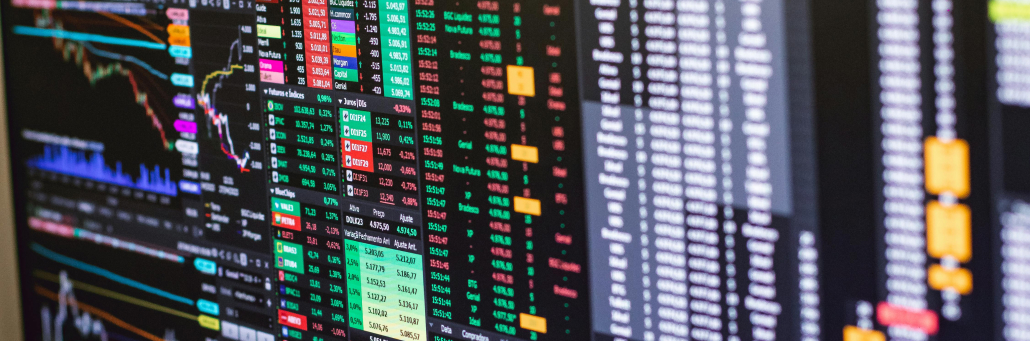
2. Advanced Cooling Systems

Heat is the enemy of performance. AI clusters running at full capacity can overwhelm standard air cooling. That’s why AI-ready facilities use advanced cooling methods:

  • Direct-to-chip cooling: Cold plates contact the hottest components (GPUs/CPUs) directly, circulating dielectric fluid to remove heat efficiently.
  • Liquid-air hybrid systems: Liquid cooling handles the primary heat sources, while air cooling manages secondary components.
  • Closed-loop liquid cooling: Coolant recirculates within a self-contained system, minimizing water usage and leak risks.

Closed-loop systems often use reclaimed or recirculated water, not potable drinking water . This is important for sustainability and regulatory compliance.

3. High-Bandwidth, Low-Latency Networking

Training AI models requires constant communication between thousands of GPUs. Slow or congested networks cause “stragglers” — individual GPUs that lag behind the rest, wasting compute cycles and increasing costs.

What to look for: Redundant fiber backhaul, direct peering to major cloud providers, and low-latency connections to other data centers and AI hubs.

4. Redundant Power and Backup Systems

Downtime during AI training can set projects back days or weeks. AI data centers need uninterruptible power supplies (UPS), on-site generators, and redundant power feeds to maintain continuous operation. Backup generators (often diesel) cover extended outages.

What to look for: A provider that offers high-density colocation with flexible power options (AC and DC) and the ability to scale from a single rack to multiple cabinets.

servers - ai hosting by Fireline Broadband

How Data Centers Use AI to Improve Operations

AI doesn’t just run in data centers — it also helps data centers run better . This is sometimes called AIOps (Artificial Intelligence for IT Operations).

ApplicationHow AI HelpsBusiness Benefit
Predictive maintenanceAnalyzes equipment metrics to forecast failures before they occur.Reduces unexpected downtime and repair costs.
Smart coolingAdjusts fan speeds, water flow, and setpoints in real time based on workload and weather.Lowers power usage effectiveness (PUE) and energy bills.
Security monitoringFlags anomalous network traffic or user behavior automatically.Improves threat detection and response times.
Capacity planningForecasts future space, power, and cooling needs.Avoids over-provisioning or running out of capacity.
Resource optimizationDynamically shifts workloads across available servers.Maximizes utilization and reduces waste.

For colocation customers, these AI-powered operational improvements translate directly into higher uptime, lower costs, and faster issue resolution — without you having to manage any of it.
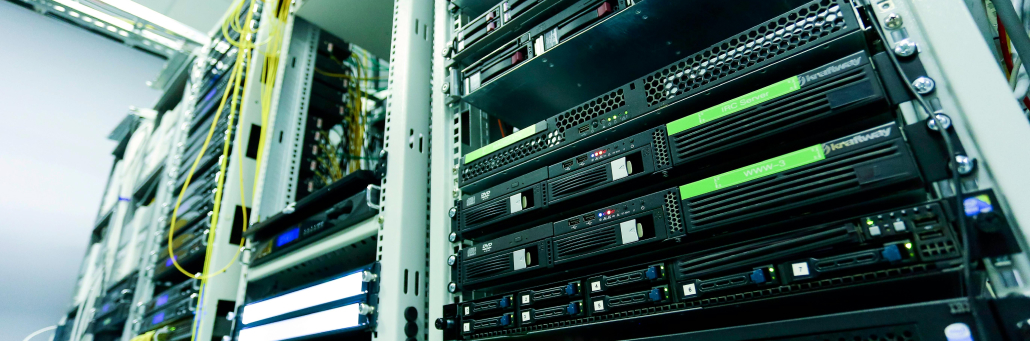
servers - ai hosting by Fireline Broadband

Security in AI Data Centers

AI workloads often handle sensitive data: customer information, proprietary business models, financial records, or healthcare data. A security breach can mean stolen intellectual property, regulatory fines, or reputational damage. That’s why AI hosting requires layered security that addresses both physical and cyber risks.

Physical Security Layers

  • Controlled facility access: Biometric scanners, mantrap entry points, and badge readers.
  • 24/7 on-site security personnel: Guards who monitor access and respond to incidents.
  • Continuous video surveillance: Cameras covering all entry points, corridors, and server aisles.
  • Locked cabinets and cages: Individualized access controls for colocation customers.
  • Visitor logging and escort policies: No unaccompanied access to secure areas.\

Cybersecurity Integration

  • Encrypted data transmission: In-flight and at-rest encryption for all customer data.
  • Firewalls and intrusion detection systems: Monitoring network traffic for anomalies.
  • Segregated customer networks: VLANs or software-defined networking to isolate tenants.
  • API-based access controls: Programmatic management of firewall rules and permissions.
  • Regular third-party audits: Certifications such as SOC 2 Type II and ISO 27001.

Operational Security Practices

  • Redundant network paths: Prevents single points of failure from becoming security gaps.
  • Remote hands policies: Secure procedures for customer-authorized technician access.
  • Incident response plans: Documented and tested procedures for different threat scenarios.
  • Environmental controls: Fire suppression systems designed to protect electronics without destroying them.

Key takeaway for decision makers: When evaluating AI hosting partners, ask for their security certifications, request an overview of their incident response plan, and clarify who is responsible for each layer of protection (the shared responsibility model).

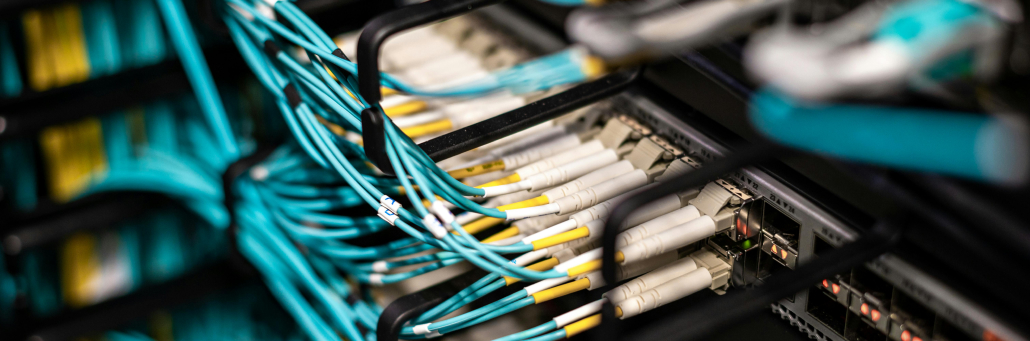
Fiber Optic cable - Fireline Broadband

Why Choose Fireline Broadband for AI Hosting

Fireline Broadband’s Tier II+ data centers in Los Angeles and Orange County offer AI-ready colocation with direct peering to major interconnection hubs.

What we offer:

  • High-density colocation: Rack space from 1U to full cabinets, with redundant A/B power feeds and N+1 cooling.
  • Flexible power options: Support for high-density racks up to [your capacity] kW per cabinet.
  • Direct fiber connectivity: Low-latency access to One Wilshire, Equinix LA1/LA4/LA5, CoreSite LA, and Las Vegas data centers .
  • 24/7 NOC monitoring and security: Biometric access, video surveillance, and on-site personnel.
  • Custom cross-connects: Direct links to cloud providers, AI partners, and peering exchanges.
  • Competitive pricing: Colocation starting at $200 per month for rack space .

Ideal for LA businesses needing secure, scalable colocation with Southern CA/LV peering.

Data center security is essential because these facilities store and support the systems that power business operations, customer data, and network traffic. A strong security program helps protect against physical threats, cyberattacks, equipment failure, and unauthorized access.

A secure data center typically uses layered protections such as:

  • Controlled entry with badges, biometrics, and mantraps.
  • 24/7 video surveillance and onsite monitoring.
  • Fire suppression and environmental controls.
  • Redundant power and cooling systems.
  • Firewalls, encryption, and network segmentation.
  • Continuous monitoring and incident response procedures.

For a provider like Fireline Broadband, security is especially important because colocation customers are trusting the facility with business-critical infrastructure. That means physical safeguards and network protection should work together to reduce downtime and keep systems resilient.

Who Benefits from AI-Ready Data Center Hosting?

Use CaseExampleWhy It Matters
AI model trainingLLM development, computer visionHigh-density compute and low-latent networking speed training times.
Real-time inferenceFraud detection, personalizationLow latency improves user experience and decision speed.
Hybrid AI workloadsCloud + on-premises AIDirect connections to AWS, Azure, or Google Cloud reduce egress costs.
Backup and disaster recoveryRedundant AI infrastructureSecond-site colocation supports RTO/RPO goals.
Startups and researchAccelerator programs, university labsFlexible OpEx model avoids large capital outlays for hardware.
Data center - Fireline Broadband

Ready to power your AI with reliable infrastructure?

AI hosting in data centers is more than plugging in servers. It’s about choosing a facility with the power, cooling, security, and connectivity to keep your models training and your inference running — without surprises.

Fireline Broadband’s Los Angeles and Orange County data centers offer AI-ready colocation to major interconnection hubs, 24/7 security, flexible power, and local support.

Call our business team:877-347-3147
Learn more about our Data Center Solutions

FAQs About AI Hosting

What is an AI-ready data center?

An AI-ready data center is a facility designed to handle the high power density, advanced cooling requirements, and high-bandwidth networking that AI workloads (training and inference) demand. These facilities typically support GPU/TPU clusters, offer 40–100 kW per rack, and use liquid or hybrid cooling systems.

How is an AI data center different from a traditional data center?

Traditional data centers focus on CPU-based workloads (databases, email, web hosting). AI data centers are optimized for parallel processing with GPUs/TPUs, requiring significantly more power per rack, advanced cooling, and low‑latency, high-throughput network fabrics.

Does AI hosting cost more than standard colocation?

Yes, generally. Higher power density, specialized cooling, and high-performance networking increase operational costs. However, for AI projects, the alternative — building your own AI‑ready facility — is often far more expensive. Colocation offers a predictable OpEx model without upfront capital expenditure.

What security measures should an AI data center have?

A secure AI data center uses layered physical controls (biometric access, surveillance, mantraps) and cybersecurity measures (firewalls, encryption, network segmentation). Certifications such as SOC 2 Type II or ISO 27001 indicate a mature security program. You should also understand the shared responsibility model: what the provider secures vs. what you must secure.

Can I connect my AI hosting to public cloud providers?

Yes. Many colocation providers, including Fireline Broadband, offer direct cross-connects to major cloud providers (AWS Direct Connect, Azure ExpressRoute, Google Cloud Interconnect). This supports hybrid AI architectures where training happens in colocation and inference runs in the cloud.

How does AI improve data center operations?

Data centers use AI for predictive maintenance (forecasting equipment failures), smart cooling (reducing energy use), security monitoring (detecting anomalies), and capacity planning (forecasting future needs). These AI-driven efficiencies improve uptime and reduce costs for colocation customers.

What is the future of AI in data centers?

The industry is moving toward even higher power densities, wider adoption of liquid cooling, and more autonomous “lights out” data centers where AI manages cooling, power, security, and compute orchestration with minimal human intervention . Energy efficiency and sustainability will also become more urgent as AI workloads grow .

How do I get started with AI hosting?

Start by assessing your workload requirements: number of GPUs/TPUs, power budget, cooling needs, and connectivity to cloud or partners. Then, request a colocation consultation with a provider like Fireline Broadband to review your options, timeline, and costs.
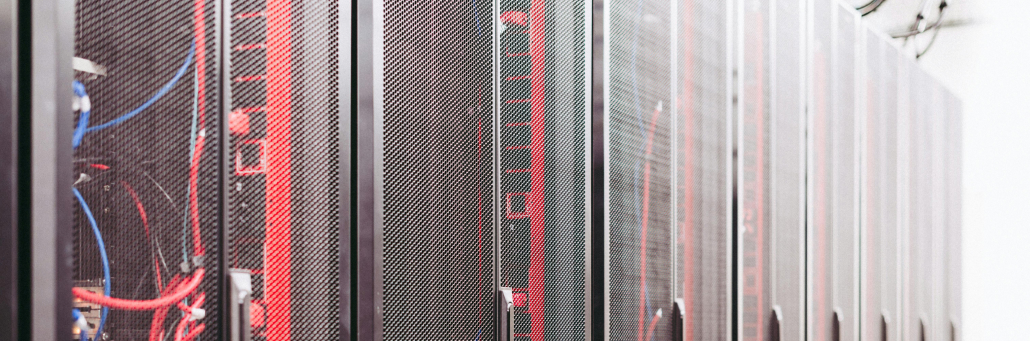
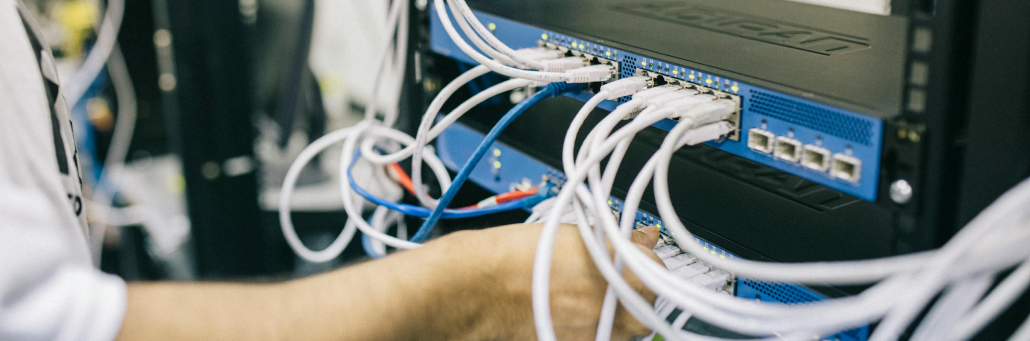
A data center is a dedicated physical facility that houses servers, storage systems, and networking equipment to run applications, store data, and support business operations. These mission-critical environments provide computing resources for everything from enterprise IT to cloud services and AI workloads.

Organizations choose data centers for reliability, scalability, and security over basic server rooms.

free speed test by Fireline Broadband

Data center - Fireline Broadband

Why Data Centers Matter for Businesses

Data centers ensure 99.99%+ uptime for applications like email, CRM, ERP, virtual desktops, IoT, big data analytics, and AI/ML. Redundant power, cooling, and networks protect against outages and failures.

They centralize IT infrastructure, enabling faster performance, data protection, and cost-efficient scaling for hybrid cloud setups.

Core Components of a Data Center

Every data center includes essential hardware and systems:

  • Compute: Servers and virtualization for processing workloads.
  • Storage: HDDs, SSDs, and SAN/NAS for data retention.
  • Networking: Switches, routers, firewalls, and load balancers.
  • Power & Cooling: UPS, generators, HVAC, and CRAC units.
  • Security: Biometrics, surveillance, fire suppression, and cybersecurity tools.

These integrate for high availability and fault tolerance.

Data center - Fireline Broadband

Types of Data Centers Explained

TypeDescriptionBest For
EnterpriseCompany-owned on-premises facility.Full control over custom IT.
ColocationRent rack space/power in shared facility.Scalable hardware hosting.
ManagedThird-party operates your infrastructure.Hands-off operations.
CloudProvider-managed in Regions/AZs (e.g., AWS).Elastic, pay-as-you-go scaling.
EdgeLocalized for low-latency apps like 5G/IoT.Real-time processing.

Choose based on control, cost, and latency needs.

Data Center Tiers and Standards

Uptime Institute Tiers rate redundancy:

  • Tier I: Basic, 99.671% uptime.
  • Tier II: Partial redundancy, 99.741%.
  • Tier III: Concurrently maintainable, 99.982%.
  • Tier IV: Fault-tolerant, 99.995% (26 min/year downtime).

ANSI/TIA-942 certifies design for cabling and facilities.

Data center - Fireline Broadband

Why Choose Fireline Broadband Data Center

Fireline Broadband’s Tier II+ data centers in Los Angeles and Orange County offer enterprise-grade colocation with:

  • Redundant A/B power feeds, N+1 cooling, battery/generator backups.
  • 24/7 NOC monitoring, video surveillance, mantraps, and biometric access.
  • Affordable pricing: starting at $200/month per rack (1U to full cabinets).
  • Direct fiber to One Wilshire, CoreSite LA, Equinix LA1/LA4/LA5, Las Vegas, and more.
  • Custom last-mile Ethernet transport for low-latency connectivity.

Ideal for LA businesses needing secure, scalable colocation with Southern CA/LV peering.

Cloud Data Centers vs. On-Premises

Cloud data centers (e.g., AWS Regions) provide global scale and managed services, while on-premises/colocation offers data sovereignty and customization. Hybrid models combine both for flexibility. Physical suits compliance-heavy needs; cloud excels in agility.

FeaturePhysical/On-Premises/ColocationCloud 
OwnershipFull control over hardwareProvider-managed
CostsHigh upfront Capital Expenditure, ongoing Operational ExpenditurePay-as-you-go operational expenses
ScalabilityRequires hardware upgradesInstant, elastic scaling
SecurityDirect physical/digital controlShared responsibility model
LatencyLow for local accessMay vary by region
MaintenanceIn-house or providerFully handled by provider
CustomizationHigh flexibilityLimited to provider options
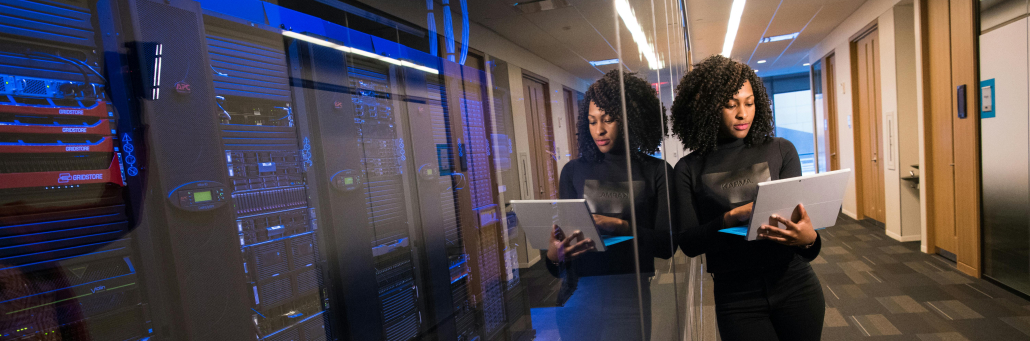
woman standing next to Data center - Fireline Broadband

Data Center Security

Data center security is essential because these facilities store and support the systems that power business operations, customer data, and network traffic. A strong security program helps protect against physical threats, cyberattacks, equipment failure, and unauthorized access.

A secure data center typically uses layered protections such as:

  • Controlled entry with badges, biometrics, and mantraps.
  • 24/7 video surveillance and onsite monitoring.
  • Fire suppression and environmental controls.
  • Redundant power and cooling systems.
  • Firewalls, encryption, and network segmentation.
  • Continuous monitoring and incident response procedures.

For a provider like Fireline Broadband, security is especially important because colocation customers are trusting the facility with business-critical infrastructure. That means physical safeguards and network protection should work together to reduce downtime and keep systems resilient.

Who Data Centers Are Good For

Data centers suit a range of organizations needing robust, reliable IT infrastructure:

A secure data center typically uses layered protections such as:

  • Growing SMBs: Affordable colocation scales without building facilities.
  • Enterprises with compliance needs: On-premises or colo for data sovereignty (e.g., HIPAA, GDPR).
  • High-frequency trading/media firms: Low-latency access via direct peering.
  • AI/ML developers: High compute density with power/cooling for GPUs.
  • Backup/disaster recovery users: Redundant sites for RTO/RPO goals.
  • LA and OC based businesses: Fireline’s Los Angeles and Orange County data center locations for regional connectivity.
Data center - Fireline Broadband

The Data Center Powerhouse

Data centers are the backbone of digital infrastructure, powering reliable IT from colocation to hyperscale cloud. Fireline Broadband delivers focused colocation for performance and compliance.

Call our business team:877-347-3147
Learn more about our Data Center Solutions

FAQs About Data Centers

How secure is a data center?

A data center is secure when it uses layered physical and digital protections such as restricted access, surveillance, fire suppression, encryption, firewalls, and continuous monitoring.

What is a data center in simple terms?

A data center is a secure facility that houses the servers, storage, and network equipment needed to run applications and store data.

Why do companies use data centers?

Companies use data centers to keep applications available, protect data, and support business operations with reliable infrastructure.

What equipment is inside a data center?

Common equipment includes servers, storage systems, routers, switches, firewalls, and cooling and power systems.

What is the difference between a data center and the cloud?

The cloud is delivered through physical data centers, so cloud services still depend on the underlying data center infrastructure.

What is colocation?

Colocation means renting space in a data center and placing your own equipment there instead of building your own facility.

Why use Fireline Broadband’s data center?

For redundant power/cooling, 24/7 security/NOC, affordable colocation, and direct fiber to key LA/LV sites.

How do cloud data centers differ?

They offer scalable, managed infrastructure across global regions for hybrid/on-premises extension.

Government agencies are eager to deploy AI, but enthusiasm alone does not make an organization ready. Real readiness depends on whether the agency has the data, governance, security, workforce, and infrastructure needed to support AI in a reliable and responsible way.

AI can improve public service delivery, automate repetitive work, and help agencies make faster decisions, but those benefits only show up when the foundation is strong. Agencies that move too quickly without preparing their systems often run into data quality issues, security concerns, and implementation gaps that slow progress or create risk.

free speed test by Fireline Broadband

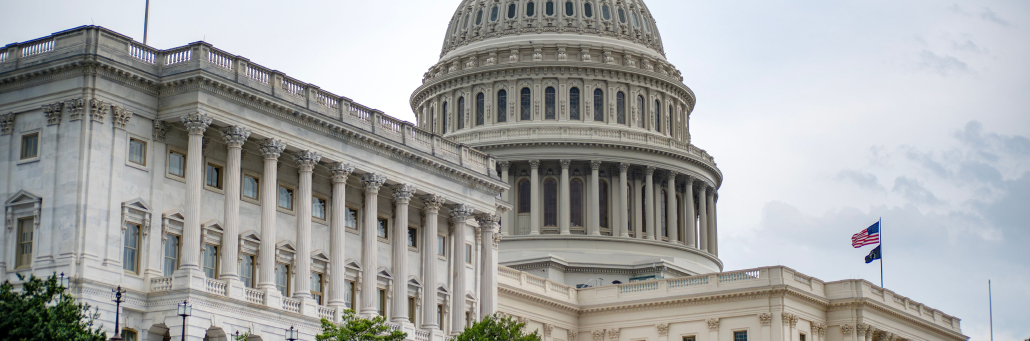
Government the capitol building - Fireline Broadband

Why AI Readiness Matters

AI is no longer a future concept for government. Federal, state, and local agencies are already testing or deploying AI in areas like benefits administration, public safety, housing, and internal operations.

The challenge is that many agencies are still working with legacy systems, inconsistent data, and limited technical capacity. That means AI projects can stall if leaders do not first build the right environment for them to succeed.

What Agencies Need First

A successful AI program usually starts with four things:

  • Strategy, so the agency knows what it wants AI to accomplish and how success will be measured.
  • Data governance, so information is accurate, accessible, and trusted enough to support AI use cases.
  • Workforce readiness, so employees know how to use, manage, and oversee AI tools responsibly.
  • Technical infrastructure, so systems can support AI securely and at scale.

Without those pieces, AI may still launch, but it is much more likely to underperform or create new problems.

Government congress floor - Fireline Broadband

Where Agencies Get Stuck

One of the biggest obstacles is that AI often exposes weak data foundations very quickly. If records are incomplete, inconsistent, or hard to access, AI outputs will reflect those problems.

Another common issue is governance. Agencies may have pilot projects, but no clear ownership, no shared standards, and no way to measure whether the work is actually helping the mission.

What Readiness Looks Like

An AI-ready agency usually has:

  • Clear use cases tied to mission goals.
  • Clean, governed, and well-documented data.
  • Security and privacy controls in place.
  • Staff who understand the limits and risks of AI.
  • A plan to move from pilots to production.

That does not mean everything has to be perfect before starting. It means the agency has enough structure to adopt AI safely and scale it over time.

department of homeland security inside with two army men - Government AI - Fireline Broadband

Why Connectivity and Infrastructure Matter

AI depends on fast, reliable access to data and systems. If networks are slow, fragmented, or unstable, even well-designed AI projects can struggle. Agencies need infrastructure that supports secure data movement, cloud access, analytics, and future growth.

That is why AI readiness is not just a software discussion. It is also a network, security, and operations discussion.

Maintaining Security When Deploying AI in Government

AI introduces unique security challenges for government agencies. Models can expose sensitive data, algorithms can be manipulated, and systems can become attack vectors. Here’s how agencies maintain security:

Key Security Practices

  • Data governance with access controls: Classify datasets, enforce role-based access, and encrypt data at rest and in transit. Agencies must audit who can train or query AI models.
  • Model security: Protect AI models from theft, poisoning, or adversarial attacks. Use secure enclaves (Intel SGX, AWS Nitro) for training and inference.
  • Secure supply chain: Vet third-party AI tools, datasets, and APIs. Government agencies should require FedRAMP or equivalent certifications.
  • Continuous monitoring: Deploy AI-specific monitoring for anomalous behavior—unusual data access patterns, model drift, or inference attacks.
  • Human oversight: AI decisions affecting citizens need human review. Agencies should define “human-in-the-loop” requirements for high-stakes use cases.

Network Security for AI

  • Zero-trust architecture for all AI endpoints
  • Encrypted data flows between edge devices, agencies, and cloud
  • Network segmentation isolating AI training from operational systems
  • Redundant paths preventing single-point failures during attacks

Fireline Broadband supports AI security with:

  • Encrypted 100Gbps+ circuits for secure data lakes
  • FedRAMP-ready infrastructure
  • Automatic failover maintaining availability during DDoS

Compliance Framework

Agencies must align AI security with:

  • FISMA/NIST 800-53 for federal systems
  • AI Risk Management Framework (NIST)
  • GDPR/CCPA for citizen data
  • Executive Order 14110 AI safety requirements

Regular red teaming and penetration testing validate AI security posture.

Bottom line: AI security is continuous governance + technical controls + human oversight. Agencies cannot deploy first and secure later.

Government AI - Fireline Broadband

How Fireline Broadband Powers AI-Ready Government Agencies

Fireline Broadband helps agencies build the secure, scalable network infrastructure that makes AI deployment reliable:

  • High-capacity fiber for AI data lakes, model training, and real-time analytics
  • Low-latency circuits connecting legacy systems to cloud AI platforms
  • Redundant connectivity ensuring zero-downtime for mission-critical services
  • Rapid deployment (24-72 hours) for pilot projects and proofs-of-concept
  • FedRAMP-authorized solutions meeting federal security standards

Healthcare & government wins:

  • Multi-agency data sharing at 100Gbps+
  • Secure telehealth + AI triage networks
  • Legacy-to-cloud migration without service interruption
Abe Lincoln Statue - Fireline Broadband

Choose the Right Path Forward

Eliminate the infrastructure gap. Fireline Broadband provides the network backbone agencies need to move from AI pilots to production.

Schedule assessment: Fireline engineers evaluate your current bandwidth, latency, and redundancy against AI workloads. Deploy in days, scale in hours. Maximize your return on AI with an efficient internet service partner.

Call our business team:877-347-3147
Learn more about our Dedicated Internet Solutions

FAQs About AI in Goverment

Are government agencies actually using AI already?

Yes. Many federal, state, and local agencies are already experimenting with or deploying AI in areas like public services, safety, and operations.

What is the biggest barrier to AI adoption in government?

Data quality and governance are among the biggest barriers, especially when agencies rely on legacy systems or inconsistent records.

Does an agency need perfect data before using AI?

No, but it does need data that is good enough to support the specific use case and governance process.

Why does workforce readiness matter?

Employees need to understand how to use AI tools, manage risk, and oversee results responsibly.

What is the first step for an agency getting ready for AI?

A readiness assessment is a good first step because it helps the agency understand its strategy, data, governance, and technical gaps.

Can AI improve government service delivery?

Yes. When implemented well, AI can streamline processes, reduce repetitive work, and improve service speed and quality.

How secure is using AI in government agencies?

AI security requires data encryption, model protection against poisoning/theft, zero-trust networks, human oversight for high-stakes decisions, and continuous monitoring. Agencies must align with NIST AI RMF, FISMA, and Executive Order 14110 while vetting third-party tools for FedRAMP compliance.