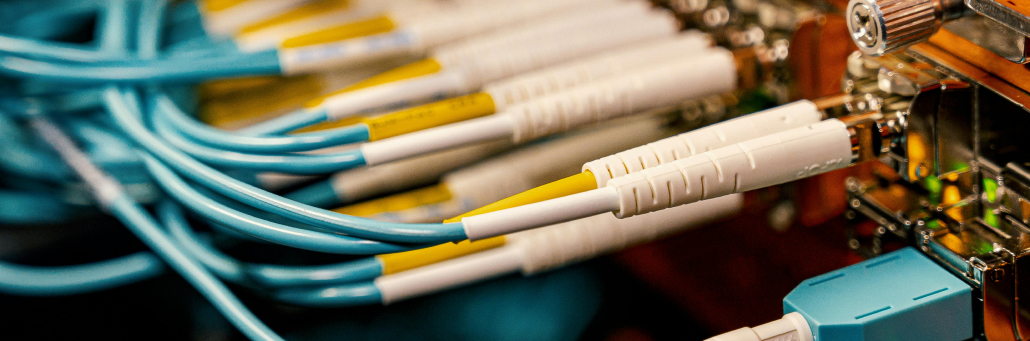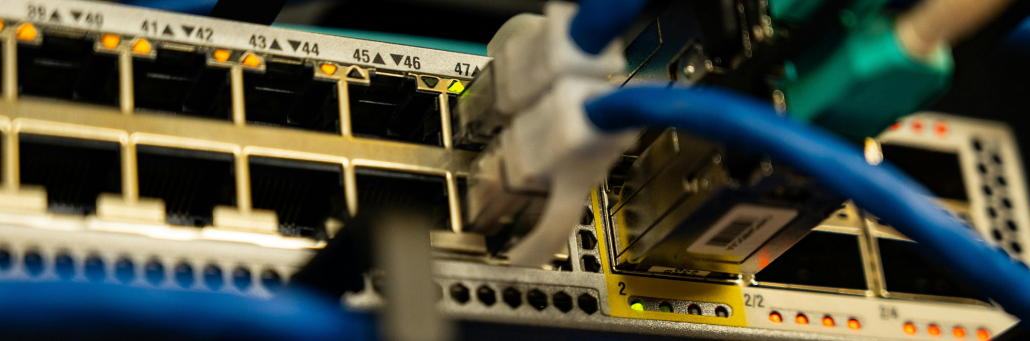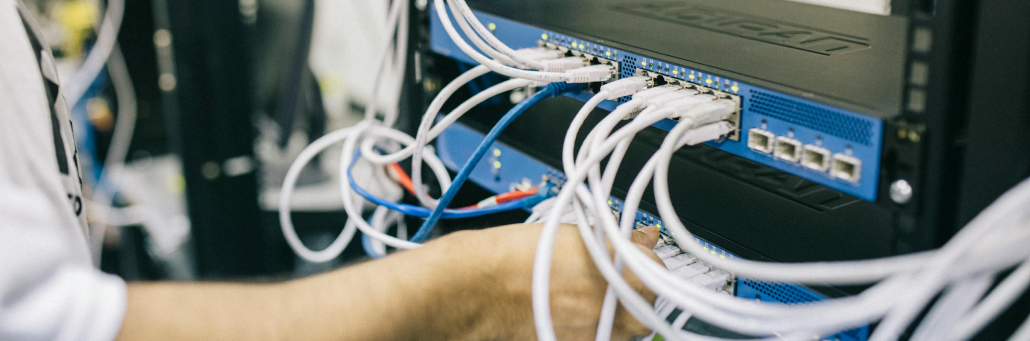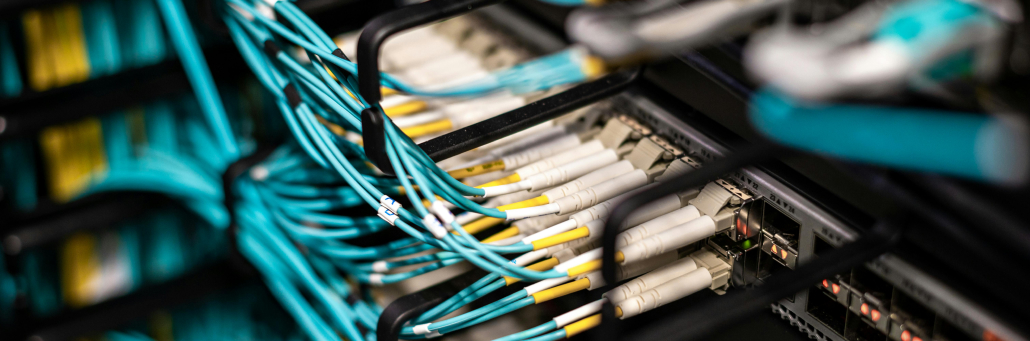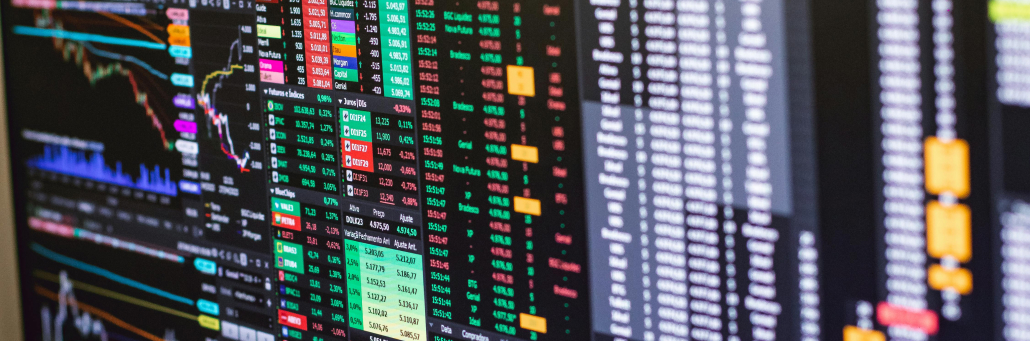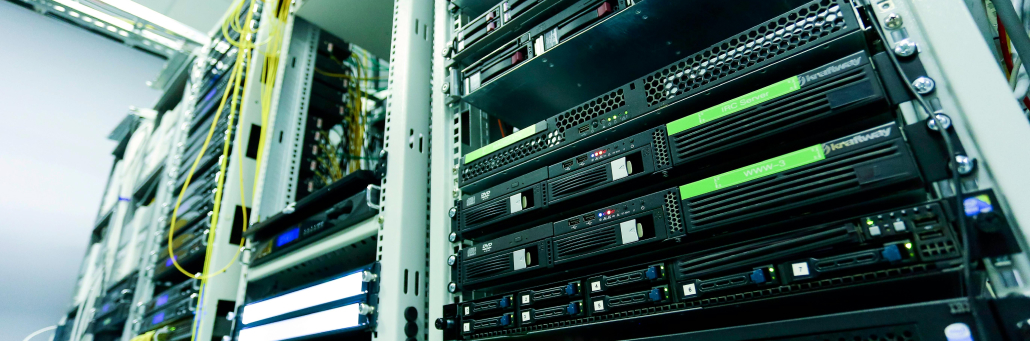
A cross connect is a direct physical connection between two endpoints inside a data center, such as a customer rack and a carrier, cloud provider, or another tenant. It reduces latency by avoiding the public internet and creating a shorter, more predictable path for traffic.

free speed test by Fireline Broadband

cross connects with Fireline Broadband

How Cross Connects Work

Cross connects are typically patched through a meet-me room or through patch panels inside the facility. That direct link gives businesses secure, private connectivity to partners, carriers, and cloud services without sending traffic across multiple external hops.

Because the connection is physically localized, it often improves performance, makes traffic more predictable, and simplifies interconnection management.

Why They Reduce Latency

Latency is the delay between sending data and receiving a response. Cross connects help reduce it because data travels a shorter route and avoids the congestion and variability of the public internet.

This is especially important for workloads that need fast response times, including trading platforms, cloud interconnection, backup replication, and hybrid applications that move data between on-prem systems and cloud providers.

cross connects with Fireline Broadband

Cross Connect vs Internet-Based Connectivity

FeatureCross ConnectInternet-Based Connection
PathDirect, physical path inside the facilityRouted across public networks
LatencyLower and more predictableHigher and more variable
SecurityPrivate and isolatedExposed to broader internet traffic
Use caseCloud interconnection, carrier access, tenant linksGeneral business access

Common Use Cases

Cross connects are often used to connect servers, storage, switches, carriers, and cloud providers in the same building. They are also helpful when businesses want to improve traffic flow, support disaster recovery, or create direct connections between systems that need frequent communication.

Cross connects are used by businesses that need fast, private, and reliable data exchange inside a data center. They are especially common among companies that depend on low latency, high uptime, and direct interconnection to other networks or cloud services.

Typical users include:

  • Cloud providers, which use cross connects to link services and improve performance for customers.
  • Carriers and network providers, which use them to exchange traffic and expand connectivity options.
  • Financial services firms, which need low-latency paths for trading and data exchange.
  • Enterprises with hybrid infrastructure, which connect on-prem systems to cloud platforms.
  • Content and media companies, which move large amounts of data quickly and reliably.

Cross connects are a good fit for any organization that wants more control over traffic, better performance, and a more predictable network path.

Security and Reliability Benefits

Because cross connects are private links, they can reduce exposure compared with public internet traffic. They also simplify troubleshooting because the physical path is known and controlled inside the data center environment.

financial districts perfect for cross connects with Fireline Broadband

Cross Connects and Cloud Access

Cross connects are especially useful for businesses that rely on cloud platforms and need faster, more stable access to their workloads. Instead of sending traffic over the public internet, a cross connect can create a direct path to a cloud provider or network partner inside the data center. That helps reduce latency, improve consistency, and make performance more predictable.

This matters for companies running hybrid environments, disaster recovery setups, or applications that move a lot of data between on-prem systems and cloud services. It can also help reduce congestion and improve user experience for workloads that need quick response times.

Fireline and Cross Connects

Fireline Broadband can support the broader connectivity strategy around cross connects by providing reliable transport, network support, and backup paths that keep business systems online. Fireline Communications can help when voice, collaboration, or customer-facing services need to stay connected with minimal interruption.

cross connects with Fireline Broadband

Keeping You Connected 24/7

Cross connects are one of the fastest ways to improve data center performance and reduce latency. They are a strong fit for businesses that need secure, direct, and predictable connectivity between critical systems.

Call our business team: 877-347-3147
Learn more about our Dedicated Data Center Solutions

FAQs

What is a cross connect in a data center?

A cross connect is a direct physical connection between two endpoints inside a data center, such as a customer cabinet and a carrier or cloud provider.

How does a cross connect reduce latency?

It reduces latency by shortening the network path and avoiding the extra hops that come with public internet routing.

Is a cross connect secure?

Yes, cross connects are private physical links inside a controlled facility, which makes them more isolated than public internet connections.

What are cross connects used for?

They are commonly used for cloud interconnection, carrier access, backup, disaster recovery, and direct communication between systems in the same facility.

Does a cross connect improve reliability?

Yes, it can improve reliability by creating a controlled and predictable direct link that is easier to manage and troubleshoot.

How can Fireline help with reliability?

Fireline Broadband and Fireline Communications can provide dependable internet, backup support, and communication tools that help reduce downtime risk.

Imagine you have servers in a colocation facility. They are secure, well‑powered, and reliably cooled. But there is a problem: getting data into and out of those servers still relies on the public internet—slow, unpredictable, and exposed to security risks.

Colocation interconnection solves that problem. Interconnection is the practice of creating direct, private, high‑speed connections between your colocated equipment and other networks: cloud providers, business partners, other data centers, and internet exchanges.

This guide explains what colocation interconnection is, why it matters more than ever for AI and hybrid cloud, and how to evaluate interconnection options for your business. We will also cover security considerations and answer the most common questions IT leaders ask.

free speed test by Fireline Broadband

Data center - Fireline Broadband

What Is Colocation Interconnection?

In simple terms, interconnection is a private, dedicated link between two or more parties inside a colocation data center.

Instead of sending traffic across the public internet (which can be slow, unreliable, and vulnerable), interconnection uses physical cables—called cross connects—that run directly between your rack and another tenant’s rack, a cloud provider’s on‑ramp, or an Internet Exchange Point (IXP).

Connection TypeHow It WorksLatency
Public InternetTraffic routes across multiple ISP networksVariable, often high
VPN over InternetEncrypted tunnel over public internetStill variable
Direct Cross ConnectPhysical cable between two racks in the same facilityUltra‑low, consistent
Cloud On‑Ramp (e.g., Direct Connect)Private connection from colo to cloud providerLow, predictable
Interconnection PlatformSoftware‑defined virtual cross connects across multiple facilitiesLow, configurable

Interconnection turns a colocation facility from a simple “server hotel” into a strategic hub for your entire digital infrastructure.

Why Interconnection Matters More Than Ever

1. AI and Hybrid Cloud Demand Low Latency

Training artificial intelligence (AI) models and running real‑time inference requires massive amounts of data to move between GPUs, storage, and networks. Any delay—any latency—slows down training and makes inference less responsive.

Direct interconnection to cloud GPU providers (such as Vultr or others) or to specialized AI infrastructure allows you to keep your data in your colocation rack while using cloud compute elastically. This proximity is critical.

As one industry analyst recently noted, “Enterprises need a unified infrastructure stack for enterprise AI and hybrid cloud, combining global colocation, physical proximity, and on‑demand compute.”

2. Data Gravity Is Real

“Data gravity” is the idea that as you accumulate data, it becomes harder and more expensive to move. Applications and services naturally gravitate toward where the data lives. Interconnection allows you to bring the compute to the data rather than moving massive datasets across the public internet.

3. Cloud Costs Are Rising

Many enterprises are repatriating workloads from public cloud back to colocation. But they still need occasional access to cloud services for bursting, AI training, or disaster recovery. Direct interconnection provides the best of both worlds: cost‑effective colocation for steady‑state workloads, plus on‑demand cloud access without expensive egress fees.

4. Edge and Distributed Architectures

Modern applications run everywhere: in central data centers, in regional colocation facilities, at the edge, and in multiple clouds. Interconnection stitches these environments together into a single, logical network.

Data center - Fireline Broadband

Types of Colocation Interconnection

1. Cross Connects (Physical)

A physical cable—typically copper or fiber—that directly connects two pieces of equipment within the same colocation facility.

Best for: High‑throughput, low‑latency connections between your servers and a business partner, a carrier, or an Internet exchange.

2. Cloud On‑Ramps (Direct Connect / ExpressRoute)

A dedicated, private connection from your colocation rack to a public cloud provider such as AWS, Microsoft Azure, or Google Cloud.

Best for: Hybrid cloud architectures where some workloads run in colocation and others run in the cloud, with regular data exchange between them.

3. Metro Connect / Data Center Interconnect (DCI)

A private connection between two colocation facilities in the same metropolitan area, often provided by the colocation operator or a specialized partner.

Best for: Active‑active high availability, disaster recovery, or distributing workloads across multiple facilities for compliance or performance.

4. Interconnection Platforms (Software‑Defined)

Services such as Digital Realty’s ServiceFabric® or CoreSite’s Open Cloud Exchange® allow you to provision virtual cross connects between multiple parties across multiple facilities using a software portal or API.

Best for: Dynamic, multi‑party, multi‑site interconnection needs that change frequently.

Data center - Fireline Broadband

Security Benefits of Colocation Interconnection

Security is often the #1 reason enterprises move from public internet to private interconnection.

Security LayerHow Interconnection Helps
Data in transitTraffic never traverses the public internet, eliminating exposure to man‑in‑the‑middle attacks, DDoS, and BGP hijacking.
Network isolationCross connects are point‑to‑point, private connections. No other tenant can see your traffic.
ComplianceFor regulated industries (healthcare, finance, government), private interconnection simplifies audit and compliance (HIPAA, PCI‑DSS, FedRAMP) by keeping data within a defined, controlled network boundary.
DDoS mitigationBecause your traffic does not flow across the public internet, you are not subject to volumetric DDoS attacks aimed at general internet transit.
EncryptionYou can still encrypt traffic over cross connects, but even unencrypted traffic on a private cross connect is far less exposed than unencrypted traffic on the internet.

Physical Security Integration

nterconnections rely on the physical security of the colocation facility itself. Reputable colocation providers such as Fireline Broadband implement:

  • Biometric access controls (fingerprint or hand geometry)
  • Mantraps (interlocking doors that trap unauthorized individuals)
  • 24/7 video surveillance with recorded retention
  • On‑site security personnel
  • Locked cages and cabinets with individual access credentials

A cross connect is only as secure as the facility it runs through. Always verify your colocation provider’s security certifications (e.g., SOC 2 Type II, ISO 27001) and physical security practices.

woman standing next to Data center - Fireline Broadband

Colocation vs. Cloud: Why Interconnection Bridges the Gap

The popular narrative often frames colocation and cloud as opposing choices. In reality, interconnection turns them into complementary tools.

FactorColocation AloneCloud AloneColocation + Interconnection
Data controlFull controlLimitedFull control in colo, flexible in cloud
Latency to cloud servicesHigh (via internet)Very low (inside cloud)Very low (dedicated private on‑ramp)
Cost for predictable workloadsLowHigh (egress, API fees)Low for colo, controlled for cloud burst
SecurityHigh (physical + network)Shared responsibilityHigh + private, dedicated links
AgilityModerateHighHigh (burst to cloud when needed)

How Fireline Broadband Enables Interconnection

Fireline Broadband’s Tier II+ data centers in Los Angeles and Orange County offer AI-ready colocation with direct peering to major interconnection hubs.

What we offer:

  • Carrier‑neutral meet‑me‑room: Connect directly to dozens of carriers, ISPs, and cloud on‑ramps.
  • Direct fiber to major interconnection points: Equinix LA1/LA4/LA5, CoreSite LA, and more
  • Private cross connects: Physical fiber or copper connections between your rack and any other tenant or service provider in the facility.
  • 24/7 remote hands: Our on‑site engineers can install and maintain cross connects for you.

Whether you are building a hybrid cloud, connecting to a business partner, or simply want lower‑latency internet access via direct peering, Fireline Broadband provides the interconnection options you need.

Data center - Fireline Broadband

Ready to Interconnect?

Colocation gives you control, security, and cost predictability. Interconnection gives you connection — to the cloud, to partners, and to the world — without sacrificing performance or security.

As enterprises adopt hybrid cloud, AI, and distributed architectures, interconnection is no longer a “nice to have.” It is a core component of modern infrastructure strategy.

Fireline Broadband’s Los Angeles data center is ready to be your interconnection hub. With direct fiber to major exchange points, private cross connects, and cloud on‑ramps, we provide the connectivity your business needs to thrive.

Call our business team:877-347-3147
Learn more about our Data Center Solutions

FAQs About AI Hosting

What is colocation interconnection?

Colocation interconnection is a private, dedicated connection between your equipment in a colocation data center and another party (cloud provider, business partner, carrier, or another data center) using direct physical cables or software‑defined virtual links.

How is interconnection different from the public internet?

Public internet traffic routes through multiple ISP networks, which introduces latency, variability, and security risks. Interconnection is a direct, private link that does not touch the public internet — offering lower latency, consistent performance, and higher security.

What is a cross connect?

A cross connect is a physical cable (copper or fiber) that directly connects two pieces of equipment within the same colocation facility. It is the most common form of interconnection.

Do I need a cloud on‑ramp?

If you use public cloud services (AWS, Azure, GCP) alongside your colocated servers, a cloud on‑ramp (Direct Connect, ExpressRoute, Interconnect) provides a private, high‑performance, cost‑predictable connection. It is strongly recommended for any regular data exchange between colo and cloud.

Is colocation interconnection secure?

Yes. Interconnection traffic never traverses the public internet, eliminating many common attack vectors. However, the security of the interconnection depends on the physical security of the colocation facility itself and your own network security practices (e.g., firewalls, encryption).

How much does interconnection cost?

Costs vary. A simple cross connect within a single facility might cost a fixed monthly fee (e.g.,
200 – 500). Cloud on‑ramps include a port fee plus data transfer charges (often discounted compared to public internet egress). Metro connects and interconnection platforms typically have subscription or usage‑based pricing.

What is a meet‑me‑room?

A meet‑me‑room (MMR) is a secure area within a colocation data center where multiple carriers and network providers physically interconnect. It is the hub for interconnection.

Can I interconnect between two different colocation providers?

Yes, using a metro connect or a data center interconnect (DCI) service. This typically involves a third‑party provider that has fiber between the two facilities, or a direct agreement between the colocation providers.

How do I get started with interconnection?

Contact your colocation provider’s interconnection team. They will survey your requirements, check availability of cross connects or cloud on‑ramps, and provide pricing. Fireline Broadband offers free interconnection consultations.

The data center industry is in the middle of its most dramatic transformation in decades. Artificial intelligence (AI) workloads are fundamentally changing everything about how data centers are designed, built, and operated.

In 2026, the sector faces unprecedented momentum — driven by surging demand for AI, cloud, and edge computing, and the relentless pursuit of speed, efficiency, and sustainability .

This guide covers the ten most important data center trends for 2026, from megawatt-scale racks to liquid cooling breakthroughs, and explains what they mean for your business. Whether you operate your own data center, use colocation, or rely on hybrid cloud, these trends will shape your infrastructure decisions for years to come.

free speed test by Fireline Broadband

Data center - Fireline Broadband

The Big Picture: AI Is Rewriting the Rules

Traditional data centers were designed for general-purpose computing: email servers, databases, and file storage. AI workloads are completely different. Training a large language model or running real-time inference requires massive parallel processing power from GPUs, which consume far more electricity and generate far more heat than traditional CPUs.

This shift is driving all major data center trends in 2026. Let’s examine them one by one.

Trend 1: The Rise of the Megawatt Rack

What’s happening: Legacy server racks typically drew 5–10 kilowatts (kW). In 2026, data center consultants are actively designing racks for 2.2 megawatts (MW) within a five-year timeframe . NVIDIA is preparing a 600 kW test unit (the “Rubin Ultra” Kyber rack) slated for release around summer 2027 .

Why it matters: This represents a 100x increase in power density in less than a decade. Traditional power and cooling architectures simply cannot handle these loads.

Rack DensityHistorical (Pre-2020)Today (2026)Near Future (2028-2030)
Typical range5–10 kW40–100 kW250 kW – 1 MW+
Cooling methodAir coolingDirect-to-chip liquid coolingImmersion or two-phase liquid cooling
Power distribution208V/480V ACMixed AC/DC800V DC architectures
Typical workloadsWeb servers, databasesAI training, large language modelsReal-time AI inference, HPC

What this means for you: If you are planning new data center capacity (whether on-premises or colocation), you must design for much higher densities than you think you need. Building for today’s 40 kW racks may leave you obsolete in three years.

Trend 2: Liquid Cooling Becomes Standard (Not Optional)

What’s happening: Air cooling cannot handle racks above 30–40 kW. As AI drives densities higher, liquid cooling has moved from experimental to industry standard. In 2026, direct-to-chip (DLC) liquid cooling is now the default for AI-centric deployments .

Major vendors are scaling up rapidly. nVent showcased 1.8 MW Coolant Distribution Units (CDUs) designed for NVIDIA’s reference architecture . Rittal demonstrated 1 MW direct-to-chip cooling pods capable of supporting densities up to 250 kW per rack .

Why it matters: Cooling accounts for up to 40% of data center energy use. Liquid cooling is dramatically more efficient than air cooling, reducing both energy bills and water consumption. It also allows for much higher compute density in the same physical footprint.

What this means for you: If you are deploying GPUs for AI workloads, liquid cooling is no longer a “nice to have.” It is a requirement. Ensure your colocation provider or facility offers DLC-ready infrastructure.

Trend 3: The Shift to 800V DC Power Architectures

What’s happening: Traditional data centers use alternating current (AC) power, which requires multiple AC-to-DC conversions inside each server. These conversions waste energy as heat. The industry is now preparing to shift to 800V direct current (DC) architectures that eliminate these conversion losses .

Major electrical vendors like LS Electric, Legrand, and ABB are actively prototyping solid-state transformers and DC-ready switchgear . Legrand’s Open Compute Project (OCP) power train centralizes AC-to-DC conversion at the rack level, pushing cabinet capacities toward 300 kW .

Why it matters: Every time you convert power, you lose efficiency. Eliminating multiple conversion steps can reduce electrical losses by 10-15%, which is enormous at hyperscale.

What this means for you: This trend is still emerging (widespread adoption may not hit until 2030) . However, new facilities should be designed with DC-ready pathways and the ability to upgrade. Ask your colocation provider about their DC power roadmap.

Trend 4: Grid Constraints Drive Hybrid Power Solutions

What’s happening: Electricity grids in many regions — including parts of California — cannot keep up with data center power demand. High-voltage grid connections in congested European markets face lead times of 6–8 years .

To solve this, operators are pivoting to on-site power generation using natural gas, with hybrid solutions combining renewables and gas as a “power couple” . According to Accenture, electricity grid constraints are driving a resurgence in natural gas for data center power, offering reliability and speed to market .

Why it matters: Data center growth is now constrained by power availability, not just capital or real estate. If your region lacks grid capacity, your expansion plans may be delayed by years.

What this means for you: When evaluating colocation providers, ask about their power sourcing strategy. Do they have on-site generation? What are their lead times for new capacity? Are they investing in renewable energy to meet sustainability goals?

Trend 5: Edge Data Centers Explode with 5G and IoT

What’s happening: The surge in 5G, AI, and Internet of Things (IoT) devices is driving explosive growth in edge data centers — smaller facilities located closer to users and devices to reduce latency .

Proximity to cities and industrial hubs is key, with modular solutions enabling fast deployment . Real estate strategies and last-mile resiliency are now central to competitive advantage .

Why it matters: Not all workloads can tolerate the latency of sending data to a centralized cloud region. Autonomous vehicles, industrial robotics, and real-time analytics require processing at the edge.

What this means for you: Evaluate which of your applications are latency-sensitive. Edge colocation may be a better fit than a centralized facility for manufacturing, retail, or healthcare workloads.

Data center - Fireline Broadband

Trend 6: Cloud Repatriation Gains Momentum

What’s happening: After a decade of “cloud-first,” many enterprises are now moving workloads back from public cloud to colocation or on-premises environments .

The drivers are predictable: high egress costs, performance variability, and concerns about proprietary data being used to train public large language models (LLMs) . The “trillion-dollar paradox,” as Andreessen Horowitz described it, is forcing business leaders to face a hard truth: the cloud’s convenience often hides long-term cost and control tradeoffs .

Why it matters: For many workloads, colocation offers better total cost of ownership (TCO) and more predictable performance than the public cloud, especially for data-intensive applications like analytics and machine learning .

What this means for you: Conduct a workload-by-workload cost analysis. Cloud may still win for variable, spiky workloads. But for steady-state, high-volume processing, colocation is often more economical.

Workload TypeBetter FitWhy
Spiky, unpredictable workloadsPublic cloudElastic scaling, pay-as-you-go
Steady-state, predictable workloadsColocationLower TCO, predictable costs
Data-intensive analyticsColocationNo egress fees, predictable performance
Sensitive/proprietary dataColocationFull control over data residency and security
Development and testingPublic cloudAgility and rapid provisioning

Trend 7: Unified Software Tools Replace Fragmented Management

What’s happening: Data center operators have historically managed facilities using siloed tools: building management systems (BMS) for cooling, electrical power management systems (EPMS) for power distribution, and separate SCADA systems for rapid electrical switching .

This fragmentation creates complexity and delays. In 2026, vendors are consolidating these tools into unified, single-pane-of-glass software architectures . Schneider Electric’s “EcoStruxure Foresight” merges BMS, EPMS, and SCADA into one comprehensive system .

Why it matters: Unified management reduces mean time to repair (MTTR), improves energy efficiency, and helps prevent human error during critical operations.

What this means for you: When evaluating colocation providers, ask about their monitoring and management tools. Can you gain real-time visibility into power usage, cooling performance, and security alerts from a single dashboard?

Trend 8: Busbars Replace Traditional Power Cabling for Flexibility

What’s happening: As facility power densities surge, operators are moving away from permanent, end-to-end power cabling in favor of modular busbar trunking systems .

Busbars act as continuous, modular power panels that support loads up to 4,000 amps. They offer superior flexibility: you can tap off a new connection or reconfigure power routes without running a completely new cable from the main panel . Approximately 70% of new data center projects are now utilizing busbars in the gray space .

Why it matters: The initial capital expenditure for busbars is slightly higher than traditional cabling. However, the long-term operational flexibility — especially as rack densities evolve rapidly — far outweighs the upfront costs .

What this means for you: For any new data center or colocation deployment, specify busbar trunking for power distribution. Your future self will thank you.

Trend 9: Fiber Densification Accelerates for AI Clusters

What’s happening: To support the massive data transfer rates required by AI GPU clusters, fiber optic cables are undergoing extreme densification . Fujikura demonstrated a cable containing 13,000 individual fibers using proprietary “rubbing tube” technology .

Why it matters: AI training requires constant communication between thousands of GPUs. Slow or congested networks waste compute cycles and increase training costs. Ultra-high-fiber-count cables are essential to prevent networking from becoming the bottleneck.

What this means for you: If you are building AI infrastructure, plan for significantly more fiber connections than you think you need. Structured cabling designed for today’s clusters may be insufficient for tomorrow’s.

Trend 10: Lead Times for Critical Components Remain Extended

What’s happening: Despite industry efforts to increase manufacturing capacity, lead times for many critical data center components remain extended .

ComponentEstimated Lead Time (2026)
High-voltage grid connections6–8 years (in congested regions)
High-voltage power cables1.5–2 years
Transformers and switchgear1–1.5 years
High-density fiber optic cables1–1.2 years
Standby generator engines1 year
High-density liquid cooling (1 MW)6 months

Why it matters: Extended lead times mean that new data center capacity cannot be brought online quickly. If you are planning an infrastructure expansion, you need to start the procurement process much earlier than in the past.

What this means for you: Build long lead times into your project planning. Develop strong relationships with suppliers. Consider prefabricated, modular solutions that can be deployed faster than traditional builds.

woman standing next to Data center - Fireline Broadband

Security Implications of 2026 Data Center Trends

As data centers evolve to support AI and higher densities, security must evolve too. Here are the key security considerations for 2026:

Physical Security Keeps Pace with Density

Higher rack densities mean more valuable equipment per square foot. Colocation facilities are enhancing physical security with biometric access controlsmantraps (interlocking doors that trap unauthorized individuals), 24/7 video surveillance, and on-site security personnel. Ask your provider about their physical security layers, certifications (e.g., SOC 2 Type II, ISO 27001), and visitor policies.

Liquid Cooling Introduces New Risk Vectors

Liquid cooling systems — while essential for AI workloads — introduce potential leakage risks. A coolant leak can damage servers just as badly as a water leak. Modern CDUs include integrated fluid-monitoring systems that detect leaks immediately and can automatically shut down affected zones . When evaluating liquid-cooled colocation, ask about leak detection, containment strategies, and maintenance procedures.

DC Power Architectures Require Specialized Safety Training

The shift to 800V DC power requires different safety protocols than traditional AC systems. DC faults do not self-extinguish the way AC faults do, requiring specialized training for on-site staff . Ensure your colocation provider’s engineering team has DC power expertise.

Hybrid Infrastructure Expands Attack Surface

As organizations adopt hybrid architectures (colocation + public cloud), the attack surface expands. Unsecured connections between environments can create vulnerabilities. Use dedicated, private cross-connects rather than public internet for cloud on-ramps. Implement consistent firewall and identity management policies across all environments.

Supply Chain Security for Critical Components

With extended lead times for components like fiber optic cables and transformers, there is increased risk of counterfeit or substandard parts entering the supply chain. Work with reputable vendors and ask about their supply chain security practices.

How Fireline Broadband Is Addressing 2026 Trends

Fireline Broadband’s Tier II+ data centers in Los Angeles and Orange County offer future-ready colocation with direct peering to major interconnection hubs.

At Fireline Broadband’s data centers, we are actively adapting to these data center trends:

  • High-density ready: Our facility offers scalable power configurations to support evolving rack densities, with redundant A/B power feeds and N+1 cooling .
  • Carrier-neutral connectivity: Direct fiber access to major interconnection hubs including Equinix LA1/LA4/LA5, and CoreSite LA .
  • Hybrid-ready: We provide private cross-connects to major cloud providers, supporting hybrid and repatriation strategies .
  • 24/7 security and support: Biometric access, mantraps, video surveillance, and on-site engineers (remote hands) ensure your equipment is protected and supported .
  • Sustainable operations: Energy-efficient cooling and power management reduce environmental impact while controlling costs.

Whether you need traditional colocation, AI-ready high-density deployments, or a bridge to the public cloud, Fireline Broadband offers the infrastructure and expertise to support your 2026 data center strategy.

Data center - Fireline Broadband

Ready to Future-Proof Your Data Center Strategy?

The data center industry is at an inflection point. AI is not just a new application — it is a fundamental shift in how computing infrastructure must be designed. From megawatt racks to liquid cooling to DC power, every layer of the stack is being reimagined.

For IT leaders, the message is clear: plan for higher density, expect longer lead times, and embrace hybrid architectures.

Fireline Broadband’s Los Angeles data center is ready to support your 2026 infrastructure needs, from traditional colocation to AI-ready high-density deployments

Call our business team:877-347-3147
Learn more about our Data Center Solutions

FAQs About AI Hosting

What is driving data center trends in 2026?

AI workloads are the primary driver. Training and running large language models, generative AI, and computer vision systems require far more power and cooling than traditional applications, forcing fundamental changes in data center design.

What is a megawatt rack?

A megawatt rack is a server rack that draws 1 MW (1,000 kW) or more of power. Traditional racks drew 5-10 kW. This massive increase is driven by dense GPU clusters used for AI training.

What is direct-to-chip liquid cooling?

Direct-to-chip liquid cooling circulates coolant through cold plates attached directly to GPUs and CPUs. It removes heat far more efficiently than air cooling and is becoming the standard for AI deployments.

What is cloud repatriation?

Cloud repatriation is the practice of moving workloads from public cloud back to colocation or on-premises environments, often driven by cost, performance, and control concerns.

Why are lead times for data center equipment so long?

High demand for AI infrastructure, global supply chain constraints, and limited manufacturing capacity for specialized components (e.g., high-voltage transformers, high-density fiber) have extended lead times significantly.

What is a busbar and why is it replacing cables?

A busbar is a solid metal conductor that distributes power within a data center. Unlike cables, busbars are modular and reconfigurable, allowing operators to add or move power connections without running new cables from the main panel.

How secure is colocation compared to on-premises?

For most businesses, colocation is more secure than on-premises. Professional colocation facilities have physical security (biometrics, mantraps, 24/7 guards) that is cost-prohibitive for a single company to implement on its own.

Is the public cloud going away?

No. The public cloud remains ideal for variable workloads, development and testing, and applications that benefit from elastic scaling. The trend is toward hybrid architectures that use both cloud and colocation for different workloads.

How can I prepare my business for these trends?

Conduct a workload-by-workload cost and performance analysis. Build long lead times into infrastructure planning. Design for higher power densities than you think you need. And partner with a colocation provider who is actively investing in AI-ready infrastructure.

Imagine you run a growing business in Los Angeles. Your server closet is overheating. You’ve had two power outages this year, and your IT team spends more time managing the building’s cooling issues than improving your actual systems. You need a better way.

That better way is colocation.

Colocation (often shortened to “colo”) is when a business places its own servers, storage, and networking equipment in a third-party data center facility. You own and control your hardware. The colocation provider supplies the physical space, redundant power, cooling, physical security, and high-speed internet connectivity.

This guide explains what colocation is, how it works, why businesses choose it over on-premises closets or the public cloud, and how Fireline Broadband’s Los Angeles data center can be the right home for your critical infrastructure.

free speed test by Fireline Broadband

Data center - Fireline Broadband

How Colocation Works: You Bring the Gear, We Provide the Building

Think of colocation as a secure, highly engineered apartment building for your servers.

What You (the Business) ProvideWhat the Colocation Provider Provides
Servers, storage arrays, networking switchesPhysical building and secure entry
Firewalls and security appliancesRaised floors and structured cabling
Software and operating systemsRedundant power feeds, UPS systems, and backup generators
Your data and applicationsN+1 cooling (HVAC) to prevent overheating
Your own IT management (or a managed service provider)24/7 physical security: biometrics, mantraps, CCTV
High-speed internet connectivity and carrier-neutral cross-connects
Fire suppression and environmental monitoring

You rent space by the rack (a standardized frame for mounting equipment), by the cage (a locked, wire-mesh enclosure for multiple racks), or by the private suite (a dedicated, locked room).

When your server needs more cooling or your business needs more bandwidth, the colocation provider handles the facility side. You focus on what you do best: running your business.

The Benefits of Colocation: Why Businesses Make the Switch

1. Eliminate the Server Closet (Cost and Focus)

Building and maintaining a private data center is staggeringly expensive. You need raised floors, dedicated HVAC, redundant electrical work, fire suppression, and 24/7 security. Colocation converts these capital expenses (CapEx) into predictable, monthly operational expenses (OpEx).

No more cooling a server closet with a portable AC unit. No more worrying about a tripped breaker taking down your email.

2. Dramatically Improve Uptime and Reliability

A standard office building has a single power feed and basic air conditioning. A colocation data center has redundant power pathsN+1 cooling, and backup generators with fuel contracts. This translates directly into uptime. The best facilities offer Service Level Agreements (SLAs) guaranteeing 99.999% availability – that is just over five minutes of downtime per year.

3. Scale Your Infrastructure Without Moving

Growing from one rack to ten racks in your own office means finding more space, more power, and more cooling. In a colocation facility, you simply lease additional space. Need to connect to a cloud provider? The colocation provider can install a direct, low-latency cross-connect to AWS, Azure, or Google Cloud.

4. Enhance Security

A locked door in your office is not sufficient security for business-critical servers. Colocation facilities implement:

  • Multi-layer physical security: Biometric scanners, mantraps (interlocking doors that trap unauthorized individuals), 24/7 on-site guards, and continuous CCTV surveillance.
  • Individualized access controls: Your cage or cabinet uses a different lock and access credential than any other customer.
  • Strict visitor policies: All visitors are escorted, and their access is logged.
Data center - Fireline Broadband

Security in Colocation: A Layered Approach

Security is often the number one reason businesses move from on-premises to colocation. A secure colocation facility protects your hardware from theft, tampering, environmental damage, and unauthorized remote access.

Security LayerWhat It IncludesWhy It Matters
Perimeter & BuildingFencing, bollards, man-traps, 24/7 guard stationPrevents unauthorized physical entry
Access ControlBiometric hand/fingerprint scanners, RFID badges, multi-factor authentication combined with PIN codesEnsures only pre-authorized personnel can enter data halls
SurveillanceCCTV cameras covering every aisle, door, and loading dock; recorded footage retained for monthsDeters theft and provides an audit trail
EnvironmentalVery early smoke detection apparatus (VESDA), gas-based fire suppression (no water damage), temperature/humidity sensorsProtects hardware from fire, flood, and overheating
CybersecurityDDoS mitigation, firewalls, intrusion detection systems (IDS), and network segmentation (VLANs)Protects data in transit from attacks

Furthermore, reputable colocation providers undergo independent third-party audits. Look for certifications such as SOC 2 Type II (proves effective security controls), ISO 27001 (information security management standard), and HIPAA or PCI DSS compliance where applicable. These certifications demonstrate that the provider follows rigorous, documented security practices.

Data center - Fireline Broadband

Colocation vs. Public Cloud: Not an Either/Or Decision

FactorColocationPublic Cloud (AWS, Azure, GCP)
OwnershipYou own the hardwareProvider owns everything
ControlFull control over hardware, OS, and software stackLimited to cloud provider’s APIs and services
Cost ModelHigh operational expenditure; predictable monthly costsPay-as-you-go; costs can spike with data egress or usage
ScalabilityAdd more racks or upgrade power; requires lead timeInstant, elastic scaling
Best ForPredictable, high-volume workloads; data sovereignty; hybrid architecturesVariable workloads; developer agility; serverless applications

Modern IT strategy is not “colocation or cloud.” It is “colocation and cloud.” Many businesses use colocation for their core, steady-state applications and cloud bursting or development in the public cloud. Direct, private connections from the colocation facility to cloud providers (called “cloud on-ramps”) make this hybrid architecture seamless and secure.

woman standing next to Data center - Fireline Broadband

Why Fireline Broadband for Colocation?

Fireline Broadband’s Tier II+ data centers in Los Angeles and Orange County offer AI-ready colocation with direct peering to major interconnection hubs.

What we offer:

  • Secure, Redundant Facility: Biometric access, mantraps, 24/7 NOC monitoring, video surveillance, and on-site engineers.
  • Enterprise Power and Cooling: Redundant A/B power feeds, battery backups, generator redundancy, and N+1 cooling.
  • Direct Fiber Connectivity: We own and operate fiber to major interconnection hubs, including One WilshireEquinix LA1/LA4/LA5CoreSite LA, and our own LAX and Las Vegas data centers.
  • Flexible Colocation Options: Space starting at $200 per month for rack space, plus cages and private suites.
  • Carrier-Neutral Meet-Me-Room: Connect directly to multiple ISPs, cloud providers, and business partners without public internet latency or egress fees.
  • Same-Day Service & Support: Our local team is on-site and available 24/7 for remote hands and troubleshooting.

For a provider like Fireline Broadband, security is especially important because colocation customers are trusting the facility with business-critical infrastructure. That means physical safeguards and network protection should work together to reduce downtime and keep systems resilient.

Data center - Fireline Broadband

Ready to Move Out of the Server Closet?

If you are experiencing any of these pain points, colocation is worth a serious look:

  • Your server closet or “data room” is running out of power or cooling capacity.
  • You have experienced a business interruption due to a power outage, HVAC failure, or security issue.
  • Your IT team spends too much time managing facility issues (power, cooling, permits) instead of improving systems.
  • You need direct, low-latency connections to cloud providers or business partners.
  • You want to convert unpredictable IT capital expenses into predictable monthly operating expenses.

Colocation is mature, proven, and more accessible than ever. With Fireline Broadband’s Los Angeles and Orange County data centers, you gain enterprise-grade infrastructure, 24/7 local support, and direct fiber to the region’s most important interconnection hubs — without building your own facility.

Call our business team:877-347-3147
Learn more about our Data Center Solutions

FAQs About AI Hosting

What is colocation in simple terms?

Colocation is when you put your own company servers in a secure, third-party data center instead of keeping them in your office. The data center provides the power, cooling, security, and internet.

How is colocation different from a data center?

A data center is the physical building that houses servers. Colocation is the service of renting space inside that building from a provider who owns and operates it.

Is colocation more secure than keeping servers on-premises?

For most businesses, yes. Professional colocation facilities have layers of physical and digital security that are too expensive for a single company to implement on its own. This includes biometric access controls, 24/7 surveillance, and fire suppression systems.

How much does colocation cost?

Pricing varies based on space (rack, cage, suite), power requirements (amperage), and connectivity. Fireline Broadband offers colocation starting at $200 per month for rack space. Contact us for a custom quote based on your specific needs.

Can I connect my colocation servers to the public cloud?

Yes. This is called a “hybrid cloud” architecture. Our facility offers direct, private cross-connects to major cloud providers like AWS, Azure, and Google Cloud, which avoids the public internet and provides higher performance and security.

What is a “meet-me-room”?

A meet-me-room is a secure area within a colocation data center where different network providers physically connect their cables. This allows customers to easily switch providers or add redundant connections without new construction.

What is the difference between colocation and managed hosting?

With colocation, you own and manage your own servers. The provider only supplies the facility. With managed hosting, the provider also owns the servers and manages the operating system and software for you.

Is my data backed up in colocation?

No. Colocation provides a secure home for your hardware. Backup and disaster recovery are your responsibility. However, you can configure your own backup systems or purchase backup services from the colocation provider or a third party.

What is remote hands support?

Remote hands means a data center technician physically performs simple tasks for you, such as rebooting a server, replacing a failed hard drive, or connecting a cable. This saves you from driving to the facility for small issues.

How do I get started with colocation?

Contact Fireline Broadband’s colocation specialists. We will tour you through our data center colocation facility, discuss your power and space requirements, and provide a detailed proposal.

Artificial intelligence has moved from research labs into daily business operations. From generative AI tools to computer vision and predictive analytics, companies across every industry are adopting AI to improve products, automate processes, and unlock new revenue streams.

But AI doesn’t run on algorithms alone. It runs on infrastructure.

Behind every AI model is a data center — sometimes thousands of servers working in parallel to train, fine-tune, and deploy intelligent systems. This guide explains what AI hosting in data centers means, why it matters for your business, and how to choose the right infrastructure partner.

free speed test by Fireline Broadband

connected - ai hosting by Fireline Broadband

Why AI Changes the Data Center Game

Traditional data centers were designed for general-purpose computing: email servers, databases, file storage, and web hosting. These workloads run efficiently on standard servers with central processing units (CPUs).

AI workloads are different. Training a large language model or running real-time inference requires massive parallel processing, which graphics processing units (GPUs) and tensor processing units (TPUs) handle far better than CPUs .

This shift creates new demands:

RequirementTraditional Data CenterAI-Ready Data Center
Compute typeCPUs (general purpose)GPUs/TPUs (parallel processing)
Power per rack5–10 kW40–100 kW
Cooling methodAir coolingDirect-to-chip liquid cooling or hybrid systems
Network fabricGigabit EthernetHigh-bandwidth, low-latency fabric (e.g., InfiniBand)
Typical applicationsDatabases, email, web serversModel training, inference, big data analytics

AI-ready data centers are purpose-built to handle these demands. They provide the power, cooling, and connectivity that AI workloads require — and they do it at a scale that most on-premises server rooms cannot match.

Core Components of AI Data Center Infrastructure

1. High-Density Compute

AI training clusters can include hundreds or thousands of GPUs working in parallel. Each GPU consumes significantly more power and generates more heat than a standard CPU. High-density racks in AI data centers often range from 40 kW to 100 kW per rack, compared to 5–10 kW for traditional racks .

What to look for: A provider that offers high-density colocation with flexible power options (AC and DC) and the ability to scale from a single rack to multiple cabinets.

2. Advanced Cooling Systems

Heat is the enemy of performance. AI clusters running at full capacity can overwhelm standard air cooling. That’s why AI-ready facilities use advanced cooling methods:

  • Direct-to-chip cooling: Cold plates contact the hottest components (GPUs/CPUs) directly, circulating dielectric fluid to remove heat efficiently.
  • Liquid-air hybrid systems: Liquid cooling handles the primary heat sources, while air cooling manages secondary components.
  • Closed-loop liquid cooling: Coolant recirculates within a self-contained system, minimizing water usage and leak risks.

Closed-loop systems often use reclaimed or recirculated water, not potable drinking water . This is important for sustainability and regulatory compliance.

3. High-Bandwidth, Low-Latency Networking

Training AI models requires constant communication between thousands of GPUs. Slow or congested networks cause “stragglers” — individual GPUs that lag behind the rest, wasting compute cycles and increasing costs.

What to look for: Redundant fiber backhaul, direct peering to major cloud providers, and low-latency connections to other data centers and AI hubs.

4. Redundant Power and Backup Systems

Downtime during AI training can set projects back days or weeks. AI data centers need uninterruptible power supplies (UPS), on-site generators, and redundant power feeds to maintain continuous operation. Backup generators (often diesel) cover extended outages.

What to look for: A provider that offers high-density colocation with flexible power options (AC and DC) and the ability to scale from a single rack to multiple cabinets.

servers - ai hosting by Fireline Broadband

How Data Centers Use AI to Improve Operations

AI doesn’t just run in data centers — it also helps data centers run better . This is sometimes called AIOps (Artificial Intelligence for IT Operations).

ApplicationHow AI HelpsBusiness Benefit
Predictive maintenanceAnalyzes equipment metrics to forecast failures before they occur.Reduces unexpected downtime and repair costs.
Smart coolingAdjusts fan speeds, water flow, and setpoints in real time based on workload and weather.Lowers power usage effectiveness (PUE) and energy bills.
Security monitoringFlags anomalous network traffic or user behavior automatically.Improves threat detection and response times.
Capacity planningForecasts future space, power, and cooling needs.Avoids over-provisioning or running out of capacity.
Resource optimizationDynamically shifts workloads across available servers.Maximizes utilization and reduces waste.

For colocation customers, these AI-powered operational improvements translate directly into higher uptime, lower costs, and faster issue resolution — without you having to manage any of it.

servers - ai hosting by Fireline Broadband

Security in AI Data Centers

AI workloads often handle sensitive data: customer information, proprietary business models, financial records, or healthcare data. A security breach can mean stolen intellectual property, regulatory fines, or reputational damage. That’s why AI hosting requires layered security that addresses both physical and cyber risks.

Physical Security Layers

  • Controlled facility access: Biometric scanners, mantrap entry points, and badge readers.
  • 24/7 on-site security personnel: Guards who monitor access and respond to incidents.
  • Continuous video surveillance: Cameras covering all entry points, corridors, and server aisles.
  • Locked cabinets and cages: Individualized access controls for colocation customers.
  • Visitor logging and escort policies: No unaccompanied access to secure areas.\

Cybersecurity Integration

  • Encrypted data transmission: In-flight and at-rest encryption for all customer data.
  • Firewalls and intrusion detection systems: Monitoring network traffic for anomalies.
  • Segregated customer networks: VLANs or software-defined networking to isolate tenants.
  • API-based access controls: Programmatic management of firewall rules and permissions.
  • Regular third-party audits: Certifications such as SOC 2 Type II and ISO 27001.

Operational Security Practices

  • Redundant network paths: Prevents single points of failure from becoming security gaps.
  • Remote hands policies: Secure procedures for customer-authorized technician access.
  • Incident response plans: Documented and tested procedures for different threat scenarios.
  • Environmental controls: Fire suppression systems designed to protect electronics without destroying them.

Key takeaway for decision makers: When evaluating AI hosting partners, ask for their security certifications, request an overview of their incident response plan, and clarify who is responsible for each layer of protection (the shared responsibility model).

Fiber Optic cable - Fireline Broadband

Why Choose Fireline Broadband for AI Hosting

Fireline Broadband’s Tier II+ data centers in Los Angeles and Orange County offer AI-ready colocation with direct peering to major interconnection hubs.

What we offer:

  • High-density colocation: Rack space from 1U to full cabinets, with redundant A/B power feeds and N+1 cooling.
  • Flexible power options: Support for high-density racks up to [your capacity] kW per cabinet.
  • Direct fiber connectivity: Low-latency access to One Wilshire, Equinix LA1/LA4/LA5, CoreSite LA, and Las Vegas data centers .
  • 24/7 NOC monitoring and security: Biometric access, video surveillance, and on-site personnel.
  • Custom cross-connects: Direct links to cloud providers, AI partners, and peering exchanges.
  • Competitive pricing: Colocation starting at $200 per month for rack space .

Ideal for LA businesses needing secure, scalable colocation with Southern CA/LV peering.

Data center security is essential because these facilities store and support the systems that power business operations, customer data, and network traffic. A strong security program helps protect against physical threats, cyberattacks, equipment failure, and unauthorized access.

A secure data center typically uses layered protections such as:

  • Controlled entry with badges, biometrics, and mantraps.
  • 24/7 video surveillance and onsite monitoring.
  • Fire suppression and environmental controls.
  • Redundant power and cooling systems.
  • Firewalls, encryption, and network segmentation.
  • Continuous monitoring and incident response procedures.

For a provider like Fireline Broadband, security is especially important because colocation customers are trusting the facility with business-critical infrastructure. That means physical safeguards and network protection should work together to reduce downtime and keep systems resilient.

Who Benefits from AI-Ready Data Center Hosting?

Use CaseExampleWhy It Matters
AI model trainingLLM development, computer visionHigh-density compute and low-latent networking speed training times.
Real-time inferenceFraud detection, personalizationLow latency improves user experience and decision speed.
Hybrid AI workloadsCloud + on-premises AIDirect connections to AWS, Azure, or Google Cloud reduce egress costs.
Backup and disaster recoveryRedundant AI infrastructureSecond-site colocation supports RTO/RPO goals.
Startups and researchAccelerator programs, university labsFlexible OpEx model avoids large capital outlays for hardware.
Data center - Fireline Broadband

Ready to power your AI with reliable infrastructure?

AI hosting in data centers is more than plugging in servers. It’s about choosing a facility with the power, cooling, security, and connectivity to keep your models training and your inference running — without surprises.

Fireline Broadband’s Los Angeles and Orange County data centers offer AI-ready colocation to major interconnection hubs, 24/7 security, flexible power, and local support.

Call our business team:877-347-3147
Learn more about our Data Center Solutions

FAQs About AI Hosting

What is an AI-ready data center?

An AI-ready data center is a facility designed to handle the high power density, advanced cooling requirements, and high-bandwidth networking that AI workloads (training and inference) demand. These facilities typically support GPU/TPU clusters, offer 40–100 kW per rack, and use liquid or hybrid cooling systems.

How is an AI data center different from a traditional data center?

Traditional data centers focus on CPU-based workloads (databases, email, web hosting). AI data centers are optimized for parallel processing with GPUs/TPUs, requiring significantly more power per rack, advanced cooling, and low‑latency, high-throughput network fabrics.

Does AI hosting cost more than standard colocation?

Yes, generally. Higher power density, specialized cooling, and high-performance networking increase operational costs. However, for AI projects, the alternative — building your own AI‑ready facility — is often far more expensive. Colocation offers a predictable OpEx model without upfront capital expenditure.

What security measures should an AI data center have?

A secure AI data center uses layered physical controls (biometric access, surveillance, mantraps) and cybersecurity measures (firewalls, encryption, network segmentation). Certifications such as SOC 2 Type II or ISO 27001 indicate a mature security program. You should also understand the shared responsibility model: what the provider secures vs. what you must secure.

Can I connect my AI hosting to public cloud providers?

Yes. Many colocation providers, including Fireline Broadband, offer direct cross-connects to major cloud providers (AWS Direct Connect, Azure ExpressRoute, Google Cloud Interconnect). This supports hybrid AI architectures where training happens in colocation and inference runs in the cloud.

How does AI improve data center operations?

Data centers use AI for predictive maintenance (forecasting equipment failures), smart cooling (reducing energy use), security monitoring (detecting anomalies), and capacity planning (forecasting future needs). These AI-driven efficiencies improve uptime and reduce costs for colocation customers.

What is the future of AI in data centers?

The industry is moving toward even higher power densities, wider adoption of liquid cooling, and more autonomous “lights out” data centers where AI manages cooling, power, security, and compute orchestration with minimal human intervention . Energy efficiency and sustainability will also become more urgent as AI workloads grow .

How do I get started with AI hosting?

Start by assessing your workload requirements: number of GPUs/TPUs, power budget, cooling needs, and connectivity to cloud or partners. Then, request a colocation consultation with a provider like Fireline Broadband to review your options, timeline, and costs.

A data center is a dedicated physical facility that houses servers, storage systems, and networking equipment to run applications, store data, and support business operations. These mission-critical environments provide computing resources for everything from enterprise IT to cloud services and AI workloads.

Organizations choose data centers for reliability, scalability, and security over basic server rooms.

free speed test by Fireline Broadband

Data center - Fireline Broadband

Why Data Centers Matter for Businesses

Data centers ensure 99.99%+ uptime for applications like email, CRM, ERP, virtual desktops, IoT, big data analytics, and AI/ML. Redundant power, cooling, and networks protect against outages and failures.

They centralize IT infrastructure, enabling faster performance, data protection, and cost-efficient scaling for hybrid cloud setups.

Core Components of a Data Center

Every data center includes essential hardware and systems:

  • Compute: Servers and virtualization for processing workloads.
  • Storage: HDDs, SSDs, and SAN/NAS for data retention.
  • Networking: Switches, routers, firewalls, and load balancers.
  • Power & Cooling: UPS, generators, HVAC, and CRAC units.
  • Security: Biometrics, surveillance, fire suppression, and cybersecurity tools.

These integrate for high availability and fault tolerance.

Data center - Fireline Broadband

Types of Data Centers Explained

TypeDescriptionBest For
EnterpriseCompany-owned on-premises facility.Full control over custom IT.
ColocationRent rack space/power in shared facility.Scalable hardware hosting.
ManagedThird-party operates your infrastructure.Hands-off operations.
CloudProvider-managed in Regions/AZs (e.g., AWS).Elastic, pay-as-you-go scaling.
EdgeLocalized for low-latency apps like 5G/IoT.Real-time processing.

Choose based on control, cost, and latency needs.

Data Center Tiers and Standards

Uptime Institute Tiers rate redundancy:

  • Tier I: Basic, 99.671% uptime.
  • Tier II: Partial redundancy, 99.741%.
  • Tier III: Concurrently maintainable, 99.982%.
  • Tier IV: Fault-tolerant, 99.995% (26 min/year downtime).

ANSI/TIA-942 certifies design for cabling and facilities.

Data center - Fireline Broadband

Why Choose Fireline Broadband Data Center

Fireline Broadband’s Tier II+ data centers in Los Angeles and Orange County offer enterprise-grade colocation with:

  • Redundant A/B power feeds, N+1 cooling, battery/generator backups.
  • 24/7 NOC monitoring, video surveillance, mantraps, and biometric access.
  • Affordable pricing: starting at $200/month per rack (1U to full cabinets).
  • Direct fiber to One Wilshire, CoreSite LA, Equinix LA1/LA4/LA5, Las Vegas, and more.
  • Custom last-mile Ethernet transport for low-latency connectivity.

Ideal for LA businesses needing secure, scalable colocation with Southern CA/LV peering.

Cloud Data Centers vs. On-Premises

Cloud data centers (e.g., AWS Regions) provide global scale and managed services, while on-premises/colocation offers data sovereignty and customization. Hybrid models combine both for flexibility. Physical suits compliance-heavy needs; cloud excels in agility.

FeaturePhysical/On-Premises/ColocationCloud 
OwnershipFull control over hardwareProvider-managed
CostsHigh upfront Capital Expenditure, ongoing Operational ExpenditurePay-as-you-go operational expenses
ScalabilityRequires hardware upgradesInstant, elastic scaling
SecurityDirect physical/digital controlShared responsibility model
LatencyLow for local accessMay vary by region
MaintenanceIn-house or providerFully handled by provider
CustomizationHigh flexibilityLimited to provider options
woman standing next to Data center - Fireline Broadband

Data Center Security

Data center security is essential because these facilities store and support the systems that power business operations, customer data, and network traffic. A strong security program helps protect against physical threats, cyberattacks, equipment failure, and unauthorized access.

A secure data center typically uses layered protections such as:

  • Controlled entry with badges, biometrics, and mantraps.
  • 24/7 video surveillance and onsite monitoring.
  • Fire suppression and environmental controls.
  • Redundant power and cooling systems.
  • Firewalls, encryption, and network segmentation.
  • Continuous monitoring and incident response procedures.

For a provider like Fireline Broadband, security is especially important because colocation customers are trusting the facility with business-critical infrastructure. That means physical safeguards and network protection should work together to reduce downtime and keep systems resilient.

Who Data Centers Are Good For

Data centers suit a range of organizations needing robust, reliable IT infrastructure:

A secure data center typically uses layered protections such as:

  • Growing SMBs: Affordable colocation scales without building facilities.
  • Enterprises with compliance needs: On-premises or colo for data sovereignty (e.g., HIPAA, GDPR).
  • High-frequency trading/media firms: Low-latency access via direct peering.
  • AI/ML developers: High compute density with power/cooling for GPUs.
  • Backup/disaster recovery users: Redundant sites for RTO/RPO goals.
  • LA and OC based businesses: Fireline’s Los Angeles and Orange County data center locations for regional connectivity.
Data center - Fireline Broadband

The Data Center Powerhouse

Data centers are the backbone of digital infrastructure, powering reliable IT from colocation to hyperscale cloud. Fireline Broadband delivers focused colocation for performance and compliance.

Call our business team:877-347-3147
Learn more about our Data Center Solutions

FAQs About Data Centers

How secure is a data center?

A data center is secure when it uses layered physical and digital protections such as restricted access, surveillance, fire suppression, encryption, firewalls, and continuous monitoring.

What is a data center in simple terms?

A data center is a secure facility that houses the servers, storage, and network equipment needed to run applications and store data.

Why do companies use data centers?

Companies use data centers to keep applications available, protect data, and support business operations with reliable infrastructure.

What equipment is inside a data center?

Common equipment includes servers, storage systems, routers, switches, firewalls, and cooling and power systems.

What is the difference between a data center and the cloud?

The cloud is delivered through physical data centers, so cloud services still depend on the underlying data center infrastructure.

What is colocation?

Colocation means renting space in a data center and placing your own equipment there instead of building your own facility.

Why use Fireline Broadband’s data center?

For redundant power/cooling, 24/7 security/NOC, affordable colocation, and direct fiber to key LA/LV sites.

How do cloud data centers differ?

They offer scalable, managed infrastructure across global regions for hybrid/on-premises extension.