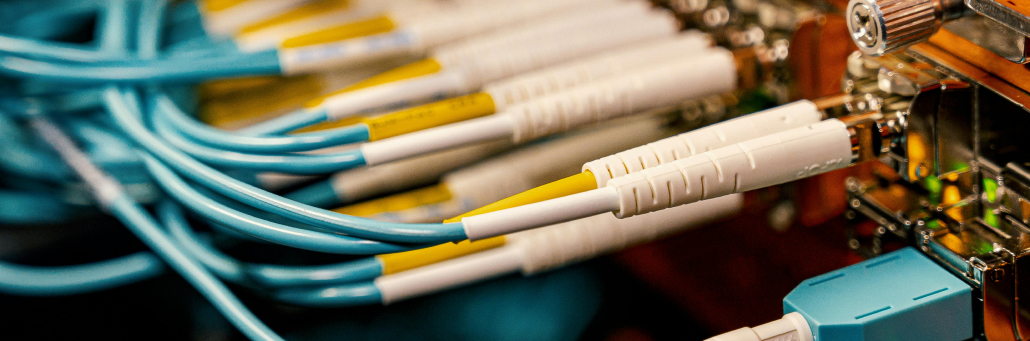
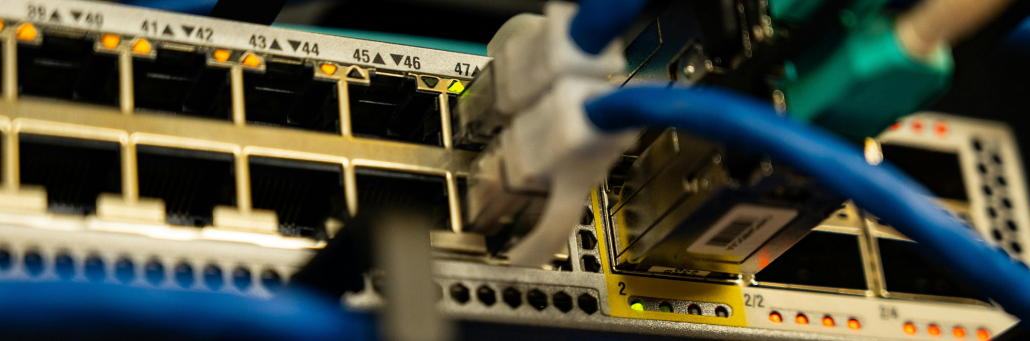
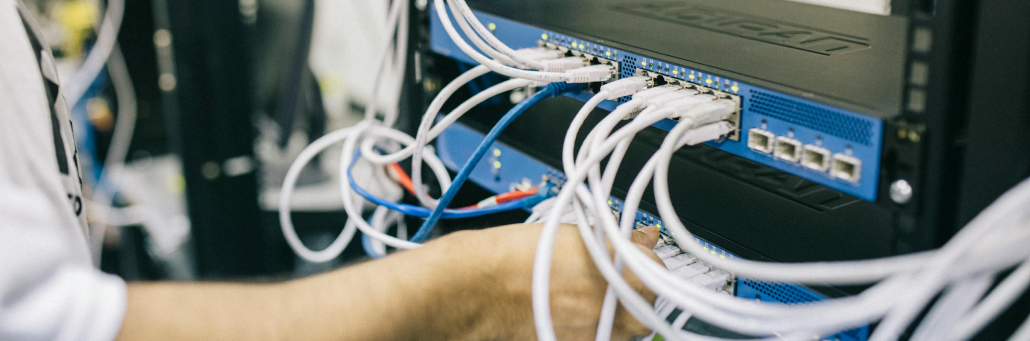
A cross connect is a direct physical connection between two endpoints inside a data center, such as a customer rack and a carrier, cloud provider, or another tenant. It reduces latency by avoiding the public internet and creating a shorter, more predictable path for traffic.
How Cross Connects Work
Cross connects are typically patched through a meet-me room or through patch panels inside the facility. That direct link gives businesses secure, private connectivity to partners, carriers, and cloud services without sending traffic across multiple external hops.
Because the connection is physically localized, it often improves performance, makes traffic more predictable, and simplifies interconnection management.
Why They Reduce Latency
Latency is the delay between sending data and receiving a response. Cross connects help reduce it because data travels a shorter route and avoids the congestion and variability of the public internet.
This is especially important for workloads that need fast response times, including trading platforms, cloud interconnection, backup replication, and hybrid applications that move data between on-prem systems and cloud providers.
Cross connects are often used to connect servers, storage, switches, carriers, and cloud providers in the same building. They are also helpful when businesses want to improve traffic flow, support disaster recovery, or create direct connections between systems that need frequent communication.
Cross connects are used by businesses that need fast, private, and reliable data exchange inside a data center. They are especially common among companies that depend on low latency, high uptime, and direct interconnection to other networks or cloud services.
Typical users include:
Cloud providers, which use cross connects to link services and improve performance for customers.
Carriers and network providers, which use them to exchange traffic and expand connectivity options.
Financial services firms, which need low-latency paths for trading and data exchange.
Enterprises with hybrid infrastructure, which connect on-prem systems to cloud platforms.
Content and media companies, which move large amounts of data quickly and reliably.
Cross connects are a good fit for any organization that wants more control over traffic, better performance, and a more predictable network path.
Security and Reliability Benefits
Because cross connects are private links, they can reduce exposure compared with public internet traffic. They also simplify troubleshooting because the physical path is known and controlled inside the data center environment.
Cross Connects and Cloud Access
Cross connects are especially useful for businesses that rely on cloud platforms and need faster, more stable access to their workloads. Instead of sending traffic over the public internet, a cross connect can create a direct path to a cloud provider or network partner inside the data center. That helps reduce latency, improve consistency, and make performance more predictable.
This matters for companies running hybrid environments, disaster recovery setups, or applications that move a lot of data between on-prem systems and cloud services. It can also help reduce congestion and improve user experience for workloads that need quick response times.
Fireline and Cross Connects
Fireline Broadband can support the broader connectivity strategy around cross connects by providing reliable transport, network support, and backup paths that keep business systems online. Fireline Communications can help when voice, collaboration, or customer-facing services need to stay connected with minimal interruption.
Keeping You Connected 24/7
Cross connects are one of the fastest ways to improve data center performance and reduce latency. They are a strong fit for businesses that need secure, direct, and predictable connectivity between critical systems.
A cross connect is a direct physical connection between two endpoints inside a data center, such as a customer cabinet and a carrier or cloud provider.
How does a cross connect reduce latency?
It reduces latency by shortening the network path and avoiding the extra hops that come with public internet routing.
Is a cross connect secure?
Yes, cross connects are private physical links inside a controlled facility, which makes them more isolated than public internet connections.
What are cross connects used for?
They are commonly used for cloud interconnection, carrier access, backup, disaster recovery, and direct communication between systems in the same facility.
Does a cross connect improve reliability?
Yes, it can improve reliability by creating a controlled and predictable direct link that is easier to manage and troubleshoot.
How can Fireline help with reliability?
Fireline Broadband and Fireline Communications can provide dependable internet, backup support, and communication tools that help reduce downtime risk.
Reliable internet is one of the most important parts of modern business operations. It supports cloud apps, payments, phone systems, remote work, security tools, and customer service, so even short outages can interrupt revenue and productivity. Why reliability matters A reliable network helps businesses stay productive during normal operations and resilient during disruptions. When connectivity […]
When your business runs on cloud apps, VoIP, and card payments, a single internet outage can stop everything. Redundancy is your safety net. It means having a true backup path—so if one connection fails, another automatically takes over and your team keeps working. It’s good to have backup internet so you can have piece of […]
Imagine you have servers in a colocation facility. They are secure, well‑powered, and reliably cooled. But there is a problem: getting data into and out of those servers still relies on the public internet—slow, unpredictable, and exposed to security risks. Colocation interconnection solves that problem. Interconnection is the practice of creating direct, private, high‑speed connections between your colocated equipment and […]
https://www.firelinebroadband.com/wp-content/uploads/2026/05/crossconnect-banner.png4501444Fireline Broadbandhttps://www.firelinebroadband.com/wp-content/uploads/2016/02/fireline-logo.pngFireline Broadband2026-05-11 22:03:402026-09-30 19:52:45What Is a Cross Connect and How Does It Reduce Latency?
Reliable internet is one of the most important parts of modern business operations. It supports cloud apps, payments, phone systems, remote work, security tools, and customer service, so even short outages can interrupt revenue and productivity.
Why reliability matters
A reliable network helps businesses stay productive during normal operations and resilient during disruptions. When connectivity is unstable, employees lose access to cloud tools, customers experience delays, and critical systems can stop working.
Reliability also matters for growth. As businesses add more users, devices, and applications, they need a network that can scale without sacrificing performance or uptime.
What makes a network reliable
The strongest business networks are built with redundancy, monitoring, and traffic management in mind. That usually includes backup connections, failover routing, network segmentation, QoS, and continuous performance monitoring.
Reliability factor
Why it matters
Example
Redundancy
Prevents a single point of failure
Backup internet path or secondary carrier
Monitoring
Detects issues early
Alerts before downtime spreads
QoS
Prioritizes critical traffic
VoIP and POS traffic stay responsive
Segmentation
Limits the impact of problems
Guest Wi-Fi stays separate from business systems
Security controls
Protects network availability
Firewalls and filtering reduce malicious traffic
Common causes of outages
Most reliability problems come from a few predictable sources: a single ISP failure, overloaded bandwidth, weak hardware, poor internal network design, or security incidents that disrupt service.
Businesses that rely on only one connection or one piece of critical equipment are especially exposed. A single failure point can cause a slowdown, a brownout, or a full outage.
Security and reliability
Security and reliability are closely connected. If a network is exposed to malware, DDoS attacks, or unfiltered traffic, performance can drop and downtime can follow.
Good security practices improve reliability by keeping harmful traffic out and isolating problems before they spread. That usually means firewalls, encryption, audits, access controls, and regular reviews of the network design.
Recovery planning
A strong reliability plan also includes recovery steps for when something still goes wrong. Businesses should know who to call, what to check first, and how to switch traffic to a backup path if the primary service fails.
Recovery essentials:
Keep an updated network diagram.
Document primary and backup circuit details.
Test failover before a real outage happens.
Assign internal owners for network recovery.
Review vendor response times and escalation paths.
How to improve business reliability
Businesses can improve reliability by designing for growth, not just current needs. That includes choosing scalable circuits, adding failover, separating critical traffic, and testing recovery procedures before something goes wrong.
Reliability strategy
What it does
Business benefit
Dual connectivity
Adds a second internet path
Keeps the business online if one service fails
SD-WAN
Routes traffic over the best available path
Improves uptime and performance
Power backup
Keeps network gear running
Prevents short power events from taking down service
Continuous monitoring
Spots issues early
Reduces surprise downtime
Proper documentation
Speeds troubleshooting
Makes recovery faster and easier
Where Fireline can help
Fireline Broadband can support businesses that need dependable connectivity, backup options, and scalable bandwidth. Fireline Communications can help keep voice and collaboration tools working when reliability matters most.
Together, they can help businesses reduce downtime risk, keep critical systems available, and support a better customer experience. That is especially useful for organizations that depend on cloud applications, VoIP, remote staff, or multi-location operations.
Keeping You Connected 24/7
Internet reliability is not just an IT concern. It affects revenue, customer experience, employee productivity, and security every day.
The most reliable businesses plan ahead, build in redundancy, and monitor their networks continuously. That approach creates fewer disruptions and a stronger foundation for growth.
Why is internet reliability important for businesses?
Internet reliability matters because so many business systems depend on continuous connectivity, including cloud tools, phones, payments, and customer service.
What is the biggest cause of business internet outages?
A common cause is relying on a single internet path or provider without redundancy, which creates a single point of failure.
How can a business make its internet more reliable?
A business can improve reliability by adding backup connectivity, using SD-WAN, segmenting traffic, monitoring performance, and planning for failures.
How does security affect network reliability?
Weak security can lead to malicious traffic, malware, or attacks that slow down or interrupt service, so security controls help protect uptime.
What should businesses prioritize first when improving reliability?
Businesses should first identify critical systems, remove single points of failure, and make sure they have a backup plan for connectivity and power.
How can Fireline help with reliability?
Fireline Broadband and Fireline Communications can provide dependable internet, backup support, and communication tools that help reduce downtime risk.
https://www.firelinebroadband.com/wp-content/uploads/2026/05/reliability-banner.png4501444Fireline Broadbandhttps://www.firelinebroadband.com/wp-content/uploads/2016/02/fireline-logo.pngFireline Broadband2026-05-07 21:53:052026-05-07 22:00:27Best Internet Reliability for Businesses 101
Your business phone system is more than just a way to make and receive calls. It is the front door to your company, the first impression many customers get, and a critical tool for daily operations.
Yet, many businesses choose their phone system based on price alone, overlook essential features, or fail to plan for growth. These mistakes lead to frustrated employees, lost customers, and unnecessary costs.
This guide covers the five most common and costly mistakes companies make when selecting a business phone system — and how Fireline Broadband helps you avoid each one. We also explain the security considerations you should evaluate before signing a contract.
Fireline Broadband provides both the dedicated internet (fiber or fixed wireless) and the hosted VoIP solutions that power modern phone systems.
Why the Right Phone System Matters More Than Ever
Customers still prefer speaking to a real person when they have questions or problems. A poor phone experience — long hold times, dropped calls, or being transferred multiple times — damages trust and sends customers to competitors.
Modern businesses also need flexibility: remote work, integration with CRM software, and analytics to track performance. The right phone system improves customer satisfaction, employee productivity, and business agility. The wrong system does the opposite.
Mistake #1: Choosing Based on Price Alone
Why it is a mistake: The cheapest system often lacks essential features (auto attendants, call queues, voicemail-to-email) . It may have hidden fees for add-ons or support. Worse, a low-cost provider may have unreliable infrastructure, leading to dropped calls and poor audio quality. Over time, you end up paying more to replace the system or add features that should have been included.
Real-world example: A retail store chose the lowest-priced VoIP provider. They discovered too late that the system did not include call recording for training, and adding it cost nearly as much as a better plan from another provider.
How Fireline helps: Fireline Broadband provides transparent, all‑inclusive pricing with no hidden fees. We help you match features to your actual needs, not just the lowest monthly rate. Our plans include essential call management features, 24/7 support, and the ability to add advanced capabilities as you grow.
Mistake #2: Ignoring Scalability and Future Growth
Why it is a mistake: Your business today will not be your business in three years. A phone system that works for five employees may fail when you have 20 — or when you open a second location. Systems that cannot scale force you to replace hardware, renegotiate contracts, or suffer through workarounds that hurt productivity.
Signs your system may not scale:
Adding a new user requires a technician visit
You have to buy new hardware for each additional line
The provider’s plan tiers have large gaps (e.g., 10 users then 50 users)
No clear upgrade path for features like call queues or analytics
How Fireline helps: Fireline Broadband’s hosted VoIP is cloud‑based and highly scalable. Adding a new user takes seconds through an online portal. You can start with the features you need today and add advanced capabilities (call recording, CRM integration, analytics) with a few clicks. No new hardware. No service calls.
Mistake #3: Overlooking CRM and Tool Integrations
Why it is a mistake: Your phone system should not be an island. If it does not integrate with your customer relationship management (CRM) system, help desk software, or collaboration tools, your team wastes time switching between applications . Worse, customer context is lost: a support agent may not see that a caller has an open sales ticket, leading to repeated explanations and frustration.
What to look for: Native integrations with platforms like Salesforce, HubSpot, Zoho, or Microsoft Teams. Also, an open API (application programming interface) that allows custom integrations with your unique software stack.
How Fireline helps: Fireline Broadband’s VoIP platform offers native integrations with leading CRMs and collaboration tools. We also provide API access for custom integrations. Caller information appears automatically on screen before you answer, improving efficiency and customer experience.
Mistake #4: Not Supporting Remote or Mobile Teams
Why it is a mistake: In 2026, remote and hybrid work are not exceptions — they are the norm. A phone system that ties employees to desk phones in a single office cripples productivity and limits your talent pool to local candidates . Customers get frustrated when they call a number and cannot reach someone who is traveling or working from home.
What remote-ready looks like:
Softphone apps for Windows, macOS, iOS, and Android
Same business number on desk phone, laptop, and mobile
Feature parity between desk phones and apps (transfer, conference, voicemail)
Easy call forwarding to personal devices when needed
How Fireline helps: Fireline Broadband includes native softphone apps for all major operating systems. Employees can make and receive business calls from anywhere with an internet connection, using their same extension and business caller ID. For added flexibility, calls can be forwarded to personal mobile numbers during off-hours or when traveling.
Mistake #5: Ignoring Call Management Features and Customer Experience
Why it is a mistake: Without proper call management tools, callers wait on hold too long, get routed to the wrong person, or give up entirely . Missed calls translate to missed revenue. Overloaded receptionists and support agents become stressed and less effective.
Essential call management features to look for:
Feature
Why It Matters
Auto attendant (IVR)
Routes callers to the right department without a live operator; available 24/7
Call queues
Places callers in line; announces position; offers callback option
Voicemail‑to‑email
Sends audio file and transcription to your inbox; never miss a message
Call recording
Supports training, quality assurance, and compliance
Ring groups / hunt groups
Rings multiple employees simultaneously; first available answers
Follow me / find me
Rings desk phone, then mobile, then home office in sequence
Routes callers to the agent best suited for the issue (contact centers)
How Fireline helps: Fireline Broadband’s VoIP plans include advanced call management features as standard — not as expensive add-ons. We help you configure auto attendants, queues, and ring groups to match your customer journey. And because our platform includes analytics, you can continuously improve based on real data.
Security Considerations When Choosing a Phone System
Phone system security is often overlooked — until something goes wrong. A compromised phone system can lead to toll fraud (hackers making expensive international calls on your account), eavesdropping on sensitive conversations, or data breaches.
Security Feature
What to Ask Potential Providers
Encryption
“Do you encrypt signaling (TLS) and voice streams (SRTP)?”
Authentication
“Is multi‑factor authentication (MFA) available for admin accounts?”
Access controls
“Can I restrict which extensions can dial international or premium numbers?”
Monitoring
“Do you provide alerts for unusual call patterns (e.g., many outbound calls late at night)?”
Compliance
“Do you have SOC2 Type II or ISO 27001 certifications for your data centers?”
Device security
“Are IP phone firmware updates automatic?”
Session border controllers
“Do you provide or recommend SBCs to protect against SIP attacks?”
How Fireline helps: Fireline Broadband’s VoIP platform includes encryption by default (TLS + SRTP). We provide best‑practice guidance for securing extensions (strong passwords, MFA). We also help customers configure firewalls and network segmentation to isolate voice traffic. Our infrastructure resides in SOC2‑compliant data centers with 24/7 monitoring.
Comparison: What to Look for in a Business Phone System
Factor
What to Avoid
What Fireline Provides
Pricing
Hidden fees, long‑term lock‑in, expensive add‑ons
Transparent, all‑inclusive per‑user pricing
Scalability
Hard limits on users or features; requires technician to add lines
Add users instantly via portal; cloud‑based; no hardware limits
Integrations
No CRM integration; closed API; expensive custom work
Native CRM integrations
Remote work
Desk‑phone only; no mobile app; calls drop when away
Softphone apps (iOS, Android, Windows, Mac); full feature parity
Call management
Basic hold and transfer only; no queues or analytics
Auto attendant, queues, voicemail‑to‑email, recording, analytics, skill‑based routing
Security
No encryption; no MFA; no monitoring; no compliance certifications
TLS/SRTP encryption; MFA; fraud monitoring; SOC2‑compliant data centers
Support
Email‑only ticketing; long response times; no onboarding help
24/7 phone, chat, email support; dedicated onboarding and training
Ready to Choose the Right Business Phone System?
Selecting a business phone system is a strategic decision. Avoid the five critical mistakes — price‑only decisions, ignoring scalability, missing integrations, neglecting remote work, and overlooking call management features — and you will avoid costly headaches down the road.
Fireline Broadband provides modern, secure, scalable VoIP solutions with transparent pricing, local support, and advanced features included. Whether you have five employees or five hundred, we help you get it right from day one.
Contact Fireline Broadband today for a free VoIP assessment and quote. With Fireline Communications, we work to build your business to be ready for the future.
How much should a business phone system cost per user?
For a full‑featured VoIP system (unlimited calling in the US/Canada, auto attendant, voicemail‑to‑email, mobile apps, integrations), expect 20 –35 per user per month. Lower‑cost plans exist, but they often charge extra for essential features. Fireline Broadband provides transparent, all‑inclusive pricing with no surprises.
https://www.firelinebroadband.com/wp-content/uploads/2026/04/small-biz-1.png3411030Fireline Broadbandhttps://www.firelinebroadband.com/wp-content/uploads/2016/02/fireline-logo.pngFireline Broadband2026-05-06 19:49:292026-05-06 19:49:445 Critical Mistakes to Avoid When Choosing a Business Phone System
Your business is growing. Customers are calling. But when two people call at the same time, the second caller hears a busy signal — or worse, gets stuck in hold limbo and hangs up. That is lost revenue, plain and simple.
A multi-line phone system solves that problem. It allows your team to handle multiple simultaneous calls, route callers intelligently, and never miss an opportunity.
This guide explains how multi-line systems work, the essential VoIP features every growing business needs, how to choose the right setup, and how to keep your phone system secure.
Fireline Broadband provides both the dedicated internet (fiber or fixed wireless) and the hosted VoIP solutions that power modern multi-line systems. Fiber availability depends on your location.
What Is a Multi-Line Phone System?
A multi-line phone system allows a business to handle two or more calls at the same time using a single phone number or extension. Instead of forcing the next caller to hear a busy signal, the system routes the new call to another available line, a different employee, a hold queue, or voicemail.
With older analog systems, adding a line meant installing more copper wiring. With modern Voice over Internet Protocol (VoIP) systems, lines are virtual. One user can handle multiple simultaneous calls through a single internet connection — and you can add or remove capacity with a few clicks in a web portal.
Traditional On‑Premises vs. Cloud‑Based VoIP Multi‑Line Systems
Feature
Traditional (On‑Premises PBX)
Cloud‑Based VoIP
Why It Matters
Installation
Complex on‑site wiring by technicians
Plug‑and‑play; software‑based
Cloud systems are ready in hours, not weeks.
Hardware cost
High upfront for PBX, cards, and phones
Low — softphone apps or affordable IP desk phones
Cloud avoids large capital expenditure (CapEx).
Scalability
Limited by physical ports; requires new hardware
Add or remove users instantly via web portal
Grow without service calls or new equipment.
Remote work
None — tied to desk phones in one office
Full — use mobile or desktop apps anywhere
Supports hybrid and work‑from‑anywhere models.
Maintenance
Requires in‑house IT or expensive contracts
Provider manages all updates and security
No hidden maintenance costs.
Features
Basic call holding, transfer, and voicemail
Auto attendant, call queues, voicemail‑to‑email, video conferencing, CRM integration, call recording, analytics
Cloud systems include advanced features at no extra charge.
Reliability
Vulnerable to local power outages and hardware failure
Redundant data centers; automatic failover to cell phones
Higher uptime and business continuity.
For the vast majority of growing businesses, a cloud‑based VoIP multi‑line system is the clear winner.
Types of Multi‑Line Phones (and When to Use Each)
Type
Best For
Key Features
Example
2‑line phone
Freelancers, small retail counters, home offices
Hold, redial, basic call waiting
Poly Edge E100 (~ 80–100)
4‑line phone
Sales reps, customer service teams, office managers
Warm transfer, 3‑way conferencing, BLF (Busy Lamp Field) to see who is on a call
Poly Edge E220 (~ 140 –170)
6–12 line phone + sidecar
Executive assistants, receptionists, call center supervisors
Large color touchscreens, dozens of programmable keys for monitoring extensions
Nextiva X‑885 (~$190+)
Softphone (app)
Remote employees, hybrid teams, travelers
Unlimited virtual lines on laptop or smartphone; works anywhere with internet
Free with most VoIP plans
Cordless (DECT)
Warehouse, medical offices, retail floor managers
Dedicated frequency; roam up to 300 feet; no Wi‑Fi interference
DECT‑based handsets
Pro tip: Most businesses use a mix: desk phones for fixed workstations, softphones for remote employees, and DECT cordless phones for mobile staff on a warehouse floor.
Essential VoIP Features for Growing Businesses
A multi-line system is about more than just answering two calls at once. Modern VoIP unlocks a rich feature set that improves customer experience and internal productivity.
1. Auto Attendant (IVR)
An auto attendant greets callers with a professional menu: “Press 1 for Sales, 2 for Support, 3 for Billing.” It routes callers without a live receptionist. You can also build PIN‑based IVR for secure access to specific departments.
2. Call Routing Strategies
Routing Type
How It Works
Best For
Round‑robin
Calls distributed evenly in sequence
Sales teams, general queues
Simultaneous
All phones ring at once; whoever answers first takes the call
Urgent, high‑priority lines
Regular
Calls answered in chronological order
Simple order‑taking
Weighted
Set a ratio of calls to each agent
Skill‑based or partial availability
Uniform
Routes to agent idle the longest
Fair workload distribution
An auto attendant greets callers with a professional menu: “Press 1 for Sales, 2 for Support, 3 for Billing.” It routes callers without a live receptionist. You can also build PIN‑based IVR for secure access to specific departments.
3. Call Hold and Call Parking
Call hold lets you pause a call to talk with a colleague or answer another line. Call parking places a call into a virtual “parking lot” where any co‑worker (from a desk phone, softphone, or mobile app) can retrieve it by dialing the park extension .
4. Voicemail‑to‑Email
Voicemails are delivered as audio files (with optional speech‑to‑text transcription ) to your email inbox. Never miss a message while away from your desk.
5. Call Recording
Record calls for training, quality assurance, and compliance. Listen to recordings directly in your web browser . For contact centers, recording can be automated based on rules.
6. Ring Groups and Queues
Ring groups (also called hunt groups) ring multiple extensions at once. Queues hold callers in line until an agent becomes available, with announcements and estimated wait times.
7. Conferencing and Video Support
Host multi‑person audio conferences directly from your phone system without a third‑party service. Many VoIP platforms also include high‑quality video calls using supported SIP devices .
8. Caller ID and Call Blocking
Control exactly which outbound caller ID appears (per call or per extension). Automatically block or filter unwanted numbers, hidden caller IDs, or known spam sources .
9. Follow Me / Find Me
Calls follow a sequence you define: ring desk phone first, then mobile, then home office, then voicemail. Customers never know you are away.
10. Hot Desking and PIN‑Based Login
Employees can log into any shared desk phone with their personal PIN. All calls and charges are associated with the employee, not the physical device — perfect for hoteling or shared workspaces .
11. Skills‑Based Routing (Contact Center)
For larger teams, calls are routed to the agent best suited to handle the issue based on pre‑defined skills or priority rules.
12. Auto Dialer
Automatically dial numbers from a list and connect agents only when a live person answers. Includes Do Not Call (DNC) list management for compliance .
13. Real‑Time Analytics and Reporting
Track call volume, abandoned calls, average wait time, agent status, and talk time — all from a web dashboard . IVR statistics show exactly how callers navigate your menus.
14. Integration with Business Tools
Many VoIP platforms integrate with CRM systems (Salesforce, HubSpot, Zoho). When a customer calls, their record pops up on the screen before you answer.
15. Unified Communications (UCaaS)
Beyond voice, the platform includes team chat, video meetings, file sharing, and presence (see who is available). All in one application.
Security for Multi‑Line VoIP Phone Systems
Voice over IP introduces security considerations that analog landlines did not have. Fortunately, modern enterprise‑grade VoIP systems address these risks with robust protections.
Security Layer
What It Includes
Why It Matters
Encryption in transit
TLS for signaling; SRTP for voice packets
Prevents eavesdropping and man‑in‑the‑middle attacks
Authentication
Strong passwords, multi‑factor authentication (MFA) for admin portal
Blocks unauthorized access to phone system controls
Network segmentation
VoIP traffic on separate VLAN or dedicated internet connection
Isolates voice from general office data; reduces attack surface
Firewall and SIP ALG
Properly configured firewalls; SIP ALG disabled or tuned
Prevents malicious SIP requests and toll fraud
Call blocking / filtering
Block international calling by extension; whitelist/blacklist numbers
Prevents toll fraud (e.g., hacked extensions making expensive calls)
Device security
Automatic firmware updates for IP phones; disable unused features
Closes vulnerabilities in endpoint devices
Activity logs
Detailed logs of all calls, logins, and configuration changes
Supports audit and forensic investigation
Provider security
SOC2 Type II reports; ISO 27001 certification for data centers
Third‑party validation of the provider’s security posture
Best Practices for Securing Your VoIP System
Use strong, unique passwords for all extensions, especially voicemail PINs.
Enable MFA for administrative access.
Restrict international calling to only those extensions that truly need it.
Monitor for unusual call patterns (e.g., many outbound calls late at night).
Keep phones and adapters updated with the latest firmware.
Work with a provider that offers encryption, SOC2 compliance, and 24/7 monitoring.
Fireline Broadband helps customers configure their VoIP systems for security from day one, including firewall rules, VLAN segmentation, and best‑practice password policies.
How to Set Up a Multi‑Line Phone System (4 Steps)
Step 1: Choose Your Plan and Numbers
Select a VoIP provider (e.g., Fireline Broadband) and a monthly plan per user. Decide if you need a new toll‑free number, local numbers, or port your existing business numbers. Number porting typically takes 1–3 weeks.
Step 2: Assign Virtual Extensions
Log in to the admin portal and create user profiles for each employee (e.g., “Sarah – Extension 101”). Assign each user the number of virtual lines they need — all without any wiring.
Step 3: Configure Call Flow
Design your auto attendant greeting, define business hours, and set routing rules (e.g., “During lunch, send all calls to voicemail”). Test the configuration by making test calls.
Step 4: Deploy Phones and Apps
For desk phones, enter the MAC address in the portal — they self‑configure. For remote employees, send a download link for the softphone app. Plug‑and‑play.
Technical requirement: Ensure your internet bandwidth can handle simultaneous calls. Each concurrent call uses about 100 Kbps up and down.
Ready to Upgrade Your Business Phone System?
A multi-line phone system is no longer a luxury for large enterprises. Cloud‑based VoIP makes sophisticated call handling, auto attendants, remote work, and analytics affordable for businesses of any size.
The right system:
Answers every call — never miss revenue.
Routes callers intelligently — directly to the right person.
Supports remote teams — from anywhere.
Scales with you — add lines in seconds, not weeks.
Stays secure — encryption, MFA, and monitoring.
Fireline Broadband provides both the dedicated internet (fiber or fixed wireless) and the hosted VoIP platform your business needs to implement a modern multi-line phone system.
Contact Fireline Broadband today for a free VoIP assessment and quote. With Fireline Communications, we work to build your business to be ready for the future.
How many phone lines does my small business actually need?
Base your decision on peak simultaneous call volume. Track your busiest hour for a week. If you see five calls at once, get at least 6–8 lines to provide a buffer. Cloud‑based systems let you start small and add capacity instantly.
Can I keep my existing phone number when switching to VoIP?
Yes, through number porting. Your new provider coordinates with your current carrier to transfer the number. The process typically takes 1–3 weeks. During that time, you can use a temporary number without any service gap.
What internet speed do I need for a VoIP multi‑line system?
Each simultaneous call needs about 100 Kbps both upstream and downstream. For 10 concurrent calls, you need at least 1 Mbps dedicated to voice. Most business fiber or fixed wireless connections exceed this easily. The bigger concern is latency, jitter, and packet loss. A stable, low‑latency connection (fiber or dedicated fixed wireless) is ideal.
Can I use VoIP if my team works from home?
Absolutely. VoIP is designed for remote work. Employees install a softphone app on their laptop or smartphone. They log in and can make and receive business calls with their business caller ID — from anywhere with a decent internet connection.
What is DECT, and do I need it?
DECT (Digital Enhanced Cordless Telecommunications) is a dedicated frequency for cordless phones that does not interfere with Wi‑Fi. DECT phones have a range of up to 300 feet and are ideal for retail floors, warehouses, or medical offices where staff need mobility.
How do I prevent toll fraud on my VoIP system?
Toll fraud occurs when hackers compromise an extension and make expensive international calls.
Prevention measures: – Use strong passwords and MFA for admin access. – Restrict international calling to only those extensions that need it. – Monitor call logs for unusual patterns. – Set up alerts for high outbound call volume. – Work with a provider that offers fraud detection.
Is a multi‑line system more expensive than a single line?
No — cloud‑based VoIP systems are typically less expensive than traditional phone lines, even with multiple lines included. For a small business, the all‑in monthly cost per user is often 15 –35, which includes unlimited lines, long distance, and advanced features.
Do I need a separate phone number for each line?
No. With VoIP, you have one main business number. Incoming calls are automatically routed to available lines or extensions based on your routing rules. You can also have additional direct numbers (DIDs) for specific departments or employees if needed.
https://www.firelinebroadband.com/wp-content/uploads/2026/04/small-biz-1.png3411030Fireline Broadbandhttps://www.firelinebroadband.com/wp-content/uploads/2016/02/fireline-logo.pngFireline Broadband2026-05-06 18:58:352026-10-23 15:31:57Multi-Line Phone Systems for Small Business
For decades, the “plain old telephone service” (POTS) — analog landlines run over copper wires — was the only option for business phone service. It was reliable, familiar, and everywhere.
But times have changed. The rise of high-speed internet has made Voice over Internet Protocol (VoIP) a powerful, cost-effective alternative. And now, with major carriers like AT&T and Verizon retiring their old copper networks, migrating from traditional landlines to VoIP is no longer just a “nice to have” — it is a business necessity.
This guide explains how both technologies work, compares them across key factors (cost, features, reliability, security), and helps you decide which is right for your business. Fireline Broadband offers both dedicated internet (fiber and fixed wireless) and voice solutions, but fiber availability depends on your location. Let’s compare the differences between VoIP vs traditional business phone systems.
How Traditional Landlines (POTS) Work
Traditional telephone service — also known as Plain Old Telephone Service (POTS) — uses analog technology. Sound waves from your voice are converted into electrical signals that travel over copper wires to a public switched telephone network (PSTN) .
A typical business setup includes a Private Branch Exchange (PBX) — an on‑premises phone system that connects internal extensions and routes external calls over multiple copper lines . This technology has been around for over a century. It is reliable and works even during power outages. However, it is expensive to maintain, difficult to scale, and lacks modern features.
Carriers are actively retiring their copper networks because maintaining two parallel systems (old copper and modern fiber) is costly. This means businesses still relying on POTS lines face a deadline to migrate.
How Hosted VoIP Works
Voice over Internet Protocol (VoIP) converts your voice into digital data packets and sends them over your internet connection . Instead of relying on dedicated copper lines, VoIP uses the same network you use for email, cloud apps, and web browsing.
With hosted VoIP (also called a cloud phone system), the entire phone system lives in the provider’s data center. You access it via IP desk phones, softphone apps on laptops, or mobile apps on smartphones . The provider handles all maintenance, software updates, and security.
Because VoIP is software‑based, it unlocks advanced features that landlines cannot support: auto‑attendants, call recording, voicemail-to-email, video conferencing, and integrations with CRM tools .
Why Migrating from POTS to VoIP Is More Urgent Than Ever
Voice over Internet Protocol (VoIP) converts your voice into digital data packets and sends them over your internet connection . Instead of relying on dedicated copper lines, VoIP uses the same network you use for email, cloud apps, and web browsing.
With hosted VoIP (also called a cloud phone system), the entire phone system lives in the provider’s data center. You access it via IP desk phones, softphone apps on laptops, or mobile apps on smartphones . The provider handles all maintenance, software updates, and security.
Because VoIP is software‑based, it unlocks advanced features that landlines cannot support: auto‑attendants, call recording, voicemail-to-email, video conferencing, and integrations with CRM tools.
Head‑to‑Head Comparison: VoIP vs. Traditional Landline
Factor
Hosted VoIP
Traditional Landline (POTS)
Technology
Voice converted into data packets and sent over the internet
Analog electrical signals over copper wires
Hardware
IP phones, softphone apps, or Analog Telephone Adapters (ATAs)
Dedicated copper lines and on‑premises PBX
Setup time
Hours or days (software‑based, no truck roll typically)
Weeks (requires technician to wire lines)
Scalability
Add or remove users instantly via web portal
Requires new phone lines and hardware upgrades
Features
Auto‑attendant, call queues, voicemail-to-email, video conferencing, CRM integration, analytics, mobile apps
Basic call holding, transfer, and voicemail
Mobility
Use your business phone number anywhere with internet
Tied to a physical desk in one location
Disaster recovery
Automatic failover to cell phones, redundant data centers
No failover; if the line or building loses power, service stops
Power dependency
Requires internet and electricity; fails during local outages unless you have backup power (UPS, generator)
Phones draw power from the copper line; can work during local outages (unless the central office also loses power)
Best for
Most businesses, especially those with remote workers, multiple locations, or advanced communication needs
Legacy equipment that requires analog signals (e.g., older alarms, faxes), areas without reliable broadband
Security: VoIP vs. Traditional
Security concerns are a common question when businesses consider VoIP. Let’s break down the realities.
Security Aspect
Traditional Landline
Hosted VoIP
Eavesdropping risk
Low — requires physical tap on the copper line
Moderate — traffic traverses public internet, but can be encrypted
Encryption
Not available (analog signal)
Yes — TLS for signaling, SRTP for voice packets
Vulnerability to remote attack
Very low (physical infrastructure)
Higher — firewalls, strong passwords, and MFA are required
Compliance readiness
Difficult to audit and log calls
Built‑in logs, call recordings, and access controls simplify HIPAA, PCI, and FINRA compliance
Service provider security
Relies on carrier’s physical security
Depends on provider’s cybersecurity practices, data center certifications (SOC2, ISO 27001)
How Fireline Broadband Secures VoIP
Fireline Broadband takes a layered approach to VoIP security:
Encryption in transit: All call signaling uses TLS, and voice streams use SRTP (Secure Real‑time Transport Protocol).
Network segmentation: VoIP traffic travels on a separate VLAN (virtual LAN) or dedicated connection, isolated from guest Wi‑Fi and general office data.
Firewall and intrusion prevention: We help customers configure firewalls to allow only approved VoIP traffic and block malicious requests.
Multi‑factor authentication (MFA): Required for administrative access to the VoIP portal.
Redundant, secure data centers: Our voice infrastructure resides in professionally managed, physically secure facilities.
Key takeaway: A well‑configured VoIP system can be as secure as — or more secure than — a legacy landline, especially when you consider the audit trails and encryption that analog lines simply cannot provide.
The Bottom Line: Which Should You Choose – VoIP vs. Traditional?
Choose Traditional Landline if …
Choose Hosted VoIP if …
You have legacy equipment (alarm, fax, elevator phone) that requires an analog signal and cannot be adapted. A simple Analog Telephone Adapter (ATA) can often solve this for VoIP.
You want lower monthly costs and predictable, per‑user pricing.
Your location has no reliable broadband internet, and you cannot get dedicated fiber or fixed wireless.
Your business needs mobility — employees work from home, on the road, or across multiple offices.
You are comfortable with rising costs and the eventual forced migration that will happen when your carrier retires copper in your area.
You need advanced features: auto‑attendant, call queues, voicemail-to-email, video conferencing, CRM integration.
You want to future‑proof your communications and take advantage of unified communications (UCaaS) tools.
For the vast majority of businesses, VoIP is the right choice — and migrating now, on your own terms, is better than waiting for a carrier to force the issue.
Make the Switch on Your Terms
Traditional landlines served businesses well for over a century, but the world has moved on. Carrier copper retirements, rising costs, and the need for flexible, feature‑rich communications mean that migrating to VoIP is not a question of “if” but “when.”
Fireline Broadband provides both the dedicated internet (fiber or fixed wireless) and the hosted VoIP solutions your business needs to make the transition seamless. We handle project management, number porting, and provide ongoing local support.
Don’t wait until your landline is forced into retirement. Contact Fireline Broadband today for a free VoIP assessment and quote. With Fireline Communications, we work to build your business to be ready for the future.
Yes — often better. Modern business VoIP uses wideband audio codecs that deliver high‑definition (HD) voice, which is clearer than standard analog calls. However, call quality depends on having sufficient, stable internet bandwidth (at least 100 Kbps per concurrent call) and proper Quality of Service (QoS) settings on your network.
What happens if my internet goes down? Can I still use VoIP?
With standard VoIP, if your office loses internet (or power), desk phones stop working. However, most reputable VoIP providers offer automatic call forwarding to cell phones or alternate numbers. Some businesses add a secondary internet connection (like Fireline’s fixed wireless) as failover. A small uninterruptible power supply (UPS) can keep your router and modem running for hours.
Is VoIP secure against eavesdropping or hacking?
Yes, when properly configured. Enterprise VoIP systems use encryption (TLS and SRTP) to protect call signaling and voice packets. However, security is a shared responsibility: you must use strong passwords, keep firmware updated, and configure firewalls correctly. Reputable VoIP providers also undergo third‑party security audits (SOC2, ISO 27001).
Can I keep my existing business phone numbers when switching to VoIP?
Yes. Number porting is standard. Your new VoIP provider will coordinate with your current carrier to transfer your numbers. The process typically takes 1–3 weeks, and there is no interruption in service.
Do I need to buy all new phones for VoIP?
Not necessarily. Many businesses choose IP phones (desk phones that look and feel like traditional phones but plug into your network).
However, you can also use: – Softphones – software apps on computers or smartphones – Analog Telephone Adapters (ATAs) – small devices that convert analog phones to VoIP
This means you can keep existing analog phones if you prefer, especially for common areas or conference rooms.
Can VoIP work with my existing alarm system or fax machine?
Yes, but with caveats. Many modern alarm systems and fax machines work fine with an ATA. However, older equipment that expects a true analog line (complete with line voltage) may have issues. For critical life‑safety devices (elevator phones, fire alarms), consult with your alarm provider before migrating.
What internet speed do I need for VoIP?
As a rule of thumb, allocate 100 Kbps per concurrent call (up and down). For a small office with 5 people on calls simultaneously, you need ~0.5 Mbps of dedicated upload bandwidth. The bigger risk is latency, jitter, and packet loss, not raw speed. A stable, low‑latency connection (fiber or dedicated fixed wireless) is ideal.
How long does it take to switch from landlines to VoIP?
The software setup can be done in hours. Number porting takes 1–3 weeks. Most businesses schedule a transition window, keep their landlines active during porting, and then disconnect the old service afterward. Fireline Broadband provides project management to make the migration seamless.
Is hosted VoIP more expensive than a traditional landline?
No — it is almost always less expensive. Upfront costs are minimal (existing computers or inexpensive IP phones). Monthly per‑user fees are lower than POTS line rental, and features that cost extra on landlines (long distance, voicemail, auto‑attendant) are typically included.
Can I use VoIP for a multi‑location business?
Absolutely. VoIP is ideal for multiple offices, remote workers, and traveling employees. Everyone can use the same extension numbers, transfer calls easily, and appear on the same auto‑attendant — regardless of physical location.
https://www.firelinebroadband.com/wp-content/uploads/2026/04/small-biz-1.png3411030Fireline Broadbandhttps://www.firelinebroadband.com/wp-content/uploads/2016/02/fireline-logo.pngFireline Broadband2026-05-06 18:26:042026-10-08 21:47:25Hosted VoIP vs. Traditional Phone Lines: A Complete Business Comparison
Imagine you have servers in a colocation facility. They are secure, well‑powered, and reliably cooled. But there is a problem: getting data into and out of those servers still relies on the public internet—slow, unpredictable, and exposed to security risks.
Colocation interconnection solves that problem. Interconnection is the practice of creating direct, private, high‑speed connections between your colocated equipment and other networks: cloud providers, business partners, other data centers, and internet exchanges.
This guide explains what colocation interconnection is, why it matters more than ever for AI and hybrid cloud, and how to evaluate interconnection options for your business. We will also cover security considerations and answer the most common questions IT leaders ask.
What Is Colocation Interconnection?
In simple terms, interconnection is a private, dedicated link between two or more parties inside a colocation data center.
Instead of sending traffic across the public internet (which can be slow, unreliable, and vulnerable), interconnection uses physical cables—called cross connects—that run directly between your rack and another tenant’s rack, a cloud provider’s on‑ramp, or an Internet Exchange Point (IXP).
Connection Type
How It Works
Latency
Public Internet
Traffic routes across multiple ISP networks
Variable, often high
VPN over Internet
Encrypted tunnel over public internet
Still variable
Direct Cross Connect
Physical cable between two racks in the same facility
Ultra‑low, consistent
Cloud On‑Ramp (e.g., Direct Connect)
Private connection from colo to cloud provider
Low, predictable
Interconnection Platform
Software‑defined virtual cross connects across multiple facilities
Low, configurable
Interconnection turns a colocation facility from a simple “server hotel” into a strategic hub for your entire digital infrastructure.
Why Interconnection Matters More Than Ever
1. AI and Hybrid Cloud Demand Low Latency
Training artificial intelligence (AI) models and running real‑time inference requires massive amounts of data to move between GPUs, storage, and networks. Any delay—any latency—slows down training and makes inference less responsive.
Direct interconnection to cloud GPU providers (such as Vultr or others) or to specialized AI infrastructure allows you to keep your data in your colocation rack while using cloud compute elastically. This proximity is critical.
As one industry analyst recently noted, “Enterprises need a unified infrastructure stack for enterprise AI and hybrid cloud, combining global colocation, physical proximity, and on‑demand compute.”
2. Data Gravity Is Real
“Data gravity” is the idea that as you accumulate data, it becomes harder and more expensive to move. Applications and services naturally gravitate toward where the data lives. Interconnection allows you to bring the compute to the data rather than moving massive datasets across the public internet.
3. Cloud Costs Are Rising
Many enterprises are repatriating workloads from public cloud back to colocation. But they still need occasional access to cloud services for bursting, AI training, or disaster recovery. Direct interconnection provides the best of both worlds: cost‑effective colocation for steady‑state workloads, plus on‑demand cloud access without expensive egress fees.
4. Edge and Distributed Architectures
Modern applications run everywhere: in central data centers, in regional colocation facilities, at the edge, and in multiple clouds. Interconnection stitches these environments together into a single, logical network.
Types of Colocation Interconnection
1. Cross Connects (Physical)
A physical cable—typically copper or fiber—that directly connects two pieces of equipment within the same colocation facility.
Best for: High‑throughput, low‑latency connections between your servers and a business partner, a carrier, or an Internet exchange.
2. Cloud On‑Ramps (Direct Connect / ExpressRoute)
A dedicated, private connection from your colocation rack to a public cloud provider such as AWS, Microsoft Azure, or Google Cloud.
Best for: Hybrid cloud architectures where some workloads run in colocation and others run in the cloud, with regular data exchange between them.
3. Metro Connect / Data Center Interconnect (DCI)
A private connection between two colocation facilities in the same metropolitan area, often provided by the colocation operator or a specialized partner.
Best for: Active‑active high availability, disaster recovery, or distributing workloads across multiple facilities for compliance or performance.
4. Interconnection Platforms (Software‑Defined)
Services such as Digital Realty’s ServiceFabric® or CoreSite’s Open Cloud Exchange® allow you to provision virtual cross connects between multiple parties across multiple facilities using a software portal or API.
Best for: Dynamic, multi‑party, multi‑site interconnection needs that change frequently.
Security Benefits of Colocation Interconnection
Security is often the #1 reason enterprises move from public internet to private interconnection.
Security Layer
How Interconnection Helps
Data in transit
Traffic never traverses the public internet, eliminating exposure to man‑in‑the‑middle attacks, DDoS, and BGP hijacking.
Network isolation
Cross connects are point‑to‑point, private connections. No other tenant can see your traffic.
Compliance
For regulated industries (healthcare, finance, government), private interconnection simplifies audit and compliance (HIPAA, PCI‑DSS, FedRAMP) by keeping data within a defined, controlled network boundary.
DDoS mitigation
Because your traffic does not flow across the public internet, you are not subject to volumetric DDoS attacks aimed at general internet transit.
Encryption
You can still encrypt traffic over cross connects, but even unencrypted traffic on a private cross connect is far less exposed than unencrypted traffic on the internet.
Physical Security Integration
nterconnections rely on the physical security of the colocation facility itself. Reputable colocation providers such as Fireline Broadband implement:
Biometric access controls (fingerprint or hand geometry)
Mantraps (interlocking doors that trap unauthorized individuals)
24/7 video surveillance with recorded retention
On‑site security personnel
Locked cages and cabinets with individual access credentials
A cross connect is only as secure as the facility it runs through. Always verify your colocation provider’s security certifications (e.g., SOC 2 Type II, ISO 27001) and physical security practices.
Colocation vs. Cloud: Why Interconnection Bridges the Gap
The popular narrative often frames colocation and cloud as opposing choices. In reality, interconnection turns them into complementary tools.
Factor
Colocation Alone
Cloud Alone
Colocation + Interconnection
Data control
Full control
Limited
Full control in colo, flexible in cloud
Latency to cloud services
High (via internet)
Very low (inside cloud)
Very low (dedicated private on‑ramp)
Cost for predictable workloads
Low
High (egress, API fees)
Low for colo, controlled for cloud burst
Security
High (physical + network)
Shared responsibility
High + private, dedicated links
Agility
Moderate
High
High (burst to cloud when needed)
How Fireline Broadband Enables Interconnection
Fireline Broadband’s Tier II+ data centers in Los Angeles and Orange County offer AI-ready colocation with direct peering to major interconnection hubs.
What we offer:
Carrier‑neutral meet‑me‑room: Connect directly to dozens of carriers, ISPs, and cloud on‑ramps.
Direct fiber to major interconnection points: Equinix LA1/LA4/LA5, CoreSite LA, and more
Private cross connects: Physical fiber or copper connections between your rack and any other tenant or service provider in the facility.
24/7 remote hands: Our on‑site engineers can install and maintain cross connects for you.
Whether you are building a hybrid cloud, connecting to a business partner, or simply want lower‑latency internet access via direct peering, Fireline Broadband provides the interconnection options you need.
Ready to Interconnect?
Colocation gives you control, security, and cost predictability. Interconnection gives you connection — to the cloud, to partners, and to the world — without sacrificing performance or security.
As enterprises adopt hybrid cloud, AI, and distributed architectures, interconnection is no longer a “nice to have.” It is a core component of modern infrastructure strategy.
Fireline Broadband’s Los Angeles data center is ready to be your interconnection hub. With direct fiber to major exchange points, private cross connects, and cloud on‑ramps, we provide the connectivity your business needs to thrive.
Colocation interconnection is a private, dedicated connection between your equipment in a colocation data center and another party (cloud provider, business partner, carrier, or another data center) using direct physical cables or software‑defined virtual links.
How is interconnection different from the public internet?
Public internet traffic routes through multiple ISP networks, which introduces latency, variability, and security risks. Interconnection is a direct, private link that does not touch the public internet — offering lower latency, consistent performance, and higher security.
What is a cross connect?
A cross connect is a physical cable (copper or fiber) that directly connects two pieces of equipment within the same colocation facility. It is the most common form of interconnection.
Do I need a cloud on‑ramp?
If you use public cloud services (AWS, Azure, GCP) alongside your colocated servers, a cloud on‑ramp (Direct Connect, ExpressRoute, Interconnect) provides a private, high‑performance, cost‑predictable connection. It is strongly recommended for any regular data exchange between colo and cloud.
Is colocation interconnection secure?
Yes. Interconnection traffic never traverses the public internet, eliminating many common attack vectors. However, the security of the interconnection depends on the physical security of the colocation facility itself and your own network security practices (e.g., firewalls, encryption).
How much does interconnection cost?
Costs vary. A simple cross connect within a single facility might cost a fixed monthly fee (e.g., 200 – 500). Cloud on‑ramps include a port fee plus data transfer charges (often discounted compared to public internet egress). Metro connects and interconnection platforms typically have subscription or usage‑based pricing.
What is a meet‑me‑room?
A meet‑me‑room (MMR) is a secure area within a colocation data center where multiple carriers and network providers physically interconnect. It is the hub for interconnection.
Can I interconnect between two different colocation providers?
Yes, using a metro connect or a data center interconnect (DCI) service. This typically involves a third‑party provider that has fiber between the two facilities, or a direct agreement between the colocation providers.
How do I get started with interconnection?
Contact your colocation provider’s interconnection team. They will survey your requirements, check availability of cross connects or cloud on‑ramps, and provide pricing. Fireline Broadband offers free interconnection consultations.
https://www.firelinebroadband.com/wp-content/uploads/2016/02/fireline-logo.png00Fireline Broadbandhttps://www.firelinebroadband.com/wp-content/uploads/2016/02/fireline-logo.pngFireline Broadband2026-05-06 17:41:542026-09-30 19:53:21Colocation Interconnection: Connect Your Data Center to Clouds, Partners, and the World
The data center industry is in the middle of its most dramatic transformation in decades. Artificial intelligence (AI) workloads are fundamentally changing everything about how data centers are designed, built, and operated.
In 2026, the sector faces unprecedented momentum — driven by surging demand for AI, cloud, and edge computing, and the relentless pursuit of speed, efficiency, and sustainability .
This guide covers the ten most important data center trends for 2026, from megawatt-scale racks to liquid cooling breakthroughs, and explains what they mean for your business. Whether you operate your own data center, use colocation, or rely on hybrid cloud, these trends will shape your infrastructure decisions for years to come.
The Big Picture: AI Is Rewriting the Rules
Traditional data centers were designed for general-purpose computing: email servers, databases, and file storage. AI workloads are completely different. Training a large language model or running real-time inference requires massive parallel processing power from GPUs, which consume far more electricity and generate far more heat than traditional CPUs.
This shift is driving all major data center trends in 2026. Let’s examine them one by one.
Trend 1: The Rise of the Megawatt Rack
What’s happening: Legacy server racks typically drew 5–10 kilowatts (kW). In 2026, data center consultants are actively designing racks for 2.2 megawatts (MW) within a five-year timeframe . NVIDIA is preparing a 600 kW test unit (the “Rubin Ultra” Kyber rack) slated for release around summer 2027 .
Why it matters: This represents a 100x increase in power density in less than a decade. Traditional power and cooling architectures simply cannot handle these loads.
Rack Density
Historical (Pre-2020)
Today (2026)
Near Future (2028-2030)
Typical range
5–10 kW
40–100 kW
250 kW – 1 MW+
Cooling method
Air cooling
Direct-to-chip liquid cooling
Immersion or two-phase liquid cooling
Power distribution
208V/480V AC
Mixed AC/DC
800V DC architectures
Typical workloads
Web servers, databases
AI training, large language models
Real-time AI inference, HPC
What this means for you: If you are planning new data center capacity (whether on-premises or colocation), you must design for much higher densities than you think you need. Building for today’s 40 kW racks may leave you obsolete in three years.
Trend 2: Liquid Cooling Becomes Standard (Not Optional)
What’s happening: Air cooling cannot handle racks above 30–40 kW. As AI drives densities higher, liquid cooling has moved from experimental to industry standard. In 2026, direct-to-chip (DLC) liquid cooling is now the default for AI-centric deployments .
Major vendors are scaling up rapidly. nVent showcased 1.8 MW Coolant Distribution Units (CDUs) designed for NVIDIA’s reference architecture . Rittal demonstrated 1 MW direct-to-chip cooling pods capable of supporting densities up to 250 kW per rack .
Why it matters: Cooling accounts for up to 40% of data center energy use. Liquid cooling is dramatically more efficient than air cooling, reducing both energy bills and water consumption. It also allows for much higher compute density in the same physical footprint.
What this means for you: If you are deploying GPUs for AI workloads, liquid cooling is no longer a “nice to have.” It is a requirement. Ensure your colocation provider or facility offers DLC-ready infrastructure.
Trend 3: The Shift to 800V DC Power Architectures
What’s happening: Traditional data centers use alternating current (AC) power, which requires multiple AC-to-DC conversions inside each server. These conversions waste energy as heat. The industry is now preparing to shift to 800V direct current (DC) architectures that eliminate these conversion losses .
Major electrical vendors like LS Electric, Legrand, and ABB are actively prototyping solid-state transformers and DC-ready switchgear . Legrand’s Open Compute Project (OCP) power train centralizes AC-to-DC conversion at the rack level, pushing cabinet capacities toward 300 kW .
Why it matters: Every time you convert power, you lose efficiency. Eliminating multiple conversion steps can reduce electrical losses by 10-15%, which is enormous at hyperscale.
What this means for you: This trend is still emerging (widespread adoption may not hit until 2030) . However, new facilities should be designed with DC-ready pathways and the ability to upgrade. Ask your colocation provider about their DC power roadmap.
Trend 4: Grid Constraints Drive Hybrid Power Solutions
What’s happening: Electricity grids in many regions — including parts of California — cannot keep up with data center power demand. High-voltage grid connections in congested European markets face lead times of 6–8 years .
To solve this, operators are pivoting to on-site power generation using natural gas, with hybrid solutions combining renewables and gas as a “power couple” . According to Accenture, electricity grid constraints are driving a resurgence in natural gas for data center power, offering reliability and speed to market .
Why it matters: Data center growth is now constrained by power availability, not just capital or real estate. If your region lacks grid capacity, your expansion plans may be delayed by years.
What this means for you: When evaluating colocation providers, ask about their power sourcing strategy. Do they have on-site generation? What are their lead times for new capacity? Are they investing in renewable energy to meet sustainability goals?
Trend 5: Edge Data Centers Explode with 5G and IoT
What’s happening: The surge in 5G, AI, and Internet of Things (IoT) devices is driving explosive growth in edge data centers — smaller facilities located closer to users and devices to reduce latency .
Proximity to cities and industrial hubs is key, with modular solutions enabling fast deployment . Real estate strategies and last-mile resiliency are now central to competitive advantage .
Why it matters: Not all workloads can tolerate the latency of sending data to a centralized cloud region. Autonomous vehicles, industrial robotics, and real-time analytics require processing at the edge.
What this means for you: Evaluate which of your applications are latency-sensitive. Edge colocation may be a better fit than a centralized facility for manufacturing, retail, or healthcare workloads.
Trend 6: Cloud Repatriation Gains Momentum
What’s happening: After a decade of “cloud-first,” many enterprises are now moving workloads back from public cloud to colocation or on-premises environments .
The drivers are predictable: high egress costs, performance variability, and concerns about proprietary data being used to train public large language models (LLMs) . The “trillion-dollar paradox,” as Andreessen Horowitz described it, is forcing business leaders to face a hard truth: the cloud’s convenience often hides long-term cost and control tradeoffs .
Why it matters: For many workloads, colocation offers better total cost of ownership (TCO) and more predictable performance than the public cloud, especially for data-intensive applications like analytics and machine learning .
What this means for you: Conduct a workload-by-workload cost analysis. Cloud may still win for variable, spiky workloads. But for steady-state, high-volume processing, colocation is often more economical.
What’s happening: Data center operators have historically managed facilities using siloed tools: building management systems (BMS) for cooling, electrical power management systems (EPMS) for power distribution, and separate SCADA systems for rapid electrical switching .
This fragmentation creates complexity and delays. In 2026, vendors are consolidating these tools into unified, single-pane-of-glass software architectures . Schneider Electric’s “EcoStruxure Foresight” merges BMS, EPMS, and SCADA into one comprehensive system .
Why it matters: Unified management reduces mean time to repair (MTTR), improves energy efficiency, and helps prevent human error during critical operations.
What this means for you: When evaluating colocation providers, ask about their monitoring and management tools. Can you gain real-time visibility into power usage, cooling performance, and security alerts from a single dashboard?
Trend 8: Busbars Replace Traditional Power Cabling for Flexibility
What’s happening: As facility power densities surge, operators are moving away from permanent, end-to-end power cabling in favor of modular busbar trunking systems .
Busbars act as continuous, modular power panels that support loads up to 4,000 amps. They offer superior flexibility: you can tap off a new connection or reconfigure power routes without running a completely new cable from the main panel . Approximately 70% of new data center projects are now utilizing busbars in the gray space .
Why it matters: The initial capital expenditure for busbars is slightly higher than traditional cabling. However, the long-term operational flexibility — especially as rack densities evolve rapidly — far outweighs the upfront costs .
What this means for you: For any new data center or colocation deployment, specify busbar trunking for power distribution. Your future self will thank you.
Trend 9: Fiber Densification Accelerates for AI Clusters
What’s happening: To support the massive data transfer rates required by AI GPU clusters, fiber optic cables are undergoing extreme densification . Fujikura demonstrated a cable containing 13,000 individual fibers using proprietary “rubbing tube” technology .
Why it matters: AI training requires constant communication between thousands of GPUs. Slow or congested networks waste compute cycles and increase training costs. Ultra-high-fiber-count cables are essential to prevent networking from becoming the bottleneck.
What this means for you: If you are building AI infrastructure, plan for significantly more fiber connections than you think you need. Structured cabling designed for today’s clusters may be insufficient for tomorrow’s.
Trend 10: Lead Times for Critical Components Remain Extended
What’s happening: Despite industry efforts to increase manufacturing capacity, lead times for many critical data center components remain extended .
Component
Estimated Lead Time (2026)
High-voltage grid connections
6–8 years (in congested regions)
High-voltage power cables
1.5–2 years
Transformers and switchgear
1–1.5 years
High-density fiber optic cables
1–1.2 years
Standby generator engines
1 year
High-density liquid cooling (1 MW)
6 months
Why it matters: Extended lead times mean that new data center capacity cannot be brought online quickly. If you are planning an infrastructure expansion, you need to start the procurement process much earlier than in the past.
What this means for you: Build long lead times into your project planning. Develop strong relationships with suppliers. Consider prefabricated, modular solutions that can be deployed faster than traditional builds.
Security Implications of 2026 Data Center Trends
As data centers evolve to support AI and higher densities, security must evolve too. Here are the key security considerations for 2026:
Physical Security Keeps Pace with Density
Higher rack densities mean more valuable equipment per square foot. Colocation facilities are enhancing physical security with biometric access controls, mantraps (interlocking doors that trap unauthorized individuals), 24/7 video surveillance, and on-site security personnel. Ask your provider about their physical security layers, certifications (e.g., SOC 2 Type II, ISO 27001), and visitor policies.
Liquid Cooling Introduces New Risk Vectors
Liquid cooling systems — while essential for AI workloads — introduce potential leakage risks. A coolant leak can damage servers just as badly as a water leak. Modern CDUs include integrated fluid-monitoring systems that detect leaks immediately and can automatically shut down affected zones . When evaluating liquid-cooled colocation, ask about leak detection, containment strategies, and maintenance procedures.
DC Power Architectures Require Specialized Safety Training
The shift to 800V DC power requires different safety protocols than traditional AC systems. DC faults do not self-extinguish the way AC faults do, requiring specialized training for on-site staff . Ensure your colocation provider’s engineering team has DC power expertise.
Hybrid Infrastructure Expands Attack Surface
As organizations adopt hybrid architectures (colocation + public cloud), the attack surface expands. Unsecured connections between environments can create vulnerabilities. Use dedicated, private cross-connects rather than public internet for cloud on-ramps. Implement consistent firewall and identity management policies across all environments.
Supply Chain Security for Critical Components
With extended lead times for components like fiber optic cables and transformers, there is increased risk of counterfeit or substandard parts entering the supply chain. Work with reputable vendors and ask about their supply chain security practices.
How Fireline Broadband Is Addressing 2026 Trends
Fireline Broadband’s Tier II+ data centers in Los Angeles and Orange County offer future-ready colocation with direct peering to major interconnection hubs.
At Fireline Broadband’s data centers, we are actively adapting to these data center trends:
High-density ready: Our facility offers scalable power configurations to support evolving rack densities, with redundant A/B power feeds and N+1 cooling .
Carrier-neutral connectivity: Direct fiber access to major interconnection hubs including Equinix LA1/LA4/LA5, and CoreSite LA .
Hybrid-ready: We provide private cross-connects to major cloud providers, supporting hybrid and repatriation strategies .
24/7 security and support: Biometric access, mantraps, video surveillance, and on-site engineers (remote hands) ensure your equipment is protected and supported .
Sustainable operations: Energy-efficient cooling and power management reduce environmental impact while controlling costs.
Whether you need traditional colocation, AI-ready high-density deployments, or a bridge to the public cloud, Fireline Broadband offers the infrastructure and expertise to support your 2026 data center strategy.
Ready to Future-Proof Your Data Center Strategy?
The data center industry is at an inflection point. AI is not just a new application — it is a fundamental shift in how computing infrastructure must be designed. From megawatt racks to liquid cooling to DC power, every layer of the stack is being reimagined.
For IT leaders, the message is clear: plan for higher density, expect longer lead times, and embrace hybrid architectures.
Fireline Broadband’s Los Angeles data center is ready to support your 2026 infrastructure needs, from traditional colocation to AI-ready high-density deployments
AI workloads are the primary driver. Training and running large language models, generative AI, and computer vision systems require far more power and cooling than traditional applications, forcing fundamental changes in data center design.
What is a megawatt rack?
A megawatt rack is a server rack that draws 1 MW (1,000 kW) or more of power. Traditional racks drew 5-10 kW. This massive increase is driven by dense GPU clusters used for AI training.
What is direct-to-chip liquid cooling?
Direct-to-chip liquid cooling circulates coolant through cold plates attached directly to GPUs and CPUs. It removes heat far more efficiently than air cooling and is becoming the standard for AI deployments.
What is cloud repatriation?
Cloud repatriation is the practice of moving workloads from public cloud back to colocation or on-premises environments, often driven by cost, performance, and control concerns.
Why are lead times for data center equipment so long?
High demand for AI infrastructure, global supply chain constraints, and limited manufacturing capacity for specialized components (e.g., high-voltage transformers, high-density fiber) have extended lead times significantly.
What is a busbar and why is it replacing cables?
A busbar is a solid metal conductor that distributes power within a data center. Unlike cables, busbars are modular and reconfigurable, allowing operators to add or move power connections without running new cables from the main panel.
How secure is colocation compared to on-premises?
For most businesses, colocation is more secure than on-premises. Professional colocation facilities have physical security (biometrics, mantraps, 24/7 guards) that is cost-prohibitive for a single company to implement on its own.
Is the public cloud going away?
No. The public cloud remains ideal for variable workloads, development and testing, and applications that benefit from elastic scaling. The trend is toward hybrid architectures that use both cloud and colocation for different workloads.
How can I prepare my business for these trends?
Conduct a workload-by-workload cost and performance analysis. Build long lead times into infrastructure planning. Design for higher power densities than you think you need. And partner with a colocation provider who is actively investing in AI-ready infrastructure.
https://www.firelinebroadband.com/wp-content/uploads/2026/04/fiberoptic-4.jpg3411030Fireline Broadbandhttps://www.firelinebroadband.com/wp-content/uploads/2016/02/fireline-logo.pngFireline Broadband2026-05-06 17:21:292026-10-23 15:31:58Data Center Trends 2026: Cooling and Power
Imagine you run a growing business in Los Angeles. Your server closet is overheating. You’ve had two power outages this year, and your IT team spends more time managing the building’s cooling issues than improving your actual systems. You need a better way.
That better way is colocation.
Colocation (often shortened to “colo”) is when a business places its own servers, storage, and networking equipment in a third-party data center facility. You own and control your hardware. The colocation provider supplies the physical space, redundant power, cooling, physical security, and high-speed internet connectivity.
This guide explains what colocation is, how it works, why businesses choose it over on-premises closets or the public cloud, and how Fireline Broadband’s Los Angeles data center can be the right home for your critical infrastructure.
How Colocation Works: You Bring the Gear, We Provide the Building
Think of colocation as a secure, highly engineered apartment building for your servers.
What You (the Business) Provide
What the Colocation Provider Provides
Servers, storage arrays, networking switches
Physical building and secure entry
Firewalls and security appliances
Raised floors and structured cabling
Software and operating systems
Redundant power feeds, UPS systems, and backup generators
Your data and applications
N+1 cooling (HVAC) to prevent overheating
Your own IT management (or a managed service provider)
High-speed internet connectivity and carrier-neutral cross-connects
Fire suppression and environmental monitoring
You rent space by the rack (a standardized frame for mounting equipment), by the cage (a locked, wire-mesh enclosure for multiple racks), or by the private suite (a dedicated, locked room).
When your server needs more cooling or your business needs more bandwidth, the colocation provider handles the facility side. You focus on what you do best: running your business.
The Benefits of Colocation: Why Businesses Make the Switch
1. Eliminate the Server Closet (Cost and Focus)
Building and maintaining a private data center is staggeringly expensive. You need raised floors, dedicated HVAC, redundant electrical work, fire suppression, and 24/7 security. Colocation converts these capital expenses (CapEx) into predictable, monthly operational expenses (OpEx).
No more cooling a server closet with a portable AC unit. No more worrying about a tripped breaker taking down your email.
2. Dramatically Improve Uptime and Reliability
A standard office building has a single power feed and basic air conditioning. A colocation data center has redundant power paths, N+1 cooling, and backup generators with fuel contracts. This translates directly into uptime. The best facilities offer Service Level Agreements (SLAs) guaranteeing 99.999% availability – that is just over five minutes of downtime per year.
3. Scale Your Infrastructure Without Moving
Growing from one rack to ten racks in your own office means finding more space, more power, and more cooling. In a colocation facility, you simply lease additional space. Need to connect to a cloud provider? The colocation provider can install a direct, low-latency cross-connect to AWS, Azure, or Google Cloud.
4. Enhance Security
A locked door in your office is not sufficient security for business-critical servers. Colocation facilities implement:
Multi-layer physical security: Biometric scanners, mantraps (interlocking doors that trap unauthorized individuals), 24/7 on-site guards, and continuous CCTV surveillance.
Individualized access controls: Your cage or cabinet uses a different lock and access credential than any other customer.
Strict visitor policies: All visitors are escorted, and their access is logged.
Security in Colocation: A Layered Approach
Security is often the number one reason businesses move from on-premises to colocation. A secure colocation facility protects your hardware from theft, tampering, environmental damage, and unauthorized remote access.
Security Layer
What It Includes
Why It Matters
Perimeter & Building
Fencing, bollards, man-traps, 24/7 guard station
Prevents unauthorized physical entry
Access Control
Biometric hand/fingerprint scanners, RFID badges, multi-factor authentication combined with PIN codes
Ensures only pre-authorized personnel can enter data halls
Surveillance
CCTV cameras covering every aisle, door, and loading dock; recorded footage retained for months
Deters theft and provides an audit trail
Environmental
Very early smoke detection apparatus (VESDA), gas-based fire suppression (no water damage), temperature/humidity sensors
Protects hardware from fire, flood, and overheating
Cybersecurity
DDoS mitigation, firewalls, intrusion detection systems (IDS), and network segmentation (VLANs)
Protects data in transit from attacks
Furthermore, reputable colocation providers undergo independent third-party audits. Look for certifications such as SOC 2 Type II (proves effective security controls), ISO 27001 (information security management standard), and HIPAA or PCI DSS compliance where applicable. These certifications demonstrate that the provider follows rigorous, documented security practices.
Colocation vs. Public Cloud: Not an Either/Or Decision
Factor
Colocation
Public Cloud (AWS, Azure, GCP)
Ownership
You own the hardware
Provider owns everything
Control
Full control over hardware, OS, and software stack
Limited to cloud provider’s APIs and services
Cost Model
High operational expenditure; predictable monthly costs
Pay-as-you-go; costs can spike with data egress or usage
Scalability
Add more racks or upgrade power; requires lead time
Instant, elastic scaling
Best For
Predictable, high-volume workloads; data sovereignty; hybrid architectures
Modern IT strategy is not “colocation or cloud.” It is “colocation and cloud.” Many businesses use colocation for their core, steady-state applications and cloud bursting or development in the public cloud. Direct, private connections from the colocation facility to cloud providers (called “cloud on-ramps”) make this hybrid architecture seamless and secure.
Why Fireline Broadband for Colocation?
Fireline Broadband’s Tier II+ data centers in Los Angeles and Orange County offer AI-ready colocation with direct peering to major interconnection hubs.
What we offer:
Secure, Redundant Facility: Biometric access, mantraps, 24/7 NOC monitoring, video surveillance, and on-site engineers.
Enterprise Power and Cooling: Redundant A/B power feeds, battery backups, generator redundancy, and N+1 cooling.
Direct Fiber Connectivity: We own and operate fiber to major interconnection hubs, including One Wilshire, Equinix LA1/LA4/LA5, CoreSite LA, and our own LAX and Las Vegas data centers.
Flexible Colocation Options: Space starting at $200 per month for rack space, plus cages and private suites.
Carrier-Neutral Meet-Me-Room: Connect directly to multiple ISPs, cloud providers, and business partners without public internet latency or egress fees.
Same-Day Service & Support: Our local team is on-site and available 24/7 for remote hands and troubleshooting.
For a provider like Fireline Broadband, security is especially important because colocation customers are trusting the facility with business-critical infrastructure. That means physical safeguards and network protection should work together to reduce downtime and keep systems resilient.
Ready to Move Out of the Server Closet?
If you are experiencing any of these pain points, colocation is worth a serious look:
Your server closet or “data room” is running out of power or cooling capacity.
You have experienced a business interruption due to a power outage, HVAC failure, or security issue.
Your IT team spends too much time managing facility issues (power, cooling, permits) instead of improving systems.
You need direct, low-latency connections to cloud providers or business partners.
You want to convert unpredictable IT capital expenses into predictable monthly operating expenses.
Colocation is mature, proven, and more accessible than ever. With Fireline Broadband’s Los Angeles and Orange County data centers, you gain enterprise-grade infrastructure, 24/7 local support, and direct fiber to the region’s most important interconnection hubs — without building your own facility.
Colocation is when you put your own company servers in a secure, third-party data center instead of keeping them in your office. The data center provides the power, cooling, security, and internet.
How is colocation different from a data center?
A data center is the physical building that houses servers. Colocation is the service of renting space inside that building from a provider who owns and operates it.
Is colocation more secure than keeping servers on-premises?
For most businesses, yes. Professional colocation facilities have layers of physical and digital security that are too expensive for a single company to implement on its own. This includes biometric access controls, 24/7 surveillance, and fire suppression systems.
How much does colocation cost?
Pricing varies based on space (rack, cage, suite), power requirements (amperage), and connectivity. Fireline Broadband offers colocation starting at $200 per month for rack space. Contact us for a custom quote based on your specific needs.
Can I connect my colocation servers to the public cloud?
Yes. This is called a “hybrid cloud” architecture. Our facility offers direct, private cross-connects to major cloud providers like AWS, Azure, and Google Cloud, which avoids the public internet and provides higher performance and security.
What is a “meet-me-room”?
A meet-me-room is a secure area within a colocation data center where different network providers physically connect their cables. This allows customers to easily switch providers or add redundant connections without new construction.
What is the difference between colocation and managed hosting?
With colocation, you own and manage your own servers. The provider only supplies the facility. With managed hosting, the provider also owns the servers and manages the operating system and software for you.
Is my data backed up in colocation?
No. Colocation provides a secure home for your hardware. Backup and disaster recovery are your responsibility. However, you can configure your own backup systems or purchase backup services from the colocation provider or a third party.
What is remote hands support?
Remote hands means a data center technician physically performs simple tasks for you, such as rebooting a server, replacing a failed hard drive, or connecting a cable. This saves you from driving to the facility for small issues.
How do I get started with colocation?
Contact Fireline Broadband’s colocation specialists. We will tour you through our data center colocation facility, discuss your power and space requirements, and provide a detailed proposal.
https://www.firelinebroadband.com/wp-content/uploads/2016/02/fireline-logo.png00Fireline Broadbandhttps://www.firelinebroadband.com/wp-content/uploads/2016/02/fireline-logo.pngFireline Broadband2026-05-06 16:40:142026-09-30 19:54:55What Is Colocation? A Complete Guide to Data Center Colocation for Businesses
Not all business internet is created equal. When fiber isn’t available at your location—or when you need connectivity faster than a construction crew can trench—fixed wireless offers a powerful, dedicated alternative.
Fireline Broadband delivers both technologies. We help businesses how to choose and match the right connection to their location, timeline, and performance needs.
This guide explains how fiber and fixed wireless work, compares their speed, reliability, deployment, and security, and helps you decide which one fits your business.
How Each Technology Works
What Is Fiber Optic Internet?
Fiber optic internet transmits data as pulses of light through thin glass or plastic strands inside a protective cable. Because light travels incredibly fast and encounters little resistance, fiber can deliver symmetrical speeds (upload equals download) up to 10 Gbps or higher .
Fiber is immune to electrical interference, weather, and signal degradation over distance. However, it requires physical cable runs—often underground—which means installation takes longer and depends on fiber already being near your building.
What Is Fixed Wireless Access (FWA)?
Fixed wireless delivers internet via radio signals transmitted from a local tower to a receiver mounted on your roof or exterior wall . It does not use cellular networks or satellites. Instead, it relies on a dedicated point-to-point or point-to-multipoint connection on licensed or unlicensed spectrum.
Because there is no trenching or cable pulling, fixed wireless can be deployed in days instead of months. It provides a dedicated, business-grade connection with low latency and high reliability—provided you have a clear line of sight to the tower.
Fiber vs. Fixed Wireless: Key Differences at a Glance
Feature
Fiber Optic
Fixed Wireless (FWA)
Speed (symmetrical)
Up to 10 Gbps+
Up to 10 Gbps (plans vary)
Upload performance
Excellent (matches download)
Very good (dedicated, not shared)
Latency
<5 ms (ultra-low)
15–30 ms (low for wireless)
Reliability
Immune to weather and interference
Dependent on line of sight; minimal weather impact with licensed spectrum
Installation time
If not readily available: Weeks to months (trenching/permits)
Days (roof mount + alignment)
Availability
Limited to areas with existing fiber
Much wider; based on tower line of sight
Best for
Data‑intensive, latency‑sensitive ops
Backup, rural, temporary, or rapid deployment
Single-mode (long-haul, laser) vs. multi-mode (short-range, LED) serve different needs.
Detailed Comparison: How to Chooose for Your Business Needs?
Speed and Performance
Fiber offers the highest symmetrical speeds available, often 1 Gbps to 10 Gbps or more . This makes it ideal for cloud computing, large file transfers, video editing, and any operation where upload speed matters as much as download.
Fixed wireless, when delivered as a dedicated business service, provides very respectable symmetrical speeds (typically 100 Mbps to 10 Gbps). For most business applications—VoIP, video conferencing, point-of-sale, daily cloud syncs—these speeds are more than sufficient.
Winner: Fiber for raw speed. Fixed wireless for plenty of speed where fiber isn’t available.
Reliability and Environmental Factors
Fiber is immune to weather, radio interference, and signal obstruction because it runs underground. Once installed, it is exceptionally stable .
Fixed wireless depends on a clear line of sight (LoS) between your receiver and the provider’s tower . Trees, new construction, or heavy rain can potentially affect signal quality. However, providers using licensed spectrum experience far fewer interruptions, and redundant backhauls can maintain connectivity even if one path degrades.
Winner: Fiber for reliability. Fixed wireless is highly reliable with proper engineering and licensed spectrum
Deployment and Availability
Availability is the single biggest differentiator. Fiber is only an option if it already runs near your building. Even then, installation requires trenching, permits, and construction—often 4–8 weeks or more .
Fixed wireless can be deployed in days . If you have a clear line of sight to a tower, a technician can mount a receiver on your roof, align it, and activate service within a week—sometimes within 48 hours for urgent needs.
Winner: Fixed wireless for speed of deployment and wider availability.
Security
Security is critical for any business connection. Both technologies can be secure, but they achieve it differently.
Fiber: Because the signal travels within a physical cable, it is extremely difficult to tap without physical access. This inherent containment makes fiber the gold standard for sensitive data transmission .
Fixed Wireless: Modern fixed wireless uses encryption (AES-256), spectrum licensing, and authentication protocols to secure the radio link. Signals are not broadcast indiscriminately; they are aimed directional beams. For an attacker to intercept the signal, they would need to be physically between your receiver and the tower with specialized equipment—making it far more difficult than the risks often assumed .
Fireline’s approach: We secure both technologies with enterprise-grade encryption, monitoring, and access controls. The right choice depends on your specific compliance requirements (e.g., HIPAA, PCI, CJIS).
Cost and Long-Term Value
Cost Factor
Fiber
Fixed Wireless
Installation
Higher (trenching, permits, labor)
Lower (roof mount + alignment)
Monthly fee
Competitive for dedicated service
Competitive for dedicated service
Total cost of ownership
Lower per Mbps over long term
Lower upfront, excellent value where fiber unavailable
Winner: Fixed wireless for lower upfront cost. Fiber for long‑term capacity needs.
How to Choose Fiber
Fiber is the right choice if:
Fiber is already available at your building (Fireline can check this for you).
Yes. Dedicated fixed wireless (not shared residential 5G) offers symmetrical speeds, low latency, and SLA-backed reliability. It is an excellent primary connection when fiber is unavailable, and a perfect backup for fiber customers.
What is the difference between fixed wireless and fiber optic?
Fiber uses light through glass cables; fixed wireless uses radio signals through the air. Fiber offers higher maximum speeds, while fixed wireless offers faster deployment and wider availability.
Is fiber internet more secure than fixed wireless?
Fiber is inherently difficult to tap due to its physical nature. Fixed wireless, when properly encrypted and using licensed spectrum, is also highly secure. For most businesses, both meet enterprise security requirements.
Does fixed wireless work in bad weather?
Most fixed wireless installations take 1–5 days from site survey to activation. Fireline can often deploy within 48 hours for urgent needs.
How long does fiber installation take?
New fiber installation typically takes 4–8 weeks or more, depending on permitting, trenching, and existing infrastructure availability.
Can I have both fiber and fixed wireless for redundancy?
Absolutely. This is a best practice for businesses that cannot tolerate downtime. Use fiber as your primary connection and fixed wireless as an automatic failover—if fiber goes down, traffic instantly shifts to wireless without interrupting your operations.
Which is better for video conferencing and VoIP?
Both technologies perform well. Fiber offers the lowest latency. Fixed wireless, with typical latency of 15–30 ms, works perfectly for Teams, Zoom, and VoIP calls.
https://www.firelinebroadband.com/wp-content/uploads/2016/02/fireline-logo.png00Fireline Broadbandhttps://www.firelinebroadband.com/wp-content/uploads/2016/02/fireline-logo.pngFireline Broadband2026-05-05 22:40:522026-09-30 19:41:33Fiber vs. Fixed Wireless for Business: How to Choose the Right Dedicated Internet
Artificial intelligence has moved from research labs into daily business operations. From generative AI tools to computer vision and predictive analytics, companies across every industry are adopting AI to improve products, automate processes, and unlock new revenue streams.
But AI doesn’t run on algorithms alone. It runs on infrastructure.
Behind every AI model is a data center — sometimes thousands of servers working in parallel to train, fine-tune, and deploy intelligent systems. This guide explains what AI hosting in data centers means, why it matters for your business, and how to choose the right infrastructure partner.
Why AI Changes the Data Center Game
Traditional data centers were designed for general-purpose computing: email servers, databases, file storage, and web hosting. These workloads run efficiently on standard servers with central processing units (CPUs).
AI workloads are different. Training a large language model or running real-time inference requires massive parallel processing, which graphics processing units (GPUs) and tensor processing units (TPUs) handle far better than CPUs .
AI-ready data centers are purpose-built to handle these demands. They provide the power, cooling, and connectivity that AI workloads require — and they do it at a scale that most on-premises server rooms cannot match.
Core Components of AI Data Center Infrastructure
1. High-Density Compute
AI training clusters can include hundreds or thousands of GPUs working in parallel. Each GPU consumes significantly more power and generates more heat than a standard CPU. High-density racks in AI data centers often range from 40 kW to 100 kW per rack, compared to 5–10 kW for traditional racks .
What to look for: A provider that offers high-density colocation with flexible power options (AC and DC) and the ability to scale from a single rack to multiple cabinets.
2. Advanced Cooling Systems
Heat is the enemy of performance. AI clusters running at full capacity can overwhelm standard air cooling. That’s why AI-ready facilities use advanced cooling methods:
Direct-to-chip cooling: Cold plates contact the hottest components (GPUs/CPUs) directly, circulating dielectric fluid to remove heat efficiently.
Liquid-air hybrid systems: Liquid cooling handles the primary heat sources, while air cooling manages secondary components.
Closed-loop liquid cooling: Coolant recirculates within a self-contained system, minimizing water usage and leak risks.
Closed-loop systems often use reclaimed or recirculated water, not potable drinking water . This is important for sustainability and regulatory compliance.
3. High-Bandwidth, Low-Latency Networking
Training AI models requires constant communication between thousands of GPUs. Slow or congested networks cause “stragglers” — individual GPUs that lag behind the rest, wasting compute cycles and increasing costs.
What to look for: Redundant fiber backhaul, direct peering to major cloud providers, and low-latency connections to other data centers and AI hubs.
4. Redundant Power and Backup Systems
Downtime during AI training can set projects back days or weeks. AI data centers need uninterruptible power supplies (UPS), on-site generators, and redundant power feeds to maintain continuous operation. Backup generators (often diesel) cover extended outages.
What to look for: A provider that offers high-density colocation with flexible power options (AC and DC) and the ability to scale from a single rack to multiple cabinets.
How Data Centers Use AI to Improve Operations
AI doesn’t just run in data centers — it also helps data centers run better . This is sometimes called AIOps (Artificial Intelligence for IT Operations).
Application
How AI Helps
Business Benefit
Predictive maintenance
Analyzes equipment metrics to forecast failures before they occur.
Reduces unexpected downtime and repair costs.
Smart cooling
Adjusts fan speeds, water flow, and setpoints in real time based on workload and weather.
Lowers power usage effectiveness (PUE) and energy bills.
Security monitoring
Flags anomalous network traffic or user behavior automatically.
Improves threat detection and response times.
Capacity planning
Forecasts future space, power, and cooling needs.
Avoids over-provisioning or running out of capacity.
Resource optimization
Dynamically shifts workloads across available servers.
Maximizes utilization and reduces waste.
For colocation customers, these AI-powered operational improvements translate directly into higher uptime, lower costs, and faster issue resolution — without you having to manage any of it.
Security in AI Data Centers
AI workloads often handle sensitive data: customer information, proprietary business models, financial records, or healthcare data. A security breach can mean stolen intellectual property, regulatory fines, or reputational damage. That’s why AI hosting requires layered security that addresses both physical and cyber risks.
24/7 on-site security personnel: Guards who monitor access and respond to incidents.
Continuous video surveillance: Cameras covering all entry points, corridors, and server aisles.
Locked cabinets and cages: Individualized access controls for colocation customers.
Visitor logging and escort policies: No unaccompanied access to secure areas.\
Cybersecurity Integration
Encrypted data transmission: In-flight and at-rest encryption for all customer data.
Firewalls and intrusion detection systems: Monitoring network traffic for anomalies.
Segregated customer networks: VLANs or software-defined networking to isolate tenants.
API-based access controls: Programmatic management of firewall rules and permissions.
Regular third-party audits: Certifications such as SOC 2 Type II and ISO 27001.
Operational Security Practices
Redundant network paths: Prevents single points of failure from becoming security gaps.
Remote hands policies: Secure procedures for customer-authorized technician access.
Incident response plans: Documented and tested procedures for different threat scenarios.
Environmental controls: Fire suppression systems designed to protect electronics without destroying them.
Key takeaway for decision makers: When evaluating AI hosting partners, ask for their security certifications, request an overview of their incident response plan, and clarify who is responsible for each layer of protection (the shared responsibility model).
Why Choose Fireline Broadband for AI Hosting
Fireline Broadband’s Tier II+ data centers in Los Angeles and Orange County offer AI-ready colocation with direct peering to major interconnection hubs.
What we offer:
High-density colocation: Rack space from 1U to full cabinets, with redundant A/B power feeds and N+1 cooling.
Flexible power options: Support for high-density racks up to [your capacity] kW per cabinet.
Direct fiber connectivity: Low-latency access to One Wilshire, Equinix LA1/LA4/LA5, CoreSite LA, and Las Vegas data centers .
24/7 NOC monitoring and security: Biometric access, video surveillance, and on-site personnel.
Custom cross-connects: Direct links to cloud providers, AI partners, and peering exchanges.
Competitive pricing: Colocation starting at $200 per month for rack space .
Ideal for LA businesses needing secure, scalable colocation with Southern CA/LV peering.
Data center security is essential because these facilities store and support the systems that power business operations, customer data, and network traffic. A strong security program helps protect against physical threats, cyberattacks, equipment failure, and unauthorized access.
A secure data center typically uses layered protections such as:
Controlled entry with badges, biometrics, and mantraps.
24/7 video surveillance and onsite monitoring.
Fire suppression and environmental controls.
Redundant power and cooling systems.
Firewalls, encryption, and network segmentation.
Continuous monitoring and incident response procedures.
For a provider like Fireline Broadband, security is especially important because colocation customers are trusting the facility with business-critical infrastructure. That means physical safeguards and network protection should work together to reduce downtime and keep systems resilient.
Who Benefits from AI-Ready Data Center Hosting?
Use Case
Example
Why It Matters
AI model training
LLM development, computer vision
High-density compute and low-latent networking speed training times.
Real-time inference
Fraud detection, personalization
Low latency improves user experience and decision speed.
Hybrid AI workloads
Cloud + on-premises AI
Direct connections to AWS, Azure, or Google Cloud reduce egress costs.
Backup and disaster recovery
Redundant AI infrastructure
Second-site colocation supports RTO/RPO goals.
Startups and research
Accelerator programs, university labs
Flexible OpEx model avoids large capital outlays for hardware.
Ready to power your AI with reliable infrastructure?
AI hosting in data centers is more than plugging in servers. It’s about choosing a facility with the power, cooling, security, and connectivity to keep your models training and your inference running — without surprises.
Fireline Broadband’s Los Angeles and Orange County data centers offer AI-ready colocation to major interconnection hubs, 24/7 security, flexible power, and local support.
An AI-ready data center is a facility designed to handle the high power density, advanced cooling requirements, and high-bandwidth networking that AI workloads (training and inference) demand. These facilities typically support GPU/TPU clusters, offer 40–100 kW per rack, and use liquid or hybrid cooling systems.
How is an AI data center different from a traditional data center?
Traditional data centers focus on CPU-based workloads (databases, email, web hosting). AI data centers are optimized for parallel processing with GPUs/TPUs, requiring significantly more power per rack, advanced cooling, and low‑latency, high-throughput network fabrics.
Does AI hosting cost more than standard colocation?
Yes, generally. Higher power density, specialized cooling, and high-performance networking increase operational costs. However, for AI projects, the alternative — building your own AI‑ready facility — is often far more expensive. Colocation offers a predictable OpEx model without upfront capital expenditure.
What security measures should an AI data center have?
A secure AI data center uses layered physical controls (biometric access, surveillance, mantraps) and cybersecurity measures (firewalls, encryption, network segmentation). Certifications such as SOC 2 Type II or ISO 27001 indicate a mature security program. You should also understand the shared responsibility model: what the provider secures vs. what you must secure.
Can I connect my AI hosting to public cloud providers?
Yes. Many colocation providers, including Fireline Broadband, offer direct cross-connects to major cloud providers (AWS Direct Connect, Azure ExpressRoute, Google Cloud Interconnect). This supports hybrid AI architectures where training happens in colocation and inference runs in the cloud.
How does AI improve data center operations?
Data centers use AI for predictive maintenance (forecasting equipment failures), smart cooling (reducing energy use), security monitoring (detecting anomalies), and capacity planning (forecasting future needs). These AI-driven efficiencies improve uptime and reduce costs for colocation customers.
What is the future of AI in data centers?
The industry is moving toward even higher power densities, wider adoption of liquid cooling, and more autonomous “lights out” data centers where AI manages cooling, power, security, and compute orchestration with minimal human intervention . Energy efficiency and sustainability will also become more urgent as AI workloads grow .
How do I get started with AI hosting?
Start by assessing your workload requirements: number of GPUs/TPUs, power budget, cooling needs, and connectivity to cloud or partners. Then, request a colocation consultation with a provider like Fireline Broadband to review your options, timeline, and costs.
https://www.firelinebroadband.com/wp-content/uploads/2026/05/aihost-banner.png4501444Fireline Broadbandhttps://www.firelinebroadband.com/wp-content/uploads/2016/02/fireline-logo.pngFireline Broadband2026-05-05 21:54:282026-09-30 19:55:09AI Hosting in Data Centers: A Guide to Infrastructure, Security, and Scalability