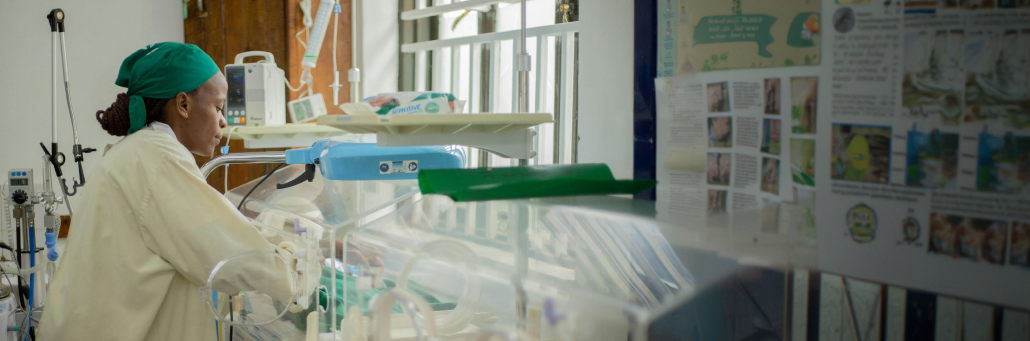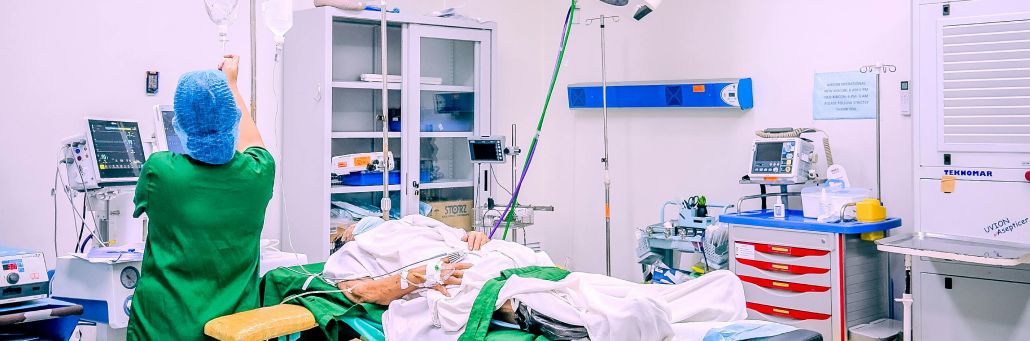
Fast, Reliable Festival Wi-Fi for 250K+ Attendees, POS, Production & VIP

Coachella needs festival-grade internet that handles 125,000 daily attendees, 250+ POS terminals, artist communications, live streaming, and VIP guest Wi-Fi. Dedicated fixed wireless delivers this without satellite latency or consumer internet limitations. Learn how we can help with that.

free speed test by Fireline Broadband

Music Festival Large Event Internet By Fireline Broadband

What is Festival-Grade Fixed Wireless?

Dedicated fixed wireless uses licensed microwave links from towers to festival sites, creating private, high-capacity internet paths. No digging, no permits, deployed in 48 hours.

Perfect for Coachella’s needs:

  • 25 Gbps total festival capacity
  • 2 Gbps main stage connectivity
  • 250+ vendor POS terminals
  • Multi-camera 4K live streaming
  • VIP guest networks (100+ users/access points)
Music Festival Large Event Internet By Fireline Broadband

Coachella Internet Challenges

Festival AreaUsers/DevicesBandwidth Need
Main Stage20K attendees + production2 Gbps
Vendor Village250 POS + 5K guests1.5 Gbps
VIP Rose Garden2K premium guests500 Mbps
Artist Areas100+ crew/devices750 Mbps
Parking Gates10K vehicles/day400 Mbps

Why Dedicated Fixed Wireless Beats Satellite

Satellite Problems for Festivals:

  • 500-700ms latency (unusable for VoIP/POS)
  • 10-25 Mbps uploads (no 4K streaming)
  • Weather outages during peak weekends
  • Weeks to deploy

Fixed Wireless Advantages:

  • <30ms latency
  • 100-1000+ Mbps uploads
  • Weather resilient
  • 48-hour deployment
Music Festival Large Event Internet By Fireline Broadband

1. Vendor & POS Reliability

250+ food/merch vendors need guaranteed POS uptime:

✓ 99.99% uptime SLA

✓ 1000+ transactions/minute

✓ Real-time inventory sync

✓ Mobile ordering support

✓ No outage revenue loss

POS Terminal Requirements:

  • <200ms transaction latency
  • Always-on reliability
  • Credit card compliance
  • Cloud POS integration

2. Artist & Production Communications

Crystal-clear coordination across 75,000 acres:

✓ Backstage VoIP phones

✓ Stage manager tablets

✓ Lighting/sound control

✓ Security radio integration

✓ Private artist networks

3. Live Streaming & Media

Multi-camera 4K streams without buffering:

✓ Main stage 4K streaming
✓ Artist walk-offs for influencers
✓ Drone footage integration
✓ Red carpet live coverage
✓ Social platform uploads

4. VIP Guest Wi-Fi

Premium experience for bottle service:

✓ Branded guest portals

✓ High-density APs (100+ users/AP)

✓ 4K content delivery

✓ Real-time guest analytics

✓ Content filtering

Rapid Festival Deployment Process

Day 1: Site survey + tower positioning
Day 2: Microwave link testing + AP staging
Day 3: Full activation across all stages
Day 15: Clean removal + site restoration

Coachella Coverage Map Example

  • Main Stage → 2 Gbps microwave
  • Sahara Tent → 1 Gbps P2P
  • Outdoor Theater → 500 Mbps
  • VIP Rose Garden → 250 Mbps
  • Vendor Village → 8 × 250 Mbps APs
  • Parking Gates → 4 × 100 Mbps
Music Festival Large Event Internet By Fireline Broadband

Ready to execute the greatest Coachella-sized event?

Implement your festival connectivity plan with Fireline Broadband. Contact us for a site assessment to get fast, reliable, dedicated fixed wireless for Coachella. We’ll map your coverage challenges and design a network that supports vendors, production, and VIP areas at scale. Stop fighting connectivity. Start running the festival.

Call our business team: 877-347-3147
Learn more about our Event Internet Solutions

FAQs About Coachella Festival Internet

Is there internet at Coachella?

Yes, but it can be unreliable during peak crowd times. Festival traffic often slows service near the main stages, camping areas, and headliner sets.

Can I count on regular cell service?

Not fully. Even strong networks can get congested when tens of thousands of people are using them at once.

Is Wi-Fi available at the festival?

Yes, but dependable Wi-Fi is generally more available for vendors, VIP areas, and production teams than for general attendees.

What is the best internet option if I need to work during Coachella?

A backup plan is smartest, such as a hotspot, satellite internet, or a dedicated event internet setup like with Fireline Broadband, since festival congestion can make normal service inconsistent.

What should attendees do before arriving?

Download the festival app, save important maps and tickets offline, and bring a backup battery or hotspot if staying connected matters.

Fast, reliable Wi-Fi keeps businesses running smoothly. Get the right speed, redundancy, and security without complexity. Learn the essential three Wi-Fi best practices to keep your growing business up and running.


free speed test by Fireline Broadband

Small Business Wi-Fi Internet with Fireline Broadband

1. Determine the Right Speed and Capacity

Match your internet to your actual workload.

Every business is different. A 3-person office doing email and cloud apps needs less bandwidth than a coffee shop with 20 customers streaming music while processing payments.

How much speed do you need?

  • 1-5 users/devices: 100-250 Mbps
  • 5-20 users/devices: 250-500 Mbps
  • Retail/guest Wi-Fi: 500+ Mbps
  • Video conferencing + file sharing: Symmetrical speeds (equal upload/download)

Pro tip: Plan for growth. A connection that fits today can become a bottleneck tomorrow.

Small Business Wi-Fi Internet with Fireline Broadband

2. Add Redundancy for Reliability

Don’t let one outage stop your whole operation.

Growing businesses lose money every minute they’re offline. Cash registers freeze, customers leave, phones go silent.

Simple redundancy options:

  • Dual internet circuits – Primary + backup connection
  • Different technologies – Fiber primary + fixed wireless backup
  • Different physical paths – Avoid single points of failure
  • Automatic failover – Switchover happens in seconds

When your POS, cloud apps, and phones stay online during outages, your business keeps running.

Small Business Wi-Fi Internet with Fireline Broadband

3. Secure Customer, Company, and Employee Data

One breach can put you out of business.

Customer payment info, employee records, business data—everything lives on your network. Weak Wi-Fi security is an open invitation to hackers.

Essential security steps:

Separate guest Wi-FiCustomers can’t reach your systems
Strong WPA3 encryptionModern standard, not WEP from 1999
Hide your business SSIDDon’t advertise your network name
Change default passwordsRouter + access points
MAC address filteringOnly approved devices connect

Segment your network:

Company DevicesInternal VLAN
Customer PhonesGuest VLAN
IoT CamerasIoT VLAN
PrintersManagement VLAN

Business Network Applications & Bandwidth Needs

Segment your network:

Business ApplicationBandwidth NeedKey Requirements
Point-of-Sale SystemsLow-MediumAlways-on reliability
Video ConferencingHighLow latency + stable
Cloud ApplicationsMediumConsistent access
Guest Wi-FiMedium-HighHigh device capacity
File Sharing/BackupsHighFast uploads
Security CamerasLow-Medium24/7 streaming

For businesses, Wi-Fi should be treated as a core utility, not an afterthought. A well-designed network supports day-to-day operations, keeps employees productive, and creates a better experience for customers. When your connection is fast, secure, and reliable, your team can focus on serving clients instead of troubleshooting slow speeds, dropped connections, or access problems.

Small Business Wi-Fi Internet with Fireline Broadband

Ready to future-proof your growing business?

Implement your Wi-Fi best practices. Contact Fireline Broadband for a site assessment to get fast, reliable, secure Business Wi-Fi. We’ll map your challenges and design a wireless network that scales with your growing business. Stop troubleshooting Wi-Fi. Start running your business.

Call our business team: 877-347-3147
Learn more about our Dedicated Internet Solutions

FAQs About Wi-Fi Best Practices for Businesses

How much internet speed does my business need?

1-5 users/devices: 100-250 Mbps. 5-20 users/devices: 250-500 Mbps. Guest Wi-Fi need 500+ Mbps.

What’s the best way to add Wi-Fi redundancy?

Combine fiber + fixed wireless. Different physical paths prevent single outages from taking your whole network offline.

How do I secure my business Wi-Fi?

Use WPA3 encryption, separate guest network, change default passwords, and segment internal devices from customer access.

Should businesses use mesh Wi-Fi systems?

Mesh works for homes. Businesses need enterprise access points with centralized management and VLAN support.

How often should I update my Wi-Fi password?

Every 90 days. Use a password manager. Make guests use a different, shorter-lived code.

Can one internet provider handle both primary and backup?

Yes. Fireline Broadband offers fiber + fixed wireless combinations (fiber limited availability) with automatic failover built-in.

What’s the difference between consumer and business Wi-Fi?

Business Wi-Fi supports VLANs, guest networks, centralized management, and higher device density without slowdowns.

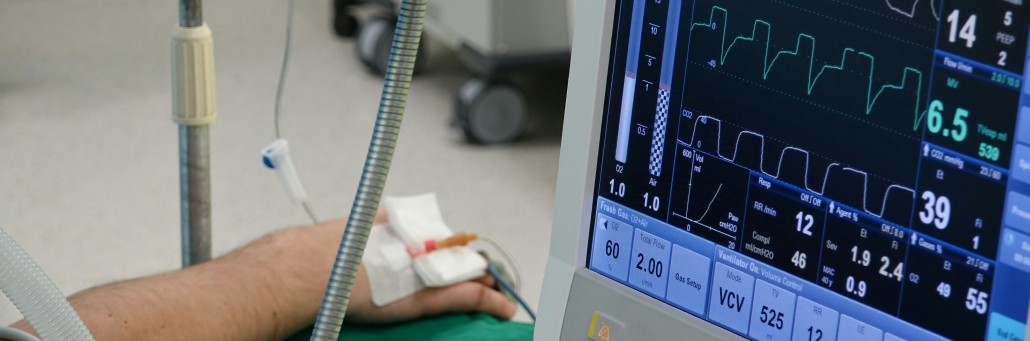
Healthcare organizations depend on internet connectivity for far more than basic communications. Today’s medical practices, clinics, radiology centers, hospitals, assisted living facilities, and rehab centers all rely on secure, high-bandwidth service to support patient records, telehealth, imaging, digital signage, and connected devices. Fireline Broadband delivers fiber and fixed wireless solutions that help healthcare providers stay connected, scalable, and secure.

free speed test by Fireline Broadband

Secure Internet for Healthcare Providers with Fireline Broadband

Why Bandwidth Matters in Healthcare

Healthcare has become a data-intensive industry. Electronic health records, insurance information, imaging, remote consultations, and patient communication all move across the network every day. In many facilities, those demands happen at the same time, which makes reliable bandwidth essential.

A single location may need to support multiple physicians, administrative users, telehealth appointments, cloud applications, and patient-facing services simultaneously. When bandwidth is limited, performance slows, workflows get delayed, and staff lose valuable time.

Secure Internet for Healthcare Providers with Fireline Broadband

The Cost of Slow Connectivity

Healthcare networks handle simultaneous demands from electronic health records, high-resolution imaging, telehealth visits, remote monitoring, digital signage, administrative systems, and remote staff access. Dedicated bandwidth from Fireline Broadband ensures these critical applications perform consistently without interference from shared networks.

Slow or unstable internet can affect nearly every part of a healthcare operation. It can disrupt telehealth visits, delay file transfers, interfere with image sharing, and make EHR access less efficient. In healthcare, those problems can reduce productivity and create frustration for both staff and patients.

Connectivity issues can also affect patient experience. Digital signage, TV streaming, patient portals, and communication tools all depend on a stable network. When the connection is poor, the patient experience suffers too.

Secure Internet for Healthcare Providers with Fireline Broadband

What Healthcare Networks Need to Support

Modern healthcare networks must handle a wide range of applications and devices.

Common demands include:

Healthcare ApplicationBandwidth NeedKey Requirements
Electronic Health RecordsMediumFast access & updates
High-Resolution Medical ImagingVery HighLarge file transfers
Telehealth & Video ConferencingHighLow latency video
Remote Patient Monitoring & WearablesMediumContinuous data stream
Digital Signage & Patient EntertainmentLow-MediumSecure access
Administrative & Billing WorkflowsLowExtremely remote locations
Secure Access for Remote StaffMediumVPN + cloud access

Each of these uses adds load to the network. As healthcare becomes more connected, the need for strong infrastructure only grows.

Dedicated Fiber for Healthcare

Dedicated fiber provides healthcare facilities with private, uncontended bandwidth ideal for high-capacity imaging workflows, multi-location connectivity, and data center integration. Fireline Broadband’s fiber network supports symmetrical speeds perfect for large file transfers and cloud-based clinical applications.

Best for:

  • Hospitals and multi-site practices
  • Radiology centers and imaging workflows
  • Data center connectivity and EHR hosting
  • High-volume telehealth operations

Dedicated Fixed Wireless for Healthcare

Dedicated fixed wireless delivers private point-to-point connectivity with rapid deployment, making it ideal for time-sensitive installations, remote clinics, or backup circuits. Fireline Broadband’s fixed wireless provides dedicated bandwidth with line-of-sight reliability.

Best for:

  • Quick deployment at new facilities
  • Remote or satellite clinics
  • Backup/redundancy circuits
  • Path diversity alongside fiber

Dedicated Internet = Network Reliability

Healthcare cannot afford shared consumer-grade connections. Dedicated service from Fireline Broadband means:

  • Scalable capacity – Grow without service interruptions
  • Private bandwidth – No contention with neighbors
  • Guaranteed performance – SLAs back every circuit
  • Consistent throughput – Daytime, nighttime, peak hours
Secure Internet for Healthcare Providers with Fireline Broadband

Combining Dedicated Fiber + Fixed Wireless

Many healthcare providers use both dedicated fiber and dedicated fixed wireless for true redundancy:

  • Automatic failover keeps EHR, telehealth, and billing online
  • Primary: Dedicated fiber for main capacity
  • Backup: Dedicated fixed wireless for failover
  • Different physical paths prevent single-point failures

Security and Compliance for Healthcare

HIPAA compliance demands more than passwords. Dedicated connections reduce exposure compared to shared networks:

  • Private circuits limit external access points
  • End-to-end encryption options
  • No neighbor traffic on your bandwidth
  • Dark fiber available for maximum isolation

Coverage for Healthcare Facilities

Fireline Broadband serves healthcare across:

  • Los Angeles – Riverside – San Bernardino
  • Palm Springs – Las Vegas – Orange County

Dedicated fiber where available. Dedicated fixed wireless everywhere else.

Why Healthcare Chooses Fireline Broadband

Dedicated bandwidth – Never shared with consumers
Healthcare experience – Built for clinical workflows
Rapid response – Local technicians, not ticket systems
True redundancy – Fiber + wireless path diversity
HIPAA-ready – Security and compliance focus

Secure Internet for Healthcare Providers with Fireline Broadband

Ready to future-proof your healthcare internet system?

Contact Fireline Broadband for a site assessment. We’ll map your challenges and design a wireless network that scales with your healthcare campus.

Call our business team:877-347-3147
Learn more about our Dedicated Internet Solutions

FAQs About Secure Internet in Healthcare

Why do healthcare providers need dedicated internet?

Dedicated service eliminates bandwidth contention, ensuring consistent performance for EHR, imaging, and telehealth.

What’s the difference between dedicated fiber and dedicated fixed wireless?

Fiber offers unlimited capacity through underground infrastructure. Fixed wireless provides rapid deployment via line-of-sight towers.

Can healthcare use both fiber and fixed wireless together?

Yes. Many providers combine both for redundancy with different physical paths.

Is dedicated service more secure for healthcare?

Yes. Private circuits reduce exposure compared to shared consumer networks.

How quickly can healthcare facilities get service?

Dedicated fixed wireless installs in days. Dedicated fiber builds dependent on fiber path availability.

What healthcare facilities does Fireline serve?

Hospitals, clinics, radiology centers, assisted living, rehab facilities, and multi-site practices.