Finance moves at milliseconds. Apps are just interfaces—bandwidth is the engine. From high-frequency trading to branch connectivity, unreliable networks cost millions in missed opportunities and regulatory fines.


free speed test by Fireline Broadband

people at ATM - internet for finance - Fireline Broadband

Fintech Innovation: Bandwidth Fuels the Future

Fintech disrupts traditional finance with apps, blockchain, and AI—but all run on bandwidth. Startups and incumbents compete on speed-to-market and user experience.

Bandwidth-hungry fintech trends:

🚀 Embedded finance: Real-time API calls (Stripe, Plaid) need 100ms response

🚀 Robo-advisors: AI portfolio analysis processes TBs of market data daily

🚀 Crypto trading: Blockchain sync + order books demand 1Gbps+

🚀 Digital wallets: P2P payments verify instantly across networks

🚀 VR/AR banking: Immersive client experiences (50Mbps+ per session)

Fireline enables fintech scale:

API acceleration—low-latency routes to payment processors

Cloud bursting—10Gbps handles viral growth spikes

Edge computing—fraud detection at network edge (<5ms)

fluctuation of stocks onscreen - internet for finance - Fireline Broadband

Security and Banking: Non-Negotiable Network Demands

Banking security starts with unbreakable connectivity. Downtime creates attack windows; weak bandwidth slows threat detection.

Common threats:

🔒 Real-time fraud detection: AI scans 10K+ transactions/second

🔒 Encrypted ATM networks: 500Mbps+ symmetrical per branch

🔒 Customer authentication: Biometrics, video KYC (4K streams)

Banking outage impact:

SystemBandwidth Need1-Hour Downtime Cost
ATMs100Mbps/branch$500K
Mobile Banking50Mbps/user peak$2M+
Fraud Detection1Gbps+$5M+
hand on calculator on top of cash and receipts - internet for finance - Fireline Broadband

Bandwidth Powers Financial Operations

Modern finance generates terabytes of data per second. Cloud platforms, AI analytics demand massive throughput.

Critical bandwidth needs:

  • Trading platforms: 25-100Mbps per trader, low latency <10ms
  • Data feeds: Multi-gigabit streams for market quotes

Network Downtime Costs Millions

Outage DurationTrading LossCompliance Fine Risk
1 minute$100K+Low
1 hour$10M+High

How Fireline Broadband + Communications Powers Finance

Fireline Broadband provides the high-capacity infrastructure. Fireline Communications ensures teams stay connected. Together, they create unbreakable finance ecosystems.

End-to-end reliability—data + voice failover unified

Single support contact—NOC handles network + comms

Compliance-ready—SOC2, PCI-DSS for both services

Scalable growth—add bandwidth + seats as fintech expands

stocks on laptop screen - internet for finance - Fireline Broadband

Bringing Money to the Table

Fireline Broadband + Communications = complete finance connectivity. Speed, reliability, security in one platform.

Call our business team: 877-347-3147
Learn more about our Dedicated Internet Solutions

FAQs About Internet for Finance

What type of internet speed is required for successful day trading?

Day trading requires symmetrical high-speed internet with very low latency to financial exchanges, ensuring algorithms execute trades without delay and real-time data feeds update seamlessly.

How does brief network downtime impact financial operations?

Brief network downtime can result in substantial trading losses for high-frequency firms and trigger compliance issues, as every moment offline means missed market opportunities and potential regulatory scrutiny.

Why is low latency so critical in financial networks?

Low latency ensures trading algorithms capture fleeting arbitrage opportunities and real-time fraud systems detect threats instantly—any delay translates directly to lost revenue or undetected risks.

What kind of bandwidth do bank branches and ATMs typically require?

Bank branches and ATMs need robust symmetrical bandwidth to support simultaneous transactions, video verification for customers, and continuous compliance logging across multiple systems without slowdowns.

How does Fireline Broadband ensure reliability for financial services?

Fireline Broadband provides dedicated high-capacity fiber with rapid wireless failover options, intelligent traffic prioritization through SD-WAN, and round-the-clock network operations center monitoring to prevent disruptions.

What security features are essential for networks in the finance sector?

Networks in the finance sector demand zero-trust access models, advanced DDoS protection, end-to-end encryption, and compliance certifications like PCI-DSS to safeguard sensitive data and meet regulatory standards.

How should financial firms test their network for trading readiness?

Financial firms should conduct load simulations during peak market hours, monitor metrics like jitter and packet loss, and validate failover times to ensure the network handles real-world stress without compromising performance.

What are the emerging bandwidth trends shaping the future of finance?

Emerging bandwidth trends in finance include rising demands from AI-driven analytics, blockchain transaction processing, and immersive virtual client interactions, driving exponential growth that requires scalable infrastructure.

What level of support does Fireline provide for critical financial applications?

Fireline provides a 24/7 network operations center with rapid response times and proactive monitoring, ensuring potential issues are resolved before they affect trading, banking, or customer-facing services.


The Internet of Things (IoT) connects everyday devices to the internet, but it splits into two main categories: Consumer IoT for personal use and Industrial IoT (IIoT) for manufacturing and heavy operations. Understanding their differences helps businesses choose the right tech.

free speed test by Fireline Broadband

iiot vs iot with Fireline Broadband - employee operating machinery

How Fireline Broadband Powers IIoT

Fireline Broadband delivers the enterprise-grade internet infrastructure essential for successful IIoT deployments. Consumer Wi-Fi cannot handle industrial demands—Fireline provides the foundation.

Fireline IIoT Solutions:

  • 🌐 Multi-Gigabit Fiber: 1-100Gbps symmetrical for massive sensor streams
  • 📡 Fixed Wireless Backup: 48hr failover keeps IIoT online during outages
  • 🔄 Automatic Failover: Sub-10sec cutover prevents production stops
  • 🛡️ Static IPs + DDoS Protection: Secure device whitelisting
  • 📊 24/7 NOC Monitoring: Proactive issue detection for 99.99% uptime
  • 🔒 VPN Ready: Secure edge-to-cloud tunnels for IIoT data

Real Results:

  • Reduced latency: From 50ms to 5ms for machine control loops
  • Zero downtime: Automatic failover during primary ISP failures
  • Scalable capacity: Grows with IIoT expansion (10K→50K devices)

Fireline eliminates the network bottleneck, letting manufacturers focus on production while IIoT handles optimization.

iiot vs iot with Fireline Broadband - example of iiot

How to Maintain IIoT Security

IIoT networks face higher risks due to their scale and criticality. Consumer IoT often uses basic passwords; IIoT demands enterprise-grade protection.

Essential security practices:

✔️ Network segmentation: Isolate IIoT devices from corporate IT

✔️ Zero-trust architecture: Verify every device/connection continuously

✔️ Edge security gateways: Filter traffic before it hits the internet

✔️ Encrypted protocols: Use MQTT-TLS, OPC UA Secure for device comms

✔️ Firmware management: Regular updates with secure boot

✔️ Access controls: Role-based, multi-factor authentication

✔️ Continuous monitoring: SIEM systems detect anomalies instantly

✔️ VPN tunnels: Secure remote access to industrial controllers

iiot vs iot with Fireline Broadband - employee working on research

Real-World Examples

Consumer IoT Examples:

  • Nest Thermostat: Learns home temperature preferences, adjusts automatically
  • Amazon Echo: Voice commands control lights, music, shopping lists
  • Fitbit: Tracks steps, heart rate, sleep patterns for personal health
  • Ring Doorbell: Remote video access, motion alerts to smartphone
  • Smart Refrigerator: Inventory tracking, recipe suggestions

IIoT Examples:

  • CNC Machine Sensors: Monitor vibration, temperature to predict failures
  • Conveyor Belt RFID: Tracks parts movement across factory floor
  • Oil Pipeline Pressure Sensors: Detect leaks in real-time across 100s of miles
  • Wind Turbine SCADA: Optimize blade angle based on weather data
  • Pharma Cleanroom Monitors: Ensure temperature/humidity for drug safety

Core Differences

AspectConsumer IoTIIoT
PurposeConvenience, entertainmentEfficiency, automation, safety
DevicesSmart thermostats, wearablesSensors, robots, machine monitors
ScaleSmall (1-20 devices/home)Large (10,000+ devices/plant)
ReliabilityOccasional downtime OK99.99% uptime required

How IIoT Relates to the Internet

IIoT depends on internet connectivity as its backbone. Sensors collect real-time data from machines, which gateways send to cloud platforms via wired or wireless networks.

This enables edge-to-cloud flow, M2M communication, and scalable bandwidth for thousands of devices.

Why the Distinction Matters

Consumer IoT prioritizes user experience with simple Wi-Fi. IIoT needs rugged protocols, secure VPNs, and enterprise-grade internet which is why Fireline Broadband would be your perfect tech partner.

iiot vs iot with Fireline Broadband - example of iiot

The Implementation of IIoT

IIoT and consumer IoT may both connect devices to the internet, but they serve very different goals. Consumer IoT is built for convenience, while IIoT is built for uptime, visibility, and operational control.

For manufacturers, the real value of IIoT comes from better data, faster decisions, and stronger resilience across production and supply chain systems. That only works when the network is secure, reliable, and ready to scale with demand.

Fireline Broadband can help by providing the high-performance connectivity and backup support IIoT environments need to stay online and productive.

Call our business team: 877-347-3147
Learn more about our Dedicated Internet Solutions

FAQs About IIoT

What’s the biggest IIoT advantage over consumer IoT?

Industrial-scale reliability and real-time analytics for zero-downtime operations.

Does IIoT always need internet?

Yes—gateways route sensor data to cloud/edge systems via IP networks.

Can consumer IoT scale to factories?

No—lacks durability, security, and bandwidth for industrial demands.

How do I secure my IIoT network?

Use network segmentation, zero-trust, edge gateways, and encrypted protocols.

Manufacturing companies are under pressure to keep production moving even when suppliers, logistics partners, or internal systems are disrupted. A strong network infrastructure helps teams respond faster, protect operations, and reduce the impact of delays across the supply chain.

free speed test by Fireline Broadband

employee operating machine - Manufacturing future with Fireline Broadband

How Manufacturing is Evolving

Manufacturing has shifted from manual assembly lines to smart, connected factories powered by Industry 4.0. Automation, robotics, and digital integration now drive efficiency but demand robust networks to succeed.

Key evolutionary trends:

  • Smart factories: Real-time data from machines, robots, and sensors coordinates production.
  • Digital twins: Virtual models simulate operations for faster troubleshooting and optimization.
  • Predictive maintenance: AI analyzes equipment data to prevent breakdowns before they occur.
  • Supply chain digitization: Blockchain and IoT track parts from supplier to assembly.
  • Remote operations: AR glasses let experts guide workers from anywhere via high-speed video.

These changes create 10x data growth, requiring networks that handle constant high-volume streams without interruption. Legacy infrastructure cannot keep pace with this evolution.

Bandwidth Growth in Manufacturing

Technology2015 Bandwidth2025 BandwidthGrowth Factor
Machine Vision10Mbps/camera100Mbps/camera10x
IoT Devices100 devices/plant10,000 devices/plant100x
Video Analytics25Mbps stream200Mbps stream8x
Remote AR/VRNot deployed50Mbps/userNew demand
Digital TwinsN/A1-5Gbps transfersNew demand

This chart shows manufacturing’s explosive bandwidth requirements as digital transformation accelerates.

employee operating machine - Manufacturing future with Fireline Broadband

The Growing Bandwidth Needs of Manufacturing

Modern manufacturing operations demand significantly more bandwidth than traditional setups. Industry 4.0 technologies like IoT sensors, real-time machine monitoring, and AR/VR training push networks to their limits.

Key bandwidth drivers:

  • Machine vision cameras: 50-200Mbps per camera
  • IoT/IIoT devices: 10,000+ devices per plant averaging 1-5Mbps each
  • Real-time analytics: 100Mbps+ continuous data streams
  • Remote experts: 4K video collaboration (25-50Mbps)
  • Digital twins: Multi-Gbps simulation data transfers

Bandwidth growth trend

Manufacturing networks see 30-50% annual bandwidth increases as automation expands. Legacy 100Mbps connections now bottleneck production lines and cloud ERP systems.

Solution:

Upgrade to symmetrical multi-gigabit internet solutions with fiber or fixed wireless for scalable capacity. Fireline Broadband delivers 1-100Gbps connections that grow with manufacturing’s digital transformation.

Why network infrastructure matters

Manufacturing depends on constant communication between plants, warehouses, suppliers, and customers. When the network is slow or unreliable, teams lose visibility into inventory, shipments, machine data, and order updates.

That can create avoidable delays, missed deadlines, and higher operating costs. A resilient network gives manufacturers the speed and stability they need to make decisions in real time.

How disruptions affect manufacturing

Supply chain problems often start outside the plant, but they quickly affect production. Common issues include delayed parts, limited inventory visibility, vendor communication gaps, and downtime at connected facilities.

When systems are disconnected or slow, manufacturers may overorder, underproduce, or miss time-sensitive shipments. A better network reduces those blind spots and helps teams adapt faster.

employee operating machine - Manufacturing future with Fireline Broadband

Ways to future-proof operations

Manufacturers can strengthen resilience by improving the underlying network that supports production and logistics.

Key steps include:

  • Build reliable connectivity between sites.
  • Use backup connections to reduce downtime.
  • Centralize data access for inventory and operations.
  • Secure communications across plants and vendors.
  • Monitor network performance continuously.

These changes help teams keep working even when supply chains become unpredictable.

Security and continuity

Network infrastructure also plays a major role in protecting manufacturing systems. Secure access controls, encrypted traffic, and separate guest or vendor networks help reduce risk while keeping operations running.

Business continuity planning should include backup internet, failover routing, and clear recovery procedures. That way, a local outage does not stop production or communication with suppliers.

How Fireline helps

Fireline Broadband supports manufacturers with dependable internet infrastructure, while Fireline Communications helps keep business communication connected across teams and locations. Together, they give manufacturers a stronger foundation for visibility, coordination, and continuity.

That matters when supply chains are under pressure and every minute counts.

employee operating machine - Manufacturing future with Fireline Broadband

Empowering Manufacturing for the Future

Manufacturers cannot control every supply chain disruption, but they can control how well they respond. A strong network makes it easier to see problems sooner, communicate faster, and keep production moving.

For companies that want to stay competitive, future-proofing starts with the infrastructure behind the operation.

Call our business team: 877-347-3147
Learn more about our Dedicated Internet Solutions

FAQs About Manufacturing

What is future-proofing in manufacturing?

It means preparing operations to stay stable and flexible when disruptions happen.

Why is network infrastructure important in manufacturing?

It supports communication, data visibility, production control, and continuity across sites.

How does better connectivity help with supply chain issues?

IoT devices, machine vision, real-time analytics, and 4K remote collaboration demand multi-gigabit networks.

What are the biggest bandwidth challenges in manufacturing?

IoT devices, machine vision, real-time analytics, and 4K remote collaboration demand multi-gigabit networks.

How can Fireline support manufacturers?

Fireline Broadband and Fireline Communications help provide the connectivity and communication tools needed for resilient operations.

Warehouses are some of the hardest environments for Wi‑Fi: tall ceilings, endless metal racks, moving forklifts, and devices that need to stay online everywhere on the floor. When wireless is unreliable, picking, packing, inventory, and shipping all slow down. This guide explains the key challenges and best practices for designing warehouse Wi‑Fi that actually works day in, day out.

free speed test by Fireline Broadband

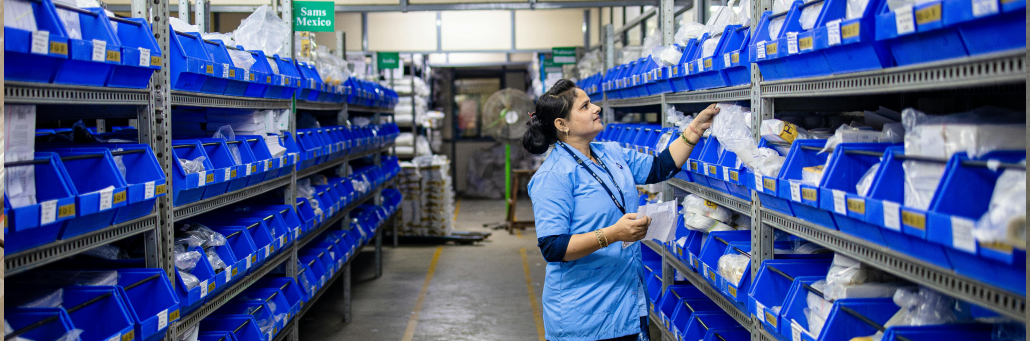
warehouse wi-fi

Why Warehouse Wi‑Fi is Challenging

  • Metal racks and machinery reflect and absorb Wi‑Fi signals, creating dead zones and unpredictable coverage.
  • High ceilings and long aisles mean access points may be far from handheld devices, which weakens signal and reduces data rates.
  • Constantly changing inventory alters the RF environment over time—full shelves block signals differently than empty ones.
  • Forklifts, scanners, tablets, and IoT sensors move quickly and need seamless roaming between access points.

Start with a Proper Wireless Site Survey

The most important step in a warehouse Wi‑Fi project is a professional site survey, not guessing and hanging a few access points where they “look right.” The most important step in a warehouse Wi‑Fi project is a real site survey, not guessing. Skipping this is how you end up with a network that looks good on paper but fails on the floor.

A good warehouse survey should:

  • Map the full layout
    Include aisles, rack heights, wall materials, mezzanines, chillers/freezers, offices, and loading docks.
  • Identify RF obstacles and interference
    Note metal racks, machinery, conveyors, overhead cranes, neighboring Wi‑Fi, cordless phones, and other radio systems.
  • Measure signal at device height
    Test at the height of handheld scanners and forklift mounts, not only up at the ceiling.
  • Simulate real use
    Walk typical pick routes and forklift paths while measuring signal, noise, and roaming between APs.
  • Produce heat maps
    Use survey software to visualize coverage, overlap, and dead zones so you can place APs intentionally—not just where a cable is convenient.

Design Around Aisles and Rack Patterns

In a warehouse, you don’t design for square footage; you design for aisles.

When placing access points:

  • Treat each aisle as its own “street”
    Plan coverage so every aisle has consistent signal along its length instead of relying on signal bleeding through multiple rows of racks.
  • Aim down the aisles
    Ceiling‑mounted APs centered over aisles, looking down the length, usually perform better than APs pointing across rows of metal.
  • Use directional antennas where needed
    In very tall or dense environments, semi‑directional or narrow‑beam antennas can push signal down an aisle while reducing interference with adjacent aisles.
  • Avoid “Swiss cheese” coverage
    Don’t assume signal will magically punch through stacked pallets and thick racks; build intentional overlap so if one AP fails or a rack moves, devices still have another option.

warehouse wi-fi

Choose the Right Bands, Channels, and Power Levels

Channel planning and power settings matter as much as access point count.

Key guidelines:

  • Use both 2.4 GHz and 5 GHz (and 6 GHz where available), but favor the higher bands for capacity and cleaner spectrum.
  • Prefer 20 MHz channels in busy environments to limit co‑channel interference.
  • Don’t run all APs at maximum transmit power—this encourages sticky clients and excessive overlap. Power should be tuned so devices roam when they should.
  • Turn off unnecessary SSIDs. Every extra SSID adds overhead and reduces throughput, especially on 2.4 GHz.
  • Periodically review channel assignments; warehouse RF changes as inventory and neighbors change.

warehouse wi-fi

Choose the Right Bands, Channels, and Power Levels

Channel planning and power settings matter as much as access point count.

Key guidelines:

  • Use both 2.4 GHz and 5 GHz (and 6 GHz where available), but favor the higher bands for capacity and cleaner spectrum.
  • Prefer 20 MHz channels in busy environments to limit co‑channel interference.
  • Don’t run all APs at maximum transmit power—this encourages sticky clients and excessive overlap. Power should be tuned so devices roam when they should.
  • Turn off unnecessary SSIDs. Every extra SSID adds overhead and reduces throughput, especially on 2.4 GHz.
  • Periodically review channel assignments; warehouse RF changes as inventory and neighbors change.
warehouse wi-fi

Choose the Right Bands, Channels, and Power Levels

Channel planning and power settings matter as much as access point count.

Key guidelines:

  • Use both 2.4 GHz and 5 GHz (and 6 GHz where available), but favor the higher bands for capacity and cleaner spectrum.
  • Prefer 20 MHz channels in busy environments to limit co‑channel interference.
  • Don’t run all APs at maximum transmit power—this encourages sticky clients and excessive overlap. Power should be tuned so devices roam when they should.
  • Turn off unnecessary SSIDs. Every extra SSID adds overhead and reduces throughput, especially on 2.4 GHz.
  • Periodically review channel assignments; warehouse RF changes as inventory and neighbors change.

Design for Roaming, Not Just Coverage

It’s not enough that each spot has “some” signal. Devices must roam smoothly as they move.

To support clean roaming:

  • Ensure deliberate overlap
    Adjacent APs should have planned overlap so devices can see a strong neighbor before the current AP becomes weak.
  • Standardize SSIDs and security
    Use a single SSID per device group across the warehouse, with consistent security settings, so clients don’t have to “think” about which network to join.
  • Tune roaming thresholds on critical devices
    Where possible, adjust handheld scanners or voice devices to roam sooner instead of clinging to a weak AP.
  • Test while moving
    Have technicians walk and drive normal routes with real devices, watching for drops and stalls. Lab tests in a breakroom don’t reveal roaming issues in long aisles.

Use Industrial‑Grade Hardware and Centralized Management

Warehouses are rough on equipment and staff. Your Wi‑Fi gear needs to handle it.

Consider:

  • Industrial or hardened access points
    Choose access points rated for dust, temperature swings, and vibration—especially for freezer or high‑bay areas.
  • Proper enclosures and mounting
    Use secure mounts and, where required, protective enclosures so APs aren’t knocked loose by forklifts or pallets.
  • Centralized management
    A controller or cloud‑managed platform lets you monitor all APs, push configuration changes, and see where clients are struggling.
  • Segmented networks
    Separate SSIDs and VLANs for scanners, corporate laptops, guest devices, and IoT help keep traffic isolated and easier to troubleshoot.

Build for redundancy and future growth

Warehouse networks rarely stay static. Plan for tomorrow.

To support clean roaming:

  • Avoid single points of failure
    Don’t leave a critical zone served by only one AP; if it dies or a rack moves, that area goes dark.
  • Leave room for more devices
    Design assuming more scanners, tablets, and robots will be added. A network that’s at 90% capacity on day one is already underbuilt.
  • Consider redundant uplinks
    For sites where downtime is expensive, add backup internet and redundant switches so a single failure doesn’t take the entire WLAN offline.
  • Re‑survey periodically
    After major layout changes—or even annually—run a lighter survey to confirm coverage and roaming still look good.

Common Warehouse Wi‑Fi Mistakes

Avoiding a few common pitfalls will save you a lot of pain:

  • Copying an office Wi‑Fi design into a warehouse.
  • Putting APs wherever it’s easiest to pull cable instead of where RF modeling says they should go.
  • Relying only on 2.4 GHz with wide channels “for more speed,” which often backfires.
  • Adding more APs to “fix” problems without understanding the interference they create.
  • Skipping user testing with real scanners and workflows before calling the project done.

A Simple Design Checklist

When you’re planning or refreshing warehouse Wi‑Fi, use this quick checklist:

  •  Professional site survey completed (predictive and/or on‑site).
  •  AP placements planned around aisles, racks, and device height.
  •  Channel and power plan documented and tested.
  •  Roaming validated with real devices on real routes.
  •  Hardware rated for warehouse conditions and mounted securely.
  •  Network segmented by device type and traffic needs.
  •  Redundancy and capacity planned for future growth.

factors when picking a business internet provider

A warehouse doesn’t have to be a Wi‑Fi nightmare. With a survey‑driven design, proper AP placement, smart channel planning, and the right hardware, you can build a wireless network that keeps scanners, forklifts, and staff connected—even in the toughest RF environments.

Ready for a dedicated lane?
Schedule a no-obligation Connectivity Consultation with our team. We’ll analyze your current performance and provide a clear recommendation tailored to how your business actually uses the internet.

Call our business team:877-347-3147
Learn more about our Dedicated Business Internet

Warehouse Wi-Fi FAQ

What makes warehouse Wi‑Fi harder than office Wi‑Fi?

Warehouses are filled with tall metal racks, machinery, long aisles, and moving forklifts, all of which reflect or block wireless signals. High ceilings and constantly changing inventory also make it harder to maintain consistent coverage and performance compared to a typical office.

Why is a professional wireless site survey so important in a warehouse?

A site survey maps your aisles, rack heights, wall materials, and interference sources so access points can be placed intentionally instead of by guesswork. Without a survey, you’re likely to end up with dead zones, roaming issues, and an expensive network that still fails on the warehouse floor.

How should access points be placed in a warehouse?

It’s best to design around aisles, not just square footage. Access points are usually mounted on the ceiling and aimed down the aisles, sometimes with directional antennas, so each aisle has reliable signal along its length instead of relying on Wi‑Fi to pass through multiple rows of metal racks.

Which Wi‑Fi bands and channels work best in warehouses?

Most warehouses use both 2.4 GHz and 5 GHz (and 6 GHz if available), but favor the higher bands for capacity and cleaner spectrum. Narrower channels (like 20 MHz) and carefully tuned transmit power help reduce interference and keep devices from clinging to distant access points.

What does it mean to “design for roaming” in a warehouse?

Designing for roaming means planning intentional overlap between access points and using consistent SSIDs and security so devices can move smoothly without dropping connections. Roaming must be tested with real scanners and forklifts on real routes, not just in a lab or office.

Do I really need industrial‑grade Wi‑Fi hardware for a warehouse?

Yes, in most cases. Warehouses expose equipment to dust, temperature swings, vibration, and occasional impacts from pallets or lifts. Industrial‑rated access points, proper mounting, and protective enclosures help keep the network stable and reduce unexpected failures.

How can I build redundancy into warehouse Wi‑Fi?

Avoid covering critical areas with only one access point, and design overlapping coverage so a single hardware failure or layout change doesn’t create a dead zone. For high‑value operations, consider redundant switches and backup internet so the entire WLAN doesn’t go offline from a single upstream issue.

What are the most common mistakes in warehouse Wi‑Fi deployments?

Common mistakes include copying an office Wi‑Fi design, placing Access Points where cabling is easiest instead of where RF modeling recommends, relying only on 2.4 GHz with wide channels, “fixing” problems by adding more APs without a plan, and skipping testing with actual warehouse devices and workflows.

How often should warehouse Wi‑Fi be reviewed or re‑surveyed?

You should revisit your design after major layout changes or at least every year or two. As inventory, rack layouts, and neighboring networks change, a fresh survey helps confirm that coverage, roaming, and channel plans still match how the warehouse operates today.