Hospitality Wi-Fi is one of the most important parts of the guest experience. Guests expect fast, reliable internet for streaming, work, messaging, and navigation, while hotel teams need secure and stable connectivity for operations, POS systems, and smart devices.


free speed test by Fireline Broadband

hospitality wi-fi by Fireline Broadband - hotel concierge greeting guests

Why Hospitality Wi-Fi Matters

Strong Wi-Fi can influence reviews, repeat bookings, and overall guest satisfaction. In hotels and resorts, poor connectivity creates frustration quickly because guests often use multiple devices at once and expect service everywhere on the property.

A well-designed hospitality network also supports staff efficiency, property management systems, cameras, smart locks, and point-of-sale systems. That means Wi-Fi is not just a guest amenity — it is part of the property’s core infrastructure.

Hospitality includes the services and businesses that focus on making guests feel welcome and cared for. It typically covers lodging, food and beverage, travel and tourism, entertainment and recreation, and meetings/events.

Specific examples include:

  • Hotels and resorts.
  • Restaurants, bars, and catering.
  • Airlines, cruises, and travel services.
  • Spas, casinos, and leisure venues.
  • Conferences, weddings, and other events

Common Hospitality Wi-Fi Challenges

Hospitality networks have to handle high device density, constant movement, and mixed use cases. Guests may be streaming in rooms, attending conferences, using the lobby, or working outdoors, all at the same time.

Some of the most common challenges include:

  • Weak coverage in rooms, hallways, pool areas, and event spaces.
  • Congestion during peak usage hours.
  • Security risks from guest and staff devices sharing the same environment.
  • Interference from walls, building materials, and other electronics.
  • Limited visibility into performance issues without proper monitoring.

These challenges make planning and ongoing management essential.

hospitality wi-fi by Fireline Broadband - hotel room clean

Best Practices for Hospitality Wi-Fi

A strong hospitality network starts with proper design. Access points should be placed based on coverage needs, not convenience, and the network should be built to support both guest demand and operational traffic.

Key best practices include:

  • Design for full-property coverage, including guest rooms, lobbies, meeting spaces, and outdoor areas.
  • Use bandwidth management to prevent a few users from slowing the network.
  • Separate guest traffic from internal business systems.
  • Provide a branded captive portal for secure guest access.
  • Monitor network performance regularly and adjust as needed.
  • Keep hardware and firmware updated for better performance and security.

The goal is a network that feels simple for guests but is carefully managed behind the scenes.

Security Best Practices

Hospitality Wi-Fi needs strong security because it supports both public access and business operations. Guest traffic should never have direct access to internal systems, and sensitive data should be protected at every layer.

Best practices include:

  • Network segmentation between guest, staff, and operational systems.
  • Strong encryption and secure authentication methods.
  • Firewall rules to block unauthorized access.
  • Access controls for staff and administrative devices.
  • Regular patching and security updates.
  • Monitoring for unusual traffic or suspicious activity.

A secure network protects both the property and the guest experience.

hospitality wi-fi by Fireline Broadband - chef prepping catering food

Why Fireline Broadband Helps

Fireline Broadband supports hospitality properties that need reliable internet for guests and operations. That includes the bandwidth and stability required for high-usage environments like hotels, resorts, conference spaces, and mixed-use properties.

With Fireline Broadband, hospitality teams can build a stronger foundation for:

  • Guest Wi-Fi performance.
  • Internal operations.
  • Connected property systems.
  • Reliable service during peak occupancy.

That makes it easier to deliver a consistent experience across the property.

Maximizing Your Coverage with Fireline Broadband

Best PracticeWhy It MattersWhat You Get with Fireline Broadband
Wide coverageKeeps Wi-Fi strong across the property.Reliable connectivity support.
Bandwidth controlPrevents slowdowns during peak use.Better performance under load.
Network separationProtects guest and staff systems.Stronger security setup.
Captive portalMakes guest login easy.Cleaner guest experience.
MonitoringHelps spot issues fast.More stable service.
Security controlsReduces unauthorized access.Safer network foundation.
hospitality wi-fi by Fireline Broadband - women serving customers

Keeping Hospitality Connected

Hospitality Wi-Fi has to do more than connect devices — it has to support guest satisfaction, operational efficiency, and security all at once. The best networks are designed with coverage, segmentation, bandwidth, and monitoring in mind, not just raw speed.

For hospitality properties, investing in the right network strategy can improve reviews, reduce support issues, and make day-to-day operations run more smoothly. Fireline Broadband can help provide the reliable internet backbone that hospitality Wi-Fi depends on.

Call our business team:877-347-3147
Learn more about our Dedicated Internet Solutions

FAQs About Hospitality Wi-Fi

What is hospitality Wi-Fi?

Hospitality Wi-Fi is the wireless internet network used in hotels, resorts, and guest-focused properties to support guest access and property operations.

Why is guest Wi-Fi important in hotels?

Guests expect reliable internet for streaming, work, and communication, and poor Wi-Fi can affect satisfaction and reviews.

How should hospitality Wi-Fi be secured?

Use network segmentation, encryption, firewalls, and access controls to separate guest traffic from internal systems.

What areas should hospitality Wi-Fi cover?

It should cover guest rooms, lobbies, conference areas, restaurants, outdoor spaces, and staff operations areas.

How can Fireline Broadband support hospitality properties?

Fireline Broadband provides the reliable internet foundation needed to support strong guest Wi-Fi and operational connectivity.


Production teams need upload-heavy internet to deliver flawless live streams. Whether live streaming multi-camera corporate events, product launches, or client webinars, upload speed + low latency determine broadcast quality. Fireline Broadband’s fixed wireless provides rapid-deployment symmetrical upload capacity up to 10Gbps. From outdoor to indoor events, power up your event live streaming with Fireline Broadband event internet!

free speed test by Fireline Broadband

live streaming by Fireline Broadband

Why Production Teams Need High Upload Speeds

Download speed loads DaVinci Resolve, OBS Studio, vMix. Upload speed sends your encoded RTMP stream to YouTube, Vimeo Livestream, Instagram, Facebook, LinkedIn, or Zoom.

Production Reality:

Single 1080p camera8 Mbps upload
3-camera 1080p switch25 Mbps upload
4K main + 1080p ISO50 Mbps upload
Multi-platform Live Streams40+ Mbps
IMAG + 8K production200+ Mbps

Consumer ISPs fail: Cable delivers 1Gbps down / 35Mbps up = dropped frames.

Recommended Speeds for Production Workflows

Production SetupUpload RequiredBitrateFireline Fixed Wireless
Single Camera 1080p10 Mbps6-8 Mbps250Mbps
3-Camera 1080p Switch25 Mbps18-20 Mbps500Mbps
4K Single Camera50 Mbps35-45 Mbps1Gbps
4K + 2x 1080p ISO75 Mbps55-65 Mbps2Gbps
Multi-Platform Broadcast40+ MbpsVaries1Gbps
IMAG + Stream + 8K Record200+ Mbps150+ Mbps10Gbps

+30% buffer prevents encoder overload during motion-heavy scenes.

RTMP Live Streaming Requirements by Platform

PlatformFireline Fixed Wireless4K 30fpsConcurrent Streams
YouTube Live9 Mbps45 Mbps+6 Mbps per stream
Vimeo Livestream10 Mbps50 Mbps+8 Mbps per stream
Zoom Events8 Mbps25 Mbps+3 Mbps/100 viewers
Twitch8 MbpsN/A+4 Mbps per stream

OBS/vMix Pro Tip: Set bitrate to 80% of upload capacity for stability.

off roading event live streaming by Fireline Broadband

Fireline Fixed Wireless: Production-Grade Infrastructure (Up to 10Gbps)

48-Hour Deployment + Enterprise Upload Capacity:

FeatureFireline Fixed WirelessConsumer Cable
Upload Speed100Mbps-10Gbps** dedicated10-50 Mbps
Latency15-30ms25-75ms
Static IPsAvailableDynamic only
No TrenchingInstall within days; Same Day Install AvailableStandard
Business SLA99.99%Consumer “up to”

48-Hour Deployment + Enterprise Upload Capacity:

  • Zero dropped frames (8K multi-cam)
  • 10Gbps = 200+ simultaneous 4K streams
  • Simultaneous YouTube + Zoom + Twitch + Record
  • RTMP ingest without transcoding lag
  • Same-day rooftop CPE deployment

Why 10Gbps Fixed Wireless = Production Revolution

No digging. No weeks waiting. 10Gbps symmetrical upload speeds.

Fireline 10Gbps Fixed Wireless:

✓ 200+ simultaneous 4K streams
✓ 50+ 8K streams or 1000+ 1080p
✓ 48-hour deployment anywhere (3-10 mile LOS)
✓ Static IPs whitelisted by all platforms
✓ Business QoS for stream priority
✓ Perfect for: Mobile prod trucks, remote events, disaster recovery

Fireline Fixed Wireless Plans for Production Teams

Recommended to still talk with one of our technical experts to determine the best fit for your needs!

Production ScaleUpload CapacityRecommended Plan
Freelance/Single Cam10 Mbps250Mbps
Small Agency (3-Cam)40 Mbps500Mbps
Corporate Events (4K)75 Mbps1Gbps
Live Prod Company200+ Mbps2-5Gbps
8K/Mobile Truck500+ Mbps10Gbps
many production monitor screens for event live streaming by Fireline Broadband

Powering Events with Live Streaming

Fixed wireless internet with symmetrical upload speeds transforms production workflows, eliminating the upload bottlenecks that plague cable internet. Production teams can now deliver multi-camera 4K/8K streamssimultaneous multi-platform broadcasts, and flawless RTMP ingest from any location—without waiting weeks for fiber trenching.

Ready to eliminate streaming bottlenecks? Contact Fireline Broadband for your consultation and discover how dedicated fixed wireless can power your next production.

Call our business team:877-347-3147
Learn more about our Dedicated Event Internet Solutions

FAQs About Event Live Streaming

How does fixed wireless handle production switching compared to cable?

Fixed wireless delivers dedicated upload bandwidth (100Mbps-10Gbps) vs. cable’s shared 10-50Mbps neighborhood pools. No contention during peak hours.

Does weather affect professional fixed wireless streams?

Licensed spectrum = minimal impact (1-3% packet loss in heavy rain). Fireline business plans include multi-band diversity for reliability.

Do production platforms require static IPs?

Yes—YouTube Live, Vimeo Livestream, Twitch whitelist static/business IPs. Consumer dynamic IPs get throttled/deprioritized.

Fiber optic internet uses thin glass strands to transmit data as pulses of light, delivering unmatched speed, reliability, and low latency compared to copper-based DSL or cable. This technology powers streaming, gaming, cloud computing, and enterprise networks. Fireline Broadband provides dedicated fiber connectivity with direct LA peering for seamless performance.

free speed test by Fireline Broadband

man working on Fiber Optic cable - Fireline Broadband

How Fiber Optic Internet Works: Step-by-Step

Fiber internet replaces electrical signals with light, traveling at nearly the speed of light through optical cables. Here’s the 6-step process:

  1. Data Encoding: Digital content (videos, emails, web pages) converts to binary code (0s and 1s).
  2. Laser Modulation: A laser or LED at the provider’s central office turns on/off to create light pulses matching the binary code.
  3. Transmission: Pulses travel through the fiber’s core (ultra-pure glass ~125 microns wide); cladding reflects light inward via total internal reflection.
  4. Long-Distance Travel: Optical amplifiers boost signals every 40-80km without converting to electricity.
  5. ONT Conversion: At your location, an Optical Network Terminal (ONT) converts light back to electrical signals.
  6. Home/Business Delivery: Ethernet/Wi-Fi router distributes internet to devices.

Key Fact: Light signals suffer zero electromagnetic interference, enabling 99.99% uptime over 100+ km.

Anatomy of Fiber Optic Cables

Fiber cables contain:

ComponentFunctionMaterial
CoreCarries light signalsSilica glass/plastic
CladdingReflects light inwardGlass (lower refractive index)
Buffer CoatingProtects from moisture/damagePolymer
Strength MembersTensile supportKevlar/aramid yarn
Outer JacketEnvironmental shieldPVC/PE

Single-mode (long-haul, laser) vs. multi-mode (short-range, LED) serve different needs.

Fiber Optic cable - Fireline Broadband

Types of Fiber Optic Networks

  • FTTH (Fiber to the Home): Direct to residence; true gigabit symmetrical speeds.
  • FTTB/FTTP (Fiber to the Building/Premise): Fiber to MDU/office, Ethernet last-100m.
  • Metro Fiber: City/regional rings connecting data centers (Fireline specialty).
  • Long-Haul: Inter-city backbone with DWDM for terabits capacity.

Fireline offers FTTB with custom last-mile builds for businesses.

Fiber vs. Cable/DSL/5G: Comprehensive Comparison

MetricFiber OpticCableDSL5G Fixed Wireless
Max Speed100Gbps symmetrical1-2Gbps down/50Mbps up100Mbps1Gbps
Latency<10ms20-40ms40-80ms15-30ms
Distance Limit100km+1-2km5kmLine-of-sight
UploadMatches download5-10% of down10-20% of downVariable
Reliability99.99% (no EMI)Weather-affectedLine noiseSignal interference

Winner: Fiber for 4K streaming, cloud backups, and enterprise apps.

The Sustainability of Fiber Optic Internet

Fiber optic networks are significantly more eco-friendly than copper alternatives, making them the green choice for modern connectivity. Fireline Broadband prioritizes sustainable deployment practices, including aerial fiber where possible and energy-efficient data center operations with renewable power offsets.

BenefitWhy Fiber is Sustainable
Lower Energy ConsumptionFiber uses 80% less electricity than copper networks because light signals require no electrical boosting over distance. A single fiber strand carries the same data as 100+ copper pairs.
Longer LifespanFiber cables last 25-30 years vs. 15-20 for copper, reducing replacement frequency and raw material extraction.
Reduced MaterialsGlass fibers weigh 20% less than copper, lowering transportation emissions. Recycling rates exceed 90% for fiber infrastructure.
Smaller FootprintOne fiber conduit replaces hundreds of copper cables, minimizing digging and land disruption during deployment.
Carbon SavingsStudies show fiber networks cut CO2 emissions by 50-70% over their lifecycle compared to DSL/cable.
Fiber Optic cable - Fireline Broadband

Why Fiber Internet Benefits Businesses

Fiber transforms connectivity:

  • Massive Bandwidth: 100+ 4K streams or terabyte cloud backups simultaneously.
  • Low Latency Gaming/VR: Sub-10ms ping for competitive esports.
  • Reliable Remote Work: Zoom calls + file sync without buffering.
  • Future-Proof: Supports redundant backhaul, AI edge computing.
  • Scalable Enterprise: Burst to 100Gbps during peak demand.
  • Eco-Friendly: Sustainable alternative to copper networks.

Stats: Businesses with fiber report 40% productivity gains.

man working on Fiber Optic cable - Fireline Broadband

Security of Fiber Internet

Fiber internet is one of the most secure connectivity options because it transmits data as light pulses through glass strands instead of electrical signals through copper. That makes it much harder to tap or interfere with compared with traditional cable or DSL lines.

Fiber is also less vulnerable to electromagnetic interference, which helps keep connections stable and reduces the risk of signal degradation. In practical terms, that means better reliability for businesses and data-heavy applications.

For added protection, fiber networks are often paired with:

  • Encryption for sensitive data.
  • Firewalls and network monitoring.
  • Access controls at network endpoints.
  • Redundant routing and backup systems.

Fireline Broadband’s Fiber Optic Solutions

Fireline Broadband delivers Southern California metro fiber from its Tier II+ data centers in Los Angeles and Orange County:

  • Symmetrical 1-100Gbps with burst capacity for peak demands.
  • <10ms latency to LA peering (One Wilshire, Equinix LA1-5, CoreSite).
  • 99.99% uptime via redundant A/B power, N+1 cooling, battery/generator backup.
  • Managed security: DDoS scrubbing, firewalls, zero-trust networking.
  • Colocation: Rack space from $200/mo; direct fiber cross-connects.
  • Custom last-mile: Ethernet transport to SoCal businesses.
  • Sustainable deployment: Aerial fiber routes and energy-efficient ONTs.
Fiber Optic cable - Fireline Broadband

Choose the Right Fiber Path Forward

Fiber optic internet delivers unmatched speed, reliability, and sustainability—making it the clear choice for future-proof connectivity. Fireline Broadband brings metro-grade fiber to Southern California businesses with eco-conscious deployment and enterprise-grade support.

Call our business team:877-347-3147
Learn more about our Dedicated Internet Solutions

FAQs About Fiber

How fast is fiber optic internet?

Up to 100Gbps symmetrical—100x faster than average cable.

Is fiber internet more reliable than cable?

Yes—immune to lightning/EMI; consistent speeds regardless of neighbors’ usage.

What’s the difference between fiber and DSL/cable?

Fiber uses light (speed of light); others use electricity (slower, distance-limited).

Can fiber internet handle multiple 4K streams?

Easily—1Gbps supports 100+ simultaneous 4K Netflix streams.

Does Fireline serve businesses outside LA?

Yes—extends to Orange County, Inland Empire, Las Vegas via fixed wireless.

What makes Fireline’s fiber sustainable?

80% less energy than copper, 25+ year lifespan, minimal materials and digging.

How does fiber handle peak hour congestion?

Dedicated circuits—your 10Gbps stays 10Gbps regardless of neighborhood usage.

Reliable broadband is the lifeline of modern college campuses, supporting thousands of devices for lectures, research, dorm life, and admin operations. Poor connectivity disrupts classes, stalls innovation, and frustrates students—80% report better grades with strong Wi-Fi. Fireline Broadband delivers enterprise fiber to power higher education in Southern California.

free speed test by Fireline Broadband

students walking down steps of college campus - Fireline Broadband

Why College Campuses Need Robust Internet Connectivity

Universities handle high-density Wi-Fi demands in lecture halls, labs, libraries, and student housing. With IoT devices, 5G smartphones, and cloud edtech surging, reliable internet ensures academic excellence and operational efficiency. Inadequate networks lead to complaints, failed experiments, and lost productivity.

Key Challenges for University Campus Networks

Higher ed IT faces unique hurdles:

  • High-density congestion: 500+ students streaming in large halls or dorms.
  • Diverse usage: Research data transfers, 4K video lectures, VR simulations.
  • Legacy infrastructure: Outdated cabling can’t support Wi-Fi 6E/7.
  • Cyber risks: Ransomware targets student data and grants.
  • Remote/hybrid needs: Seamless access across campuses and online.

These strain budgets and divert focus from education.

students in classroom learning and having laptop open - Fireline Broadband

Benefits of High-Speed Reliable Internet on Campus

Enterprise-grade broadband unlocks:

  • Academic success: 75-80% of students link strong Wi-Fi to better grades and easier studying.
  • Research acceleration: High-throughput for big data, AI modeling, simulations.
  • Engaged learning: Interactive tools, AR/VR labs, live global collaborations.
  • Student satisfaction: Reliable dorm Wi-Fi boosts retention and recruitment.
  • Admin efficiency: Cloud ERP, secure portals, automated facilities management.

Campuses with optimized networks see 50% fewer complaints.

Wi-Fi 6E/7 Upgrade Guide for Universities

Modernize campus Wi-Fi:

  • Audit coverage: Use tools to map dead zones in halls/housing.
  • Deploy Wi-Fi 6E APs: 6GHz band for speed, low latency in dense areas.
  • Smart antennas: BeamFlex/ChannelFly for dynamic optimization.
  • AI management: Auto-RRM for interference mitigation.
  • Fiber backhaul: Essential for 10Gbps+ campus feeds.
  • Failover: Private Fixed Wireless for resilience.

Target 1Gbps+ per 1,000 users.

two college students on campus lawn looking at laptop - Fireline Broadband

How Fireline Broadband Powers College Campuses

Fireline Broadband’s symmetrical fiber scales to 100Gbps with <10ms latency, 99.99% uptime, and 24/7 support—tailored for higher ed:

  • High-density ready: Burst capacity for lecture peaks and research bursts.
  • Security suite: DDoS protection, firewalls, zero-trust for FERPA compliance.
  • Data center colocation: LA facility at 5900 Wilshire for HPC/cloud hybrid.
  • Direct peering: Fiber to Equinix, One Wilshire for global research nets.
  • Custom installs: Last-mile to dorms, labs, stadiums.

Universities gain Stanford-like optimization without the hassle.

FeatureTraditional ISPFireline Broadband for K-12
SpeedsAsymmetric, up to 1GbpsSymmetrical 10-100Gbps
Density HandlingBasicWi-Fi 6E/7 optimized backhaul
Latency20-50ms<10ms for VR/research
SecurityMinimalEnterprise DDoS + segmentation
Uptime99.9%99.99% redundant
ScalabilityFixed plansDynamic bursting

Case Studies: Wi-Fi Success in Higher Ed

  • Stanford: Wi-Fi analysis cut complaints 50% via upgrades.
  • American University: Tiered access reduced congestion.
  • Oral Roberts: Wi-Fi 6E campuswide for future-proof density.

Fireline Broadband enables similar wins for Southern California colleges.

students in classroom using laptops - Fireline Broadband

Internet Security for College Campuses

Universities manage sensitive FERPA-protected data, research IP, and grant funding—making them prime ransomware targets (500+ attacks in 2025). Compliance with FERPA, GLBA, and NIST 800-171 demands layered defenses.

Essential cybersecurity measures include:

  • Zero-trust architecture: MFA, micro-segmentation for labs/dorms.
  • Next-gen firewalls (NGFW): Deep packet inspection, DDoS mitigation.
  • Endpoint detection/response (EDR): Protects BYOD student devices.
  • Web/application filtering: Blocks phishing, malware on campus networks.
  • SIEM monitoring: 24/7 threat hunting with automated alerts.
  • Data encryption: AES-256 for research datasets and student records.
  • Regular audits: Vulnerability scans, penetration testing.

Fireline Broadband bundles enterprise firewalls, DDoS scrubbing, and zero-trust with fiber—ensuring FERPA compliance without performance hits.

college students in library looking at laptops - Fireline Broadband

Internet Empowering the Next Generation of Scholars

Reliable internet defines elite college experiences—from dorm streaming to breakthrough research. Fireline Broadband provides the fiber foundation for innovative, connected campuses.

Call our business team:877-347-3147
Learn more about our Dedicated Internet Solutions for Schools

FAQs About Internet for School Districts

Why is reliable Wi-Fi essential for college campuses?

It supports high-density teaching, research, student housing, and edtech—80% of students say it improves grades and campus life.

What speeds do universities need?

Disrupted lectures, slow research downloads, dorm frustration—leading to lower retention and satisfaction.

What cybersecurity compliance do colleges need?

FERPA, GLBA, NIST 800-171—Fireline’s zero-trust + NGFW ensure protection.

What is Wi-Fi 6E and why upgrade?

6GHz extension of Wi-Fi 6 for faster speeds, lower latency in dense areas like halls/dorms. Future-proofs for 5G/IoT.

How does Fireline support campus colocation?

Tier II+ LA data center with redundant power, direct peering to research nets, and scalable racks for HPC/AI.

What are top cybersecurity threats to universities?

Ransomware, phishing, DDoS, BYOD vulnerabilities—Fireline mitigates with SIEM + EDR.

Can Fireline help rural colleges?

Yes—last-mile extensions and wireless hybrids connect remote sites securely.

How to optimize Wi-Fi in lecture halls?

MIMO APs, AI-RRM, channel selection, and fiber backhaul prevent overload.

Benefits for student housing?

Reliable gigabit Wi-Fi for studying, streaming, gaming—boosts recruitment/retention.

Is Fireline suitable for research computing?

Absolutely—100Gbps low-latency fiber for big data transfers and global collaborations.

Reliable high-speed internet powers modern K-12 education, enabling 1:1 device programs, online learning platforms, and digital equity. Without it, students face the “homework gap,” districts lose instructional time, and edtech tools underperform. Fireline Broadband provides dedicated fiber to bridge these gaps for Southern California school districts.

free speed test by Fireline Broadband

teacher high fiving students in elementary school - Fireline Broadband

The Growing Demand for Student Internet Access

Today’s K-12 students need consistent connectivity at school and home for research, assignments, virtual classes, and self-directed learning. One-third of U.S. districts—serving 23.5 million students—still lack adequate high-speed access, widening achievement gaps.

Post-pandemic, tools like Google Classroom, Zoom, Canvas LMS, and AI tutors demand gigabit speeds to prevent disruptions during peak usage.

Key Challenges Facing School District Connectivity

K-12 networks struggle with:

  • Peak-hour congestion: Hundreds of devices streaming video or testing simultaneously.
  • Rural/urban divides: Spotty service hampers homework and remote learning.
  • Wi-Fi weaknesses: Overloaded access points cause lag in classrooms.
  • Cyber threats: DDoS attacks and data breaches risk student privacy.
  • Scalability: Growing enrollment and edtech outpace legacy infrastructure.

These issues interrupt teaching, frustrate students, and complicate security compliance.

teacher in classroom of students - Fireline Broadband

Benefits of Reliable High-Speed Internet for K-12

Robust broadband transforms education:

  • Closes homework gap: Home hotspots and school Wi-Fi ensure 24/7 access.
  • Boosts engagement: Buffer-free AR/VR, live collaboration, and interactive apps.
  • Supports equity: Low-income students gain tools for success and well-being.
  • Enables data insights: Real-time analytics for personalized instruction.
  • Prepares for future: Builds digital literacy for AI, coding, and remote careers.

School districts with universal connectivity see 20-30% improvements in attendance and test scores.

Wi-Fi Upgrade Guide for School Districts

To optimize campus networks:

  • Assess needs: Map device counts, peak usage, and edtech requirements.
  • Deploy MIMO access points: Boost signals with multi-antenna tech.
  • Add Wi-Fi boosters: Repeaters extend coverage in dead zones.
  • Monitor performance: Tools track bandwidth, latency, and anomalies.
  • Plan failover: Fixed wireless backups prevent outages.

Pair with fiber backbone for classroom-ready Wi-Fi.

teacher helping student with an assignment using the computer - Fireline Broadband

How Fireline Broadband Empowers K-12 School Districts

Fireline Broadband’s symmetrical fiber internet scales to 100Gbps with 99.99% uptime, low latency, and 24/7 NOC support—perfect for education:

  • Managed security: DDoS mitigation, firewalls protect student data.
  • Custom last-mile: Direct fiber to campuses, even rural sites.
  • Colocation integration: LA data center for hybrid learning and storage.
  • Burst capacity: Handles 10,000+ devices without slowdowns.

LAUSD-area school districts using Fireline enable AI tutors, virtual field trips, and seamless 1:1 programs.

FeatureTraditional ISPFireline Broadband for K-12
SpeedsAsymmetric, up to 1GbpsSymmetrical 1-100Gbps
Uptime99.9%99.99% redundant
Latency20-50ms<10ms for Zoom/edtech
SecurityBasicEnterprise DDoS + firewalls
SupportBusiness hours24/7 technical specialists

Real-World K-12 Success with Reliable Internet

California districts via CalREN and K12HSN save 80% on traffic costs while gaining DDoS protection. Fireline extends this with LA peering to One Wilshire and Equinix, ensuring urban-grade access for Southern CA schools.

students in a computer lap working on school assignments - Fireline Broadband

Internet Security for K-12 Education

Protecting student data is a legal and ethical must under CIPA, COPPA, and FERPA. K-12 networks are prime cyber targets due to sensitive records—ransomware hit 300+ districts in 2025 alone.

Essential best practices include:

  • Firewalls and segmentation: Block threats and isolate admin/student networks.
  • Access controls: Principle of Least Privilege (PoLP); MFA for all users.
  • Web filtering: Block inappropriate sites per CIPA; monitor for phishing.
  • Training: Security awareness for students, staff, parents.
  • Encryption and monitoring: TLS/AES-256; real-time alerts for anomalies.

Fireline Broadband integrates DDoS protection, firewalls, and zero-trust to safeguard edtech without slowing speeds.

elementary students working on classwork in the classroom - Fireline Broadband

Internet to Educate Future Generations

Reliable internet is non-negotiable for K-12 equity and innovation. Fireline Broadband equips districts with fiber, security, and support to future-proof education.

Call our business team:877-347-3147
Learn more about our Dedicated Internet Solutions for Schools

FAQs About Internet for School Districts

Why do K-12 students need reliable internet both at school and home?

Students rely on it for homework, online research, virtual tutoring, and self-paced learning apps. The “homework gap” affects 15 million U.S. kids without home broadband, leading to lower grades and higher dropout risks.

What internet speeds are recommended for school districts?

Aim for 1Gbps symmetrical per 1,000 students (FCC guideline), scaling to 10-100Gbps district-wide. This supports 1:1 Chromebooks, 4K streaming, and simultaneous testing without lag.

How does unreliable internet impact student performance?

It causes frustration, missed assignments, disrupted classes, and widened equity gaps. Studies link poor connectivity to 10-20% drops in test scores and engagement.

Why is symmetrical upload/download speed important for schools?

Symmetrical speeds (e.g., 1Gbps up/down) enable smooth video calls, file uploads, cloud backups, and live collaboration—critical for Zoom, Google Meet, and edtech platforms.

What are top cybersecurity practices for K-12?

Firewalls, network segmentation, MFA/PoLP, web filtering (CIPA), staff training, encryption, and real-time monitoring.

What edtech tools require high-speed reliable internet?

Google Workspace, Canvas/Schoology LMS, Zoom/Teams, Nearpod, Kahoot, Lexia, DreamBox, VR field trips (e.g., Google Expeditions), and AI platforms like Khanmigo.

How does Fireline Broadband support Wi-Fi upgrades in schools?

Fireline provides fiber backbone to feed campus switches/APs, ensuring backhaul capacity. Their low-latency (<10ms) connections prevent Wi-Fi bottlenecks during peak hours.

Can rural schools get Fireline Broadband service?

Yes—Fireline offers custom last-mile fiber extensions and fixed wireless for remote campuses.

How does reliable internet improve teacher efficiency?

Teachers access real-time grading, lesson planning, parent portals, and professional development without delays. It also enables data dashboards for targeted interventions.

What role does internet play in school safety and operations?

IP cameras, access controls, bell systems, HVAC monitoring, and emergency alerts all depend on stable connectivity. Fireline’s redundancy ensures they function during outages.

A data center is a dedicated physical facility that houses servers, storage systems, and networking equipment to run applications, store data, and support business operations. These mission-critical environments provide computing resources for everything from enterprise IT to cloud services and AI workloads.

Organizations choose data centers for reliability, scalability, and security over basic server rooms.

free speed test by Fireline Broadband

Data center - Fireline Broadband

Why Data Centers Matter for Businesses

Data centers ensure 99.99%+ uptime for applications like email, CRM, ERP, virtual desktops, IoT, big data analytics, and AI/ML. Redundant power, cooling, and networks protect against outages and failures.

They centralize IT infrastructure, enabling faster performance, data protection, and cost-efficient scaling for hybrid cloud setups.

Core Components of a Data Center

Every data center includes essential hardware and systems:

  • Compute: Servers and virtualization for processing workloads.
  • Storage: HDDs, SSDs, and SAN/NAS for data retention.
  • Networking: Switches, routers, firewalls, and load balancers.
  • Power & Cooling: UPS, generators, HVAC, and CRAC units.
  • Security: Biometrics, surveillance, fire suppression, and cybersecurity tools.

These integrate for high availability and fault tolerance.

Data center - Fireline Broadband

Types of Data Centers Explained

TypeDescriptionBest For
EnterpriseCompany-owned on-premises facility.Full control over custom IT.
ColocationRent rack space/power in shared facility.Scalable hardware hosting.
ManagedThird-party operates your infrastructure.Hands-off operations.
CloudProvider-managed in Regions/AZs (e.g., AWS).Elastic, pay-as-you-go scaling.
EdgeLocalized for low-latency apps like 5G/IoT.Real-time processing.

Choose based on control, cost, and latency needs.

Data Center Tiers and Standards

Uptime Institute Tiers rate redundancy:

  • Tier I: Basic, 99.671% uptime.
  • Tier II: Partial redundancy, 99.741%.
  • Tier III: Concurrently maintainable, 99.982%.
  • Tier IV: Fault-tolerant, 99.995% (26 min/year downtime).

ANSI/TIA-942 certifies design for cabling and facilities.

Data center - Fireline Broadband

Why Choose Fireline Broadband Data Center

Fireline Broadband’s Tier II+ data centers in Los Angeles and Orange County offer enterprise-grade colocation with:

  • Redundant A/B power feeds, N+1 cooling, battery/generator backups.
  • 24/7 NOC monitoring, video surveillance, mantraps, and biometric access.
  • Affordable pricing: starting at $200/month per rack (1U to full cabinets).
  • Direct fiber to One Wilshire, CoreSite LA, Equinix LA1/LA4/LA5, Las Vegas, and more.
  • Custom last-mile Ethernet transport for low-latency connectivity.

Ideal for LA businesses needing secure, scalable colocation with Southern CA/LV peering.

Cloud Data Centers vs. On-Premises

Cloud data centers (e.g., AWS Regions) provide global scale and managed services, while on-premises/colocation offers data sovereignty and customization. Hybrid models combine both for flexibility. Physical suits compliance-heavy needs; cloud excels in agility.

FeaturePhysical/On-Premises/ColocationCloud 
OwnershipFull control over hardwareProvider-managed
CostsHigh upfront Capital Expenditure, ongoing Operational ExpenditurePay-as-you-go operational expenses
ScalabilityRequires hardware upgradesInstant, elastic scaling
SecurityDirect physical/digital controlShared responsibility model
LatencyLow for local accessMay vary by region
MaintenanceIn-house or providerFully handled by provider
CustomizationHigh flexibilityLimited to provider options
woman standing next to Data center - Fireline Broadband

Data Center Security

Data center security is essential because these facilities store and support the systems that power business operations, customer data, and network traffic. A strong security program helps protect against physical threats, cyberattacks, equipment failure, and unauthorized access.

A secure data center typically uses layered protections such as:

  • Controlled entry with badges, biometrics, and mantraps.
  • 24/7 video surveillance and onsite monitoring.
  • Fire suppression and environmental controls.
  • Redundant power and cooling systems.
  • Firewalls, encryption, and network segmentation.
  • Continuous monitoring and incident response procedures.

For a provider like Fireline Broadband, security is especially important because colocation customers are trusting the facility with business-critical infrastructure. That means physical safeguards and network protection should work together to reduce downtime and keep systems resilient.

Who Data Centers Are Good For

Data centers suit a range of organizations needing robust, reliable IT infrastructure:

A secure data center typically uses layered protections such as:

  • Growing SMBs: Affordable colocation scales without building facilities.
  • Enterprises with compliance needs: On-premises or colo for data sovereignty (e.g., HIPAA, GDPR).
  • High-frequency trading/media firms: Low-latency access via direct peering.
  • AI/ML developers: High compute density with power/cooling for GPUs.
  • Backup/disaster recovery users: Redundant sites for RTO/RPO goals.
  • LA and OC based businesses: Fireline’s Los Angeles and Orange County data center locations for regional connectivity.
Data center - Fireline Broadband

The Data Center Powerhouse

Data centers are the backbone of digital infrastructure, powering reliable IT from colocation to hyperscale cloud. Fireline Broadband delivers focused colocation for performance and compliance.

Call our business team:877-347-3147
Learn more about our Data Center Solutions

FAQs About Data Centers

How secure is a data center?

A data center is secure when it uses layered physical and digital protections such as restricted access, surveillance, fire suppression, encryption, firewalls, and continuous monitoring.

What is a data center in simple terms?

A data center is a secure facility that houses the servers, storage, and network equipment needed to run applications and store data.

Why do companies use data centers?

Companies use data centers to keep applications available, protect data, and support business operations with reliable infrastructure.

What equipment is inside a data center?

Common equipment includes servers, storage systems, routers, switches, firewalls, and cooling and power systems.

What is the difference between a data center and the cloud?

The cloud is delivered through physical data centers, so cloud services still depend on the underlying data center infrastructure.

What is colocation?

Colocation means renting space in a data center and placing your own equipment there instead of building your own facility.

Why use Fireline Broadband’s data center?

For redundant power/cooling, 24/7 security/NOC, affordable colocation, and direct fiber to key LA/LV sites.

How do cloud data centers differ?

They offer scalable, managed infrastructure across global regions for hybrid/on-premises extension.

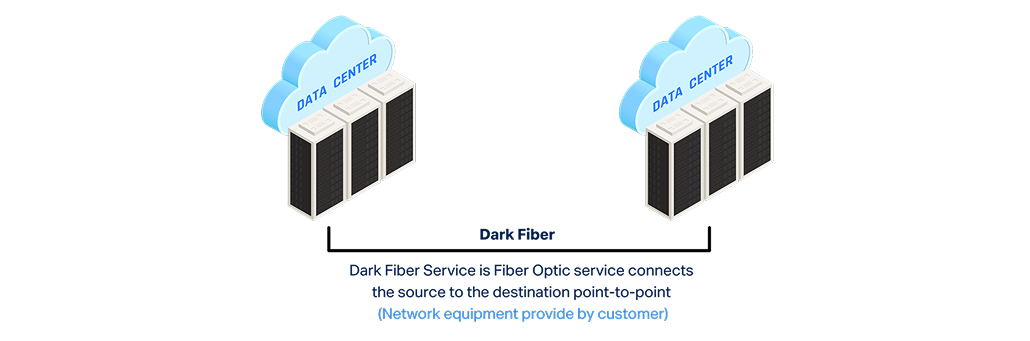
Dark fiber—also called unlit fiber or black fiber—is unused optical fiber cable laid by telecom providers but not activated with electronics. Think of it as raw fiber infrastructure you lease and “light up” yourself with your own equipment.

Unlike lit fiber (managed service with active transceivers), dark fiber gives you complete control over capacity, protocols, and performance. Telecoms built excess capacity in the 90s expecting demand—much remains unused today.

free speed test by Fireline Broadband

dark fiber - Fireline Broadband

How Dark Fiber Works

  1. Lease the strand: Provider owns fiber, you lease a pair (one transmit, one receive).
  2. Add your gear: Install transceivers, muxes, switches at each end.
  3. Control everything: Set speeds (10Gbps to 400Gbps+), wavelengths, latency.
  4. No middleman: Direct point-to-point or ring connections.

Key difference: Lit fiber = turnkey service. Dark fiber = raw pipe + your engineering.

Dark Fiber vs Lit Fiber

FeatureDark FiberLit Fiber
ControlFull (speed, protocol, latency)Provider-managed
BandwidthVirtually unlimitedTiered plans
CostHigh upfront, low recurringPredictable monthly
LatencyLowest possibleSlightly higher (provider overhead)
ScalabilityUpgrade hardware anytimeWait for provider
MaintenanceYour responsibilityProvider handles
Setup TimeWeeks (equipment install)Days
dark fiber - Fireline Broadband

Top Use Cases

1. Data Centers & Hyperscalers

  • Direct interconnects between campuses
  • 400Gbps+ private links
  • Zero-trust security (no shared infrastructure)

Example: Equinix to AWS Direct Connect over dark fiber.

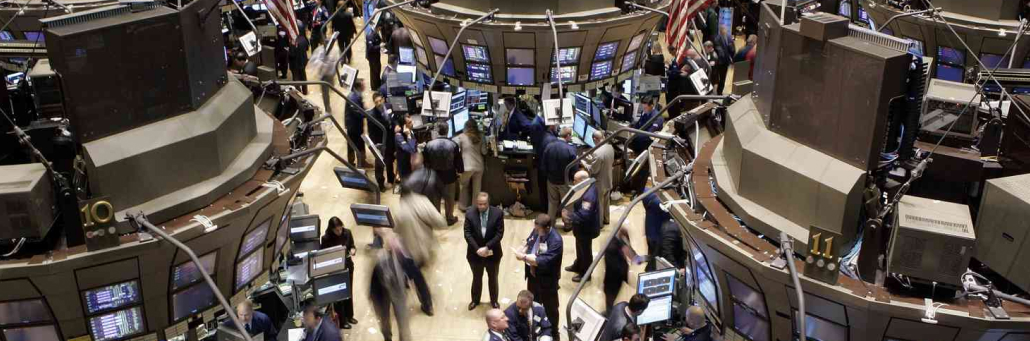
2. Financial Services

  • Ultra-low latency for High-Frequency Trading (HFT) trading
  • Private networks between trading floors
  • Disaster recovery replication

3. Healthcare & Research

  • Picture Archiving and Communication System (PACS) imaging transfers (TB-scale files)
  • Genomics sequencing pipelines
  • Hospital-to-lab connectivity

4. Enterprise WAN

  • Connect multiple campuses without MPLS
  • Metro dark fiber rings for redundancy
  • Video production studios

5. Broadcasting & Media

  • 4K/8K live production feeds
  • Stadium-to-ob truck links
  • Post-production render farms
dark fiber - Fireline Broadband

Pros of Dark Fiber

✔ Unlimited Capacity: Light multiple wavelengths (DWDM) for 100Tbps+ potential
✔ Lowest Latency: Direct path, no provider hops
✔ Future-Proof: Upgrade transceivers without digging
✔ Security: Private network, no ISP visibility
✔ Cost Savings Long-Term: No bandwidth premiums

Cons of Dark Fiber

X High Upfront Costs: $100K-$1M+ for metro runs + equipment
X Expertise Required: Need fiber optic engineers
X Maintenance Burden: Your team troubleshoots cuts, failures
X Limited Availability: Mostly metro areas, not rural
X Not typical SLA: Provider fixes cable, you fix electronics

Cost Breakdown (Example: 10km Metro Link)

Dark Fiber Lease: $5K-$15K/month

+Transceivers (100G pair): $50K one-time

+Mux/Demux: $20K

+ Install/Testing: $30K


Total Year 1: ~$150K
Year 2+: $60K lease only

Lit Fiber Equivalent: $20K/month fixed (no Capital Expenditure (CapEx))

When Dark Fiber Makes Sense

GO DARK FIBER IF:STICK WITH LIT FIBER IF:
10Gbps sustained demand<10Gbps needs
Latency <1ms criticalNo CapEx budget
3-5+ year horizonLimited technical staff
In-house network engineersQuick deployment needed
Metro/regional footprintRural/long-haul routes
dark fiber for hospital institutions - Fireline Broadband

Real-World Example: Hospital Imaging Network

Problem: 3 hospitals transferring 50TB/day PACS images. Latency kills radiologist productivity.

Solution: 100km dark fiber ring with DWDM.

  • Cost: $2.5M setup, $120K/month lease
  • Result: 100Gbps links, <500μs latency
  • ROI: 18 months (faster diagnoses = more patients)

How Fireline Helps with Dark Fiber

Fireline Broadband specializes in dark fiber leasing and activation:

  • Metro dark fiber inventory across CA
  • Turnkey lighting: We install transceivers + test
  • Hybrid solutions: Dark + lit failover
  • Healthcare/Hospitality expertise
dark fiber for stocks and financial markets - Fireline Broadband

Choose the Right Fiber Path Forward

Fireline Broadband network engineers help healthcare organizations evaluate dark fiber vs lit services against your clinical infrastructure needs—EHR performance, imaging transfers, telehealth reliability, and multi-campus redundancy.

We assess:

  • Dark vs lit for your specific workloads (PACS TB transfers? HFT latency?)
  • Provider credentials and route diversity
  • Cost-optimized multi-site connectivity (direct hospital-to-lab links)
  • Hybrid strategies combining dark fiber with failover circuits

Call our business team:877-347-3147
Learn more about our Dedicated Internet Solutions

Make infrastructure decisions with confidence, not guesswork.

Dark fiber is for bandwidth-hungry enterprises that value control over convenience. Perfect for data centers, trading, imaging—but overkill for most SMBs.

FAQs About Dark Fiber

Is dark fiber faster than lit fiber?

Yes—dark fiber has lower latency because it’s a direct point-to-point connection with no provider equipment or routing hops. Every piece of provider gear adds 10-100 microseconds. For HFT trading or PACS imaging where milliseconds matter, dark fiber wins. Regular business? Difference is negligible.

Do I need to dig trenches?

No—dark fiber uses existing buried/aerial fiber built during telecom expansions (90s dot-com boom). You lease strands that are already in place. Only new construction needs digging. Metro areas have abundant dark fiber inventory.

What’s the minimum speed?

Technically unlimited, but 10Gbps is practical minimum. Most transceivers start at 10/25/100Gbps. You can light multiple wavelengths (DWDM) on one strand for 400Gbps-100Tbps total capacity. SMBs rarely need more than 1Gbps.

How secure is dark fiber?

Most secure option—it’s a private fiber strand no one else touches. No ISP can see your traffic, inject malware, or log data. Perfect for HIPAA healthcare, financial trading, government. Only physical cable cuts are threats (rare with redundant routes).

Can small businesses use dark fiber?

Rarely—high upfront costs ($50K-$500K+ for equipment/installation) and need for fiber optic engineers make it impractical for most SMBs. Better for enterprises needing 100Gbps+ or microsecond latency. SMBs should stick with dedicated internet or lit fiber.

Dark fiber vs dedicated internet?

Dark fiber = raw fiber strand you “light” with your own transceivers (private links, full control). Dedicated internet = active internet service from provider (turnkey, general business use). Dark for hospital-to-lab imaging; dedicated for clinic EHR/telehealth.

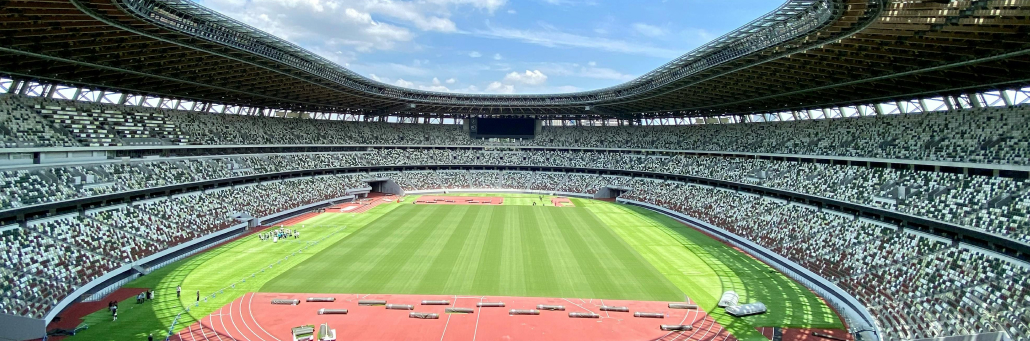
Stadiums are evolving fast. From immersive fan experiences to operational efficiency, connectivity is the backbone. Modern venues must compete with the living room—huge TVs, instant replays, and second screens—while delivering unique in-person energy. This guide covers core technologies powering stadiums, with real-world examples and practical steps for owners and operators.

free speed test by Fireline Broadband

Why Stadiums Need Advanced Connectivity

Stadiums serve fans, teams, broadcasters, sponsors, and operators. Fixed networks, wireless, IoT, AI, and edge computing create seamless experiences:

  • Fans expect no dead zones, Augmented Reality (AR) overlays, and in-seat ordering.
  • Teams need biometrics and performance analytics.
  • Broadcasters demand multi-camera 4K feeds.
  • Operators want crowd control and revenue optimization.

Investments like SoFi Stadium ($5.5B) show the scale—1,200 km of cabling at Tottenham Hotspur alone.

Core Technologies

Fixed Communications & Power

Backbone for everything. High-density cabling supports:

  • Wi-Fi Access Points and wireless access points.
  • UHD camera feeds.
  • Video walls and speakers.
  • USB charging at seats.

Example: Tottenham’s 1,640 under-seat Wi-Fi hotspots and 4,500 speakers.

Wireless: Wi-Fi + Fixed Wireless

  • Wi-Fi 6/7: Fan connectivity, analytics, eCommerce.
  • Neutral Host DAS: Shared for MNOs (AT&T, Verizon, etc.).
  • Fixed Wireless: Reliable outdoor coverage, rapid deployment for temporary events.

Example: Crypto.com Arena’s DAS covers 2.5M sq ft with 331 antennas, 30Gbps fiber backbone.

AI/ML & Edge Computing

  • AI: Fan personalization, overcrowding detection.
  • Edge: Low-latency video processing, AR overlays.
  • Cloud: On-demand for analytics, apps.
concerts and stadium technology by Fireline Broadband

Monetization Opportunities

Advanced connectivity unlocks new revenue streams:

Revenue SourceTechnologyExample
In-seat eCommerceWi-Fi + AppsFood/merch delivery ($20-50/order)
Personalized AdsAI + Location DataDynamic sponsorships
Premium AR/VRWi-Fi + Fixed Wireless$15/game pass for replays
eSports EventsEdge + CloudOff-season gaming tournaments
Data InsightsBig AnalyticsSell anonymized fan data

ROI Example: Wi-Fi portals generate ad revenue while enabling frictionless payments.

Implementation Challenges & Solutions

ChallengeImpactSolution
High Costs$50-100/seatNeutral host DAS sharing
Capacity SpikesHeadliner congestionWi-Fi 6 + Fixed Wireless
Legacy InfrastructurePoor coverageFiber backbone upgrade
MNO CoordinationSlow deploymentSingle point of contact
stadium technology by Fireline Broadband

How Fireline Broadband Helps Stadiums

Fireline Broadband delivers stadium-grade connectivity that powers the technologies above:

  • Symmetrical 10Gbps+ fiber backhaul for DAS, cameras, edge computing
  • Rapid deployment (hours, not months) for events and renovations
  • Event-grade SLAs with 99.999% uptime guarantees
  • Scalable capacity from 1Gbps to 100Gbps+
  • Redundant paths for zero-downtime operations

Real stadium wins:

  • Multi-gigabit circuits for 4K video walls and drone camera feeds
  • Bonded cellular failover during peak crowd surges

Why Fireline? Stadium operators save 30-50% vs. MNO direct deals through neutral infrastructure. Stadiums like Crypto.com Arena use similar models—Fireline provides the fiber foundation.

Key Applications

ApplicationTechnologyBenefit
Smart WayfindingWi-Fi + Digital SignageReal-time navigation
Second ScreensWi-Fi + Augmented RealityPersonalized replays, stats
Drone/UHD CamsFiber + EdgeMulti-angle 4K streams
Holograms/AR/VRWi-Fi + AIImmersive overlays
eCommerceWi-Fi PortalIn-seat delivery, betting
Crowd SafetyIoT + MLOvercrowding alerts

Examples:

  • SoFi’s 70K sq ft Infinity Screen.
  • Verizon’s AR games in NFL stadiums.
boxing stadium technology by Fireline Broadband

Why Connectivity Matters During Recovery

Internet and network resilience matter just as much as endpoint security during a ransomware event. If critical systems rely on a single connection or a fragile network design, recovery can be slower and more difficult. Redundant internet access, failover planning, and stable connectivity help keep communication available during an incident.

For healthcare organizations, strong connectivity also supports remote coordination, cloud-based recovery tools, and patient communication during downtime. If a primary path fails, a backup connection can help keep recovery teams working.

How Healthcare Leaders Should Think About Resilience

Healthcare leaders should treat ransomware preparedness as an operational requirement, not just a security project. The goal is to reduce the chance of an incident, but also to make sure the organization can continue delivering care if one happens.

That means aligning IT, clinical operations, compliance, and executive leadership around a shared plan. It also means making investments before a crisis, not after. The organizations that recover best are usually the ones that planned for failure in advance.

stadium technology by Fireline Broadband

Ready to future-proof your stadium internet system?

The stadiums of tomorrow aren’t just venues—they’re connected entertainment ecosystems generating revenue, safety, and unforgettable experiences. Start with a strong fiber backbone, neutral host DAS, and Wi-Fi 6, then layer on AI, IoT, and fixed wireless for scale.

Fireline Broadband makes it simple: stadium-grade 10Gbps+ fiber/fixed wireless, rapid deployment, and event SLAs that keep fans connected and operators profitable.

Call our business team:877-347-3147
Learn more about our Dedicated Internet Solutions

Stadium operators: The future is connected. Build it now.

FAQs About Stadium Internet

What’s the difference between Wi-Fi and fixed wireless in stadiums?

Wi-Fi handles lots of fans streaming and ordering food at once. Fixed wireless uses radio signals for reliable outdoor coverage where wiring is tough.

Why do stadiums need so much cabling?

All the video screens, speakers, Wi-Fi hotspots, and network gear need a strong “data highway” underneath. Tottenham Stadium used 1,200 km of cable!

How does a stadium make money from connectivity?

Fans buy food/merch from their seats, watch personalized replays for $15, play AR games, and see targeted ads. Wi-Fi portals show ads too.

What’s a neutral host DAS?

Instead of AT&T, Verizon, and others each building separate networks (expensive!), stadiums build one shared system all carriers use.

Do fans get free Wi-Fi?

Yes! Connect to stadium Wi-Fi for maps, ordering, and replays. Some premium features (AR, stats) might cost extra.

How does Fireline help stadiums?

Fireline delivers the super-fast fiber internet backbone + fixed wireless that powers Wi-Fi, cameras, and connected systems. They set it up fast.

Can old stadiums upgrade to future tech?

Yes! Start with better Wi-Fi + fiber backbone, then add fixed wireless and smart sensors later. Fireline handles the heavy lifting.

Ransomware has become one of the most disruptive cyber threats facing healthcare organizations. Hospitals, clinics, imaging centers, and health systems are especially attractive targets because they depend on always-available systems to support patient care, scheduling, billing, and clinical workflows. When attackers encrypt records or disrupt access to critical applications, the impact can quickly move beyond IT and into patient safety.

Healthcare is a prime target because these organizations manage sensitive data, operate under time pressure, and often cannot afford downtime. That makes preparation essential. The best defense is not just stronger security tools, but a layered plan that protects systems, limits damage, and speeds up recovery.

free speed test by Fireline Broadband

Tired medical professional - Fireline Broadband

Signs of a Potential Ransomware Attack

Early recognition can make a big difference. Healthcare IT teams should watch for these common indicators:

Potential SignWhat It Looks Like
Files suddenly renamed with strange extensionsExamples: .locked, .encrypted, or random strings, etc.
Unusual pop-up messagesDemands for payment or warning about encryption
Slow system performanceIncluding applications that freeze unexpectedly
Disabled antivirus or security toolsTools won’t start or update
Unfamiliar processes running in backgroundMay be running in Task Manager or increased network traffic
Limited user access to regular files or drivesUsers unable to access shared drives, EHR systems, or mapped network locations
Suspicious login attemptsIncluding accounts accessing systems they shouldn’t
Ransom notesCan appear on desktops or in email inboxes

Immediate action: Isolate affected systems from the network, preserve evidence, and notify leadership. Do not pay the ransom or attempt to decrypt files without guidance.

horizantal shot of all the medical equipment including all the internet based ones. - Fireline Broadband

Why Healthcare Is a High-Value Target

Healthcare organizations hold patient records, insurance data, payment details, and operational information that can be valuable to cybercriminals. They also tend to have complex environments with legacy systems, connected medical devices, and multiple locations that make security more difficult to manage.

Attackers know that downtime is expensive in healthcare. A hospital may be more likely to pay a ransom if critical systems are unavailable and patient care is at risk. That reality makes healthcare one of the most frequently targeted sectors for ransomware.

person pushing Medical button -- Fireline Broadband

What a Ransomware Attack Can Disrupt

A ransomware event can affect nearly every part of a healthcare organization:

Common Disruptions:

DisruptionWhat It Looks Like
Electronic health recordsMakes it difficult for clinicians to access patient information
Scheduling systemsDisrupt appointments and patient flow
Imaging and diagnostic platformsDelay results and treatment decisions
Billing and claims systemsImpact revenue cycle operations
Telehealth platformsInterrupting remote care access
Communication toolsMakes it harder for teams to coordinate during a crisis

In healthcare, even a short outage can create a long operational ripple effect.

The Most Effective Preparations

The strongest ransomware defenses combine prevention, resilience, and recovery. Healthcare organizations should focus on the following areas:

1. Build a strong backup strategy

Backups should be frequent, tested, and isolated from the main network. If attackers can reach backups, they can encrypt those too. Healthcare teams should keep offline or immutable copies of critical data and verify restoration procedures regularly.

2. Segment critical systems

Not every system should be on the same network path. Segmenting EHR platforms, imaging systems, administrative tools, and guest networks helps contain the spread of an attack. If one area is compromised, segmentation can reduce the blast radius.

3. Strengthen access controls

Multi-factor authentication, least-privilege access, and strong password policies reduce the chance that stolen credentials will give attackers broad access. Remote access paths should be tightly controlled, especially for vendors and support teams.

4. Train staff continuously

Phishing remains one of the most common entry points for ransomware. Staff at every level should be trained to recognize suspicious messages, unexpected attachments, and fake login pages. In healthcare, training should include both clinical and administrative employees.

5. Keep systems updated

Unpatched software and outdated operating systems create easy openings. Healthcare organizations should maintain a structured patching process for servers, endpoints, medical devices, and third-party applications wherever possible.

6. Prepare an incident response plan

A ransomware response plan should define who does what when an attack happens. That includes IT, legal, communications, leadership, compliance, clinical operations, and third-party vendors. The faster the organization can isolate the threat and begin recovery, the lower the impact.

7. Test recovery under pressure

A plan on paper is not enough. Healthcare organizations should run tabletop exercises and recovery drills to see how teams perform under stress. These tests often reveal gaps in communication, escalation, and restoration timing.

Medical Personnel talking to patient about results using tablet - Fireline Broadband

Why Connectivity Matters During Recovery

Internet and network resilience matter just as much as endpoint security during a ransomware event. If critical systems rely on a single connection or a fragile network design, recovery can be slower and more difficult. Redundant internet access, failover planning, and stable connectivity help keep communication available during an incident.

For healthcare organizations, strong connectivity also supports remote coordination, cloud-based recovery tools, and patient communication during downtime. If a primary path fails, a backup connection can help keep recovery teams working.

How Healthcare Leaders Should Think About Resilience

Healthcare leaders should treat ransomware preparedness as an operational requirement, not just a security project. The goal is to reduce the chance of an incident, but also to make sure the organization can continue delivering care if one happens.

That means aligning IT, clinical operations, compliance, and executive leadership around a shared plan. It also means making investments before a crisis, not after. The organizations that recover best are usually the ones that planned for failure in advance.

cybersecurity ransomware banner - Fireline Broadband

Ready to future-proof your healthcare internet system?

Ransomware preparedness in healthcare is about more than cybersecurity tools. It requires backups, segmentation, training, access controls, response planning, resilient connectivity, and the ability to recognize attacks early. Organizations that prepare in advance are better positioned to protect patient care, reduce downtime, and recover with less disruption.

Contact Fireline Broadband for a healthcare internet site assessment. We’ll map your healthcare internet challenges and design a connected network that scales with your healthcare campus.

Call our business team:877-347-3147
Learn more about our Dedicated Internet Solutions

FAQs About Healthcare Internet

Why is healthcare a target for ransomware?

Healthcare is a target because it holds valuable data, depends on uptime, and may be under pressure to restore systems quickly when patient care is affected.

What systems are most likely to be affected?

Electronic Health Records (EHR), scheduling, imaging, billing, telehealth, and communication systems are often impacted first because they are essential to daily operations.

What is the most important first step in ransomware preparation?

A tested, isolated backup strategy is one of the most important first steps because it gives the organization a path to recovery.

Should healthcare organizations use network segmentation?

Yes. Segmentation helps contain threats and reduces the chance that a single breach will spread across the entire environment.

How can staff help prevent ransomware?

Employees can help by recognizing phishing attempts, reporting suspicious activity quickly, and following security policies consistently.

Why does connectivity matter in ransomware recovery?

Stable, redundant connectivity helps teams communicate, access recovery tools, and keep operations moving during an incident.

What should healthcare teams do if they suspect ransomware?

Isolate affected systems immediately, preserve evidence, notify leadership and legal teams, and follow the incident response plan. Do not pay ransom or attempt decryption.

Healthcare organizations depend on internet service for far more than general office use. Connectivity now supports EHR access, imaging transfers, telehealth, remote clinicians, patient portals, backup systems, and multi-campus coordination. When the network slows down or fails, the impact can reach patient care, operational efficiency, and compliance risk.

For hospitals, clinics, and health systems, internet is no longer a utility purchase. It is part of clinical infrastructure. That is why healthcare teams need providers that can deliver dedicated bandwidth, high availability, redundancy, and responsive support.

free speed test by Fireline Broadband

Healthcare Internet 101 by Fireline Broadband

Why Healthcare Internet Needs a Different Standard

Most business internet products are designed for general office productivity. Healthcare internet environments need more. Clinical teams rely on systems that must stay available, perform consistently, and support large data transfers without interruption.

A delayed connection can slow chart access, affect imaging delivery, or interrupt telehealth visits. Across a multi-campus network, those issues become harder to manage because a problem at one location can affect many teams at once. That is why healthcare organizations often look for internet service with stronger service guarantees and clearer accountability.

What Healthcare Workloads Depend on Connectivity

Several core healthcare workflows rely on stable internet service every day:

  • EHR and EMR systems need reliable access so clinicians can view records, update charts, and coordinate care.
  • Imaging platforms require high-bandwidth connections for large file transfers and fast access to diagnostic images.
  • Telehealth visits depend on stable upload and download speeds for clear video and audio.
  • Remote and hybrid clinicians need secure, dependable access from offsite locations.
  • Multi-campus operations need consistent connectivity so teams can share data and communicate across locations.
  • Patient portals and digital intake systems need uptime so patients can schedule visits, fill out forms, and access records.

When these systems lag or disconnect, staff productivity drops and patient experience suffers.

Healthcare Internet 101 by Fireline Broadband

What to Look for in a Provider

Healthcare internet buyers should evaluate providers based on performance, reliability, and support, not just price. The most important criteria usually include:

Common demands include:

Important Internet Provider RequirementsWhat It Looks Like
Guaranteed symmetrical bandwidthUpload and download performance are balanced
High availability and uptime commitmentsCritical for for clinical operations
Redundant routing and failover optionsReduce outage risk
Low latency and stable performanceRequired for for telehealth and imaging
24/7 monitoring and supportClear escalation paths
Experience serving healthcare environmentsThis includes hospitals, clinics, and imaging centers
ScalabilityBandwidth can grow as the organization expands

A provider that can deliver those capabilities is more useful to healthcare teams than a generic connection built for light office traffic.

Dedicated Internet vs Shared Broadband

Dedicated healthcare internet access is often the better fit when uptime and performance matter. Unlike shared broadband, dedicated service gives the organization reserved capacity and more predictable service levels. That can make a major difference for hospitals, imaging centers, and larger healthcare networks.

Shared broadband may still work for smaller or less critical sites, but it often comes with more variability. If the location supports telehealth, cloud applications, or centralized clinical systems, dedicated service usually offers a stronger long-term fit.

Compare & Contrast

FeatureDedicated Internet AccessShared Broadband
BandwidthReserved for one customerShared among multiple users
PerformanceMore consistent and predictableCan vary based on local congestion
Upload speedsUsually symmetricalOften slower upload than download
ReliabilityHigher, with stronger SLAsLower, with fewer guarantees
Uptime supportTypically includes better service commitmentsUsually more limited support terms
Best forHospitals, clinics, imaging, telehealth, multi-site networksSmall offices, lower-demand locations
LatencyLower and more stableCan fluctuate during busy times
ScalabilityEasier to design for critical workloadsLess ideal for growth-heavy or mission-critical use
Failover optionsOften easier to pair with redundancy plansMay be limited or less robust
CostHigherLower

Dedicated internet is the better fit for healthcare organizations that need consistent performance, uptime, and support for clinical systems. Shared broadband can work for lower-demand sites, but it is usually not the right choice for environments where connectivity directly affects patient care.

Healthcare Internet 101 by Fireline Broadband

Why Redundancy Matters

Healthcare organizations cannot afford to depend on a single point of failure. Redundant internet connections help keep critical systems available if one circuit goes down. That matters for EHR access, patient communication, imaging workflows, and internal coordination.

Redundancy also makes it easier to support zero-downtime goals across a multi-campus network. In healthcare, continuity is not a convenience — it is an operational requirement for healthcare internet.

How Healthcare Internet Supports Telehealth and Remote Care

Telehealth depends on clear, stable connectivity. Patients expect smooth video, clinicians need secure access to systems, and support teams need to maintain reliable session quality. Poor internet can cause dropped calls, poor audio, or delays that make virtual care harder to deliver.
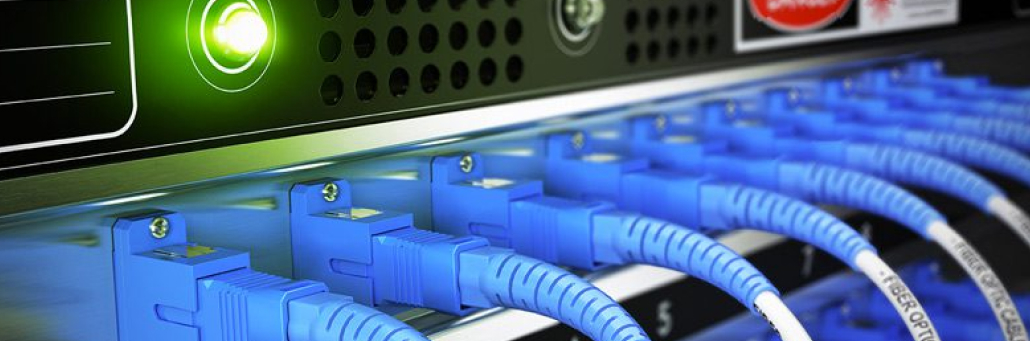
For remote clinicians and hybrid teams, dependable connectivity also supports secure access to patient records and internal applications. That is especially important when healthcare organizations need to balance flexibility with patient privacy and performance.

Healthcare Internet 101 by Fireline Broadband

Questions to Ask Before You Buy

Before selecting a provider, healthcare IT and operations leaders should ask:

  1. What uptime SLA is guaranteed?
  2. Is bandwidth symmetrical?
  3. What failover options are available?
  4. Are there diverse fiber routes?
  5. How quickly can a circuit be installed?
  6. What support is available after hours?
  7. Has the provider worked with healthcare organizations before?
  8. Can the service scale across multiple locations?

These healthcare internet questions help separate providers that can truly support healthcare from those offering generic connectivity.

Healthcare Internet 101 by Fireline Broadband

Ready to future-proof your healthcare internet system?

For healthcare organizations, internet service should be treated as part of clinical infrastructure. The right provider helps protect uptime, improve performance, and reduce operational risk across the network. That makes it easier for care teams to do their jobs and for IT leaders to support the organization with confidence.
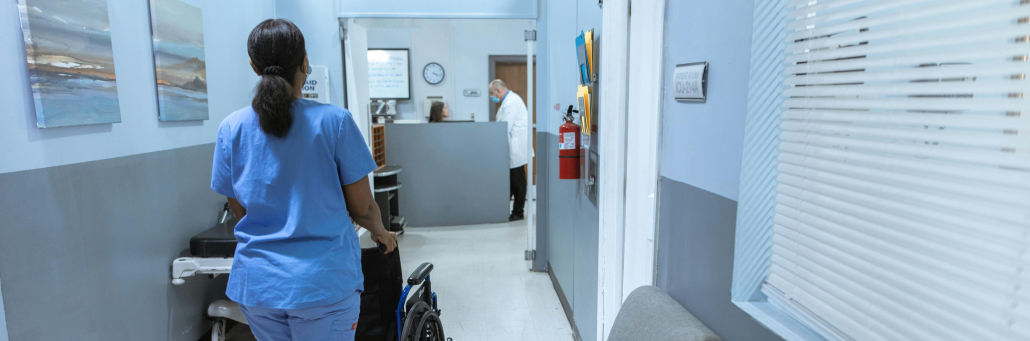
Contact Fireline Broadband for a healthcare internet site assessment. We’ll map your healthcare internet challenges and design a connected network that scales with your healthcare campus.

Call our business team:877-347-3147
Learn more about our Dedicated Internet Solutions

FAQs About Healthcare Internet

What type of internet is best for hospitals?

Dedicated internet access is usually the best option for hospitals because it provides more reliable performance, reserved bandwidth, and stronger service guarantees than shared broadband.

Do healthcare organizations need symmetrical bandwidth?

Yes. Symmetrical bandwidth is important because healthcare teams often upload as much as they download, especially for imaging, backups, telehealth, and cloud-based workflows.

Why is redundancy important for healthcare internet?

Redundancy helps keep critical systems online if a circuit fails. That protects EHR access, imaging workflows, patient communication, and internal coordination.

Is regular business internet enough for clinics?

It may be enough for low-demand locations, but clinics that rely on telehealth, cloud systems, or shared applications usually benefit from dedicated service and stronger support.

What should healthcare IT leaders ask providers before buying?

They should ask about uptime, bandwidth symmetry, redundancy, failover, support response times, installation timelines, and healthcare experience.

Can healthcare facilities get dedicated internet without long-term contracts?

In some markets, yes. Availability depends on the provider and location, so it is worth asking early in the evaluation process.

How does internet affect telehealth?

Telehealth relies on stable, low-latency connectivity for clear video, audio, and secure access to patient systems. Unstable internet can interrupt visits and reduce quality of care.

What internet setup works best for imaging and EHR systems?

Healthcare organizations usually need dedicated bandwidth, high availability, and strong redundancy to support large files and consistent clinical access.

How do multi-campus healthcare networks benefit from better connectivity?

They gain more consistent performance, lower downtime risk, and easier coordination across sites, which helps support both patient care and operational efficiency.