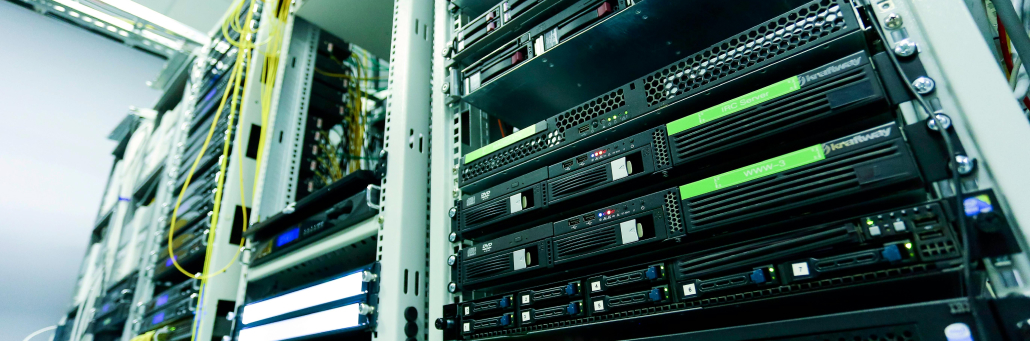
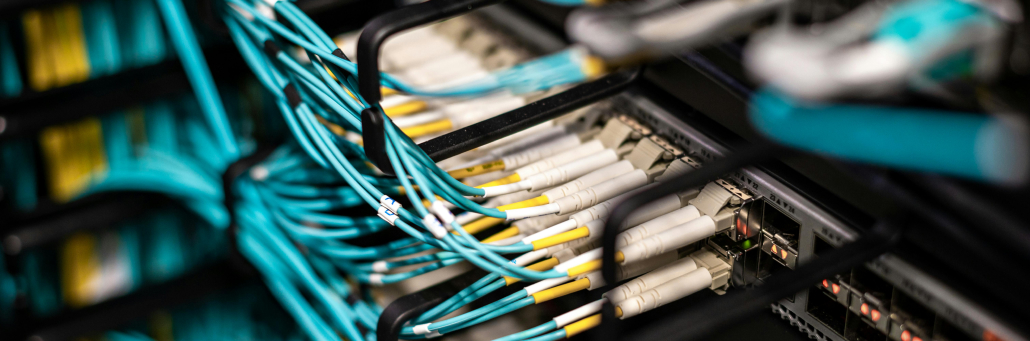
A data center is a dedicated physical facility that houses servers, storage systems, and networking equipment to run applications, store data, and support business operations. These mission-critical environments provide computing resources for everything from enterprise IT to cloud services and AI workloads.

Organizations choose data centers for reliability, scalability, and security over basic server rooms.

free speed test by Fireline Broadband

Data center - Fireline Broadband

Why Data Centers Matter for Businesses

Data centers ensure 99.99%+ uptime for applications like email, CRM, ERP, virtual desktops, IoT, big data analytics, and AI/ML. Redundant power, cooling, and networks protect against outages and failures.

They centralize IT infrastructure, enabling faster performance, data protection, and cost-efficient scaling for hybrid cloud setups.

Core Components of a Data Center

Every data center includes essential hardware and systems:

  • Compute: Servers and virtualization for processing workloads.
  • Storage: HDDs, SSDs, and SAN/NAS for data retention.
  • Networking: Switches, routers, firewalls, and load balancers.
  • Power & Cooling: UPS, generators, HVAC, and CRAC units.
  • Security: Biometrics, surveillance, fire suppression, and cybersecurity tools.

These integrate for high availability and fault tolerance.

Data center - Fireline Broadband

Types of Data Centers Explained

TypeDescriptionBest For
EnterpriseCompany-owned on-premises facility.Full control over custom IT.
ColocationRent rack space/power in shared facility.Scalable hardware hosting.
ManagedThird-party operates your infrastructure.Hands-off operations.
CloudProvider-managed in Regions/AZs (e.g., AWS).Elastic, pay-as-you-go scaling.
EdgeLocalized for low-latency apps like 5G/IoT.Real-time processing.

Choose based on control, cost, and latency needs.

Data Center Tiers and Standards

Uptime Institute Tiers rate redundancy:

  • Tier I: Basic, 99.671% uptime.
  • Tier II: Partial redundancy, 99.741%.
  • Tier III: Concurrently maintainable, 99.982%.
  • Tier IV: Fault-tolerant, 99.995% (26 min/year downtime).

ANSI/TIA-942 certifies design for cabling and facilities.

Data center - Fireline Broadband

Why Choose Fireline Broadband Data Center

Fireline Broadband’s Tier II+ data centers in Los Angeles and Orange County offer enterprise-grade colocation with:

  • Redundant A/B power feeds, N+1 cooling, battery/generator backups.
  • 24/7 NOC monitoring, video surveillance, mantraps, and biometric access.
  • Affordable pricing: starting at $200/month per rack (1U to full cabinets).
  • Direct fiber to One Wilshire, CoreSite LA, Equinix LA1/LA4/LA5, Las Vegas, and more.
  • Custom last-mile Ethernet transport for low-latency connectivity.

Ideal for LA businesses needing secure, scalable colocation with Southern CA/LV peering.

Cloud Data Centers vs. On-Premises

Cloud data centers (e.g., AWS Regions) provide global scale and managed services, while on-premises/colocation offers data sovereignty and customization. Hybrid models combine both for flexibility. Physical suits compliance-heavy needs; cloud excels in agility.

FeaturePhysical/On-Premises/ColocationCloud 
OwnershipFull control over hardwareProvider-managed
CostsHigh upfront Capital Expenditure, ongoing Operational ExpenditurePay-as-you-go operational expenses
ScalabilityRequires hardware upgradesInstant, elastic scaling
SecurityDirect physical/digital controlShared responsibility model
LatencyLow for local accessMay vary by region
MaintenanceIn-house or providerFully handled by provider
CustomizationHigh flexibilityLimited to provider options
woman standing next to Data center - Fireline Broadband

Data Center Security

Data center security is essential because these facilities store and support the systems that power business operations, customer data, and network traffic. A strong security program helps protect against physical threats, cyberattacks, equipment failure, and unauthorized access.

A secure data center typically uses layered protections such as:

  • Controlled entry with badges, biometrics, and mantraps.
  • 24/7 video surveillance and onsite monitoring.
  • Fire suppression and environmental controls.
  • Redundant power and cooling systems.
  • Firewalls, encryption, and network segmentation.
  • Continuous monitoring and incident response procedures.

For a provider like Fireline Broadband, security is especially important because colocation customers are trusting the facility with business-critical infrastructure. That means physical safeguards and network protection should work together to reduce downtime and keep systems resilient.

Who Data Centers Are Good For

Data centers suit a range of organizations needing robust, reliable IT infrastructure:

A secure data center typically uses layered protections such as:

  • Growing SMBs: Affordable colocation scales without building facilities.
  • Enterprises with compliance needs: On-premises or colo for data sovereignty (e.g., HIPAA, GDPR).
  • High-frequency trading/media firms: Low-latency access via direct peering.
  • AI/ML developers: High compute density with power/cooling for GPUs.
  • Backup/disaster recovery users: Redundant sites for RTO/RPO goals.
  • LA and OC based businesses: Fireline’s Los Angeles and Orange County data center locations for regional connectivity.
Data center - Fireline Broadband

The Data Center Powerhouse

Data centers are the backbone of digital infrastructure, powering reliable IT from colocation to hyperscale cloud. Fireline Broadband delivers focused colocation for performance and compliance.

Call our business team:877-347-3147
Learn more about our Data Center Solutions

FAQs About Data Centers

How secure is a data center?

A data center is secure when it uses layered physical and digital protections such as restricted access, surveillance, fire suppression, encryption, firewalls, and continuous monitoring.

What is a data center in simple terms?

A data center is a secure facility that houses the servers, storage, and network equipment needed to run applications and store data.

Why do companies use data centers?

Companies use data centers to keep applications available, protect data, and support business operations with reliable infrastructure.

What equipment is inside a data center?

Common equipment includes servers, storage systems, routers, switches, firewalls, and cooling and power systems.

What is the difference between a data center and the cloud?

The cloud is delivered through physical data centers, so cloud services still depend on the underlying data center infrastructure.

What is colocation?

Colocation means renting space in a data center and placing your own equipment there instead of building your own facility.

Why use Fireline Broadband’s data center?

For redundant power/cooling, 24/7 security/NOC, affordable colocation, and direct fiber to key LA/LV sites.

How do cloud data centers differ?

They offer scalable, managed infrastructure across global regions for hybrid/on-premises extension.

Government agencies are eager to deploy AI, but enthusiasm alone does not make an organization ready. Real readiness depends on whether the agency has the data, governance, security, workforce, and infrastructure needed to support AI in a reliable and responsible way.

AI can improve public service delivery, automate repetitive work, and help agencies make faster decisions, but those benefits only show up when the foundation is strong. Agencies that move too quickly without preparing their systems often run into data quality issues, security concerns, and implementation gaps that slow progress or create risk.

free speed test by Fireline Broadband

AI government - Fireline Broadband

Why AI Readiness Matters

AI is no longer a future concept for government. Federal, state, and local agencies are already testing or deploying AI in areas like benefits administration, public safety, housing, and internal operations.

The challenge is that many agencies are still working with legacy systems, inconsistent data, and limited technical capacity. That means AI projects can stall if leaders do not first build the right environment for them to succeed.

What Agencies Need First

A successful AI program usually starts with four things:

  • Strategy, so the agency knows what it wants AI to accomplish and how success will be measured.
  • Data governance, so information is accurate, accessible, and trusted enough to support AI use cases.
  • Workforce readiness, so employees know how to use, manage, and oversee AI tools responsibly.
  • Technical infrastructure, so systems can support AI securely and at scale.

Without those pieces, AI may still launch, but it is much more likely to underperform or create new problems.

AI government - Fireline Broadband

Where Agencies Get Stuck

One of the biggest obstacles is that AI often exposes weak data foundations very quickly. If records are incomplete, inconsistent, or hard to access, AI outputs will reflect those problems.

Another common issue is governance. Agencies may have pilot projects, but no clear ownership, no shared standards, and no way to measure whether the work is actually helping the mission.

What Readiness Looks Like

An AI-ready agency usually has:

  • Clear use cases tied to mission goals.
  • Clean, governed, and well-documented data.
  • Security and privacy controls in place.
  • Staff who understand the limits and risks of AI.
  • A plan to move from pilots to production.

That does not mean everything has to be perfect before starting. It means the agency has enough structure to adopt AI safely and scale it over time.

AI government - Fireline Broadband

Why Connectivity and Infrastructure Matter

AI depends on fast, reliable access to data and systems. If networks are slow, fragmented, or unstable, even well-designed AI projects can struggle. Agencies need infrastructure that supports secure data movement, cloud access, analytics, and future growth.

That is why AI readiness is not just a software discussion. It is also a network, security, and operations discussion.

Maintaining Security When Deploying AI in Government

AI introduces unique security challenges for government agencies. Models can expose sensitive data, algorithms can be manipulated, and systems can become attack vectors. Here’s how agencies maintain security:

Key Security Practices

  • Data governance with access controls: Classify datasets, enforce role-based access, and encrypt data at rest and in transit. Agencies must audit who can train or query AI models.
  • Model security: Protect AI models from theft, poisoning, or adversarial attacks. Use secure enclaves (Intel SGX, AWS Nitro) for training and inference.
  • Secure supply chain: Vet third-party AI tools, datasets, and APIs. Government agencies should require FedRAMP or equivalent certifications.
  • Continuous monitoring: Deploy AI-specific monitoring for anomalous behavior—unusual data access patterns, model drift, or inference attacks.
  • Human oversight: AI decisions affecting citizens need human review. Agencies should define “human-in-the-loop” requirements for high-stakes use cases.

Network Security for AI

  • Zero-trust architecture for all AI endpoints
  • Encrypted data flows between edge devices, agencies, and cloud
  • Network segmentation isolating AI training from operational systems
  • Redundant paths preventing single-point failures during attacks

Fireline Broadband supports AI security with:

  • Encrypted 100Gbps+ circuits for secure data lakes
  • FedRAMP-ready infrastructure
  • Automatic failover maintaining availability during DDoS

Compliance Framework

Agencies must align AI security with:

  • FISMA/NIST 800-53 for federal systems
  • AI Risk Management Framework (NIST)
  • GDPR/CCPA for citizen data
  • Executive Order 14110 AI safety requirements

Regular red teaming and penetration testing validate AI security posture.

Bottom line: AI security is continuous governance + technical controls + human oversight. Agencies cannot deploy first and secure later.

AI government - Fireline Broadband

How Fireline Broadband Powers AI-Ready Government Agencies

Fireline Broadband helps agencies build the secure, scalable network infrastructure that makes AI deployment reliable:

  • High-capacity fiber for AI data lakes, model training, and real-time analytics
  • Low-latency circuits connecting legacy systems to cloud AI platforms
  • Redundant connectivity ensuring zero-downtime for mission-critical services
  • Rapid deployment (24-72 hours) for pilot projects and proofs-of-concept
  • FedRAMP-authorized solutions meeting federal security standards

Healthcare & government wins:

  • Multi-agency data sharing at 100Gbps+
  • Secure telehealth + AI triage networks
  • Legacy-to-cloud migration without service interruption

Choose the Right Path Forward

Eliminate the infrastructure gap. Fireline Broadband provides the network backbone agencies need to move from AI pilots to production.

Schedule assessment: Fireline engineers evaluate your current bandwidth, latency, and redundancy against AI workloads. Deploy in days, scale in hours. Maximize your return on AI with an efficient internet service partner.

Call our business team:877-347-3147
Learn more about our Dedicated Internet Solutions

FAQs About AI in Goverment

Are government agencies actually using AI already?

Yes. Many federal, state, and local agencies are already experimenting with or deploying AI in areas like public services, safety, and operations.

What is the biggest barrier to AI adoption in government?

Data quality and governance are among the biggest barriers, especially when agencies rely on legacy systems or inconsistent records.

Does an agency need perfect data before using AI?

No, but it does need data that is good enough to support the specific use case and governance process.

Why does workforce readiness matter?

Employees need to understand how to use AI tools, manage risk, and oversee results responsibly.

What is the first step for an agency getting ready for AI?

A readiness assessment is a good first step because it helps the agency understand its strategy, data, governance, and technical gaps.

Can AI improve government service delivery?

Yes. When implemented well, AI can streamline processes, reduce repetitive work, and improve service speed and quality.

How secure is using AI in government agencies?

AI security requires data encryption, model protection against poisoning/theft, zero-trust networks, human oversight for high-stakes decisions, and continuous monitoring. Agencies must align with NIST AI RMF, FISMA, and Executive Order 14110 while vetting third-party tools for FedRAMP compliance.

Dark fiber—also called unlit fiber or black fiber—is unused optical fiber cable laid by telecom providers but not activated with electronics. Think of it as raw fiber infrastructure you lease and “light up” yourself with your own equipment.

Unlike lit fiber (managed service with active transceivers), dark fiber gives you complete control over capacity, protocols, and performance. Telecoms built excess capacity in the 90s expecting demand—much remains unused today.

free speed test by Fireline Broadband

dark fiber - Fireline Broadband

How Dark Fiber Works

  1. Lease the strand: Provider owns fiber, you lease a pair (one transmit, one receive).
  2. Add your gear: Install transceivers, muxes, switches at each end.
  3. Control everything: Set speeds (10Gbps to 400Gbps+), wavelengths, latency.
  4. No middleman: Direct point-to-point or ring connections.

Key difference: Lit fiber = turnkey service. Dark fiber = raw pipe + your engineering.

Dark Fiber vs Lit Fiber

FeatureDark FiberLit Fiber
ControlFull (speed, protocol, latency)Provider-managed
BandwidthVirtually unlimitedTiered plans
CostHigh upfront, low recurringPredictable monthly
LatencyLowest possibleSlightly higher (provider overhead)
ScalabilityUpgrade hardware anytimeWait for provider
MaintenanceYour responsibilityProvider handles
Setup TimeWeeks (equipment install)Days
dark fiber - Fireline Broadband

Top Use Cases

1. Data Centers & Hyperscalers

  • Direct interconnects between campuses
  • 400Gbps+ private links
  • Zero-trust security (no shared infrastructure)

Example: Equinix to AWS Direct Connect over dark fiber.

2. Financial Services

  • Ultra-low latency for High-Frequency Trading (HFT) trading
  • Private networks between trading floors
  • Disaster recovery replication

3. Healthcare & Research

  • Picture Archiving and Communication System (PACS) imaging transfers (TB-scale files)
  • Genomics sequencing pipelines
  • Hospital-to-lab connectivity

4. Enterprise WAN

  • Connect multiple campuses without MPLS
  • Metro dark fiber rings for redundancy
  • Video production studios

5. Broadcasting & Media

  • 4K/8K live production feeds
  • Stadium-to-ob truck links
  • Post-production render farms
dark fiber - Fireline Broadband

Pros of Dark Fiber

✔ Unlimited Capacity: Light multiple wavelengths (DWDM) for 100Tbps+ potential
✔ Lowest Latency: Direct path, no provider hops
✔ Future-Proof: Upgrade transceivers without digging
✔ Security: Private network, no ISP visibility
✔ Cost Savings Long-Term: No bandwidth premiums

Cons of Dark Fiber

X High Upfront Costs: $100K-$1M+ for metro runs + equipment
X Expertise Required: Need fiber optic engineers
X Maintenance Burden: Your team troubleshoots cuts, failures
X Limited Availability: Mostly metro areas, not rural
X Not typical SLA: Provider fixes cable, you fix electronics

Cost Breakdown (Example: 10km Metro Link)

Dark Fiber Lease: $5K-$15K/month

+Transceivers (100G pair): $50K one-time

+Mux/Demux: $20K

+ Install/Testing: $30K


Total Year 1: ~$150K
Year 2+: $60K lease only

Lit Fiber Equivalent: $20K/month fixed (no Capital Expenditure (CapEx))

When Dark Fiber Makes Sense

GO DARK FIBER IF:STICK WITH LIT FIBER IF:
10Gbps sustained demand<10Gbps needs
Latency <1ms criticalNo CapEx budget
3-5+ year horizonLimited technical staff
In-house network engineersQuick deployment needed
Metro/regional footprintRural/long-haul routes
dark fiber for hospital institutions - Fireline Broadband

Real-World Example: Hospital Imaging Network

Problem: 3 hospitals transferring 50TB/day PACS images. Latency kills radiologist productivity.

Solution: 100km dark fiber ring with DWDM.

  • Cost: $2.5M setup, $120K/month lease
  • Result: 100Gbps links, <500μs latency
  • ROI: 18 months (faster diagnoses = more patients)

How Fireline Helps with Dark Fiber

Fireline Broadband specializes in dark fiber leasing and activation:

  • Metro dark fiber inventory across CA
  • Turnkey lighting: We install transceivers + test
  • Hybrid solutions: Dark + lit failover
  • Healthcare/Hospitality expertise
dark fiber for stocks and financial markets - Fireline Broadband

Choose the Right Fiber Path Forward

Fireline Broadband network engineers help healthcare organizations evaluate dark fiber vs lit services against your clinical infrastructure needs—EHR performance, imaging transfers, telehealth reliability, and multi-campus redundancy.

We assess:

  • Dark vs lit for your specific workloads (PACS TB transfers? HFT latency?)
  • Provider credentials and route diversity
  • Cost-optimized multi-site connectivity (direct hospital-to-lab links)
  • Hybrid strategies combining dark fiber with failover circuits

Call our business team:877-347-3147
Learn more about our Dedicated Internet Solutions

Make infrastructure decisions with confidence, not guesswork.

Dark fiber is for bandwidth-hungry enterprises that value control over convenience. Perfect for data centers, trading, imaging—but overkill for most SMBs.

FAQs About Dark Fiber

Is dark fiber faster than lit fiber?

Yes—dark fiber has lower latency because it’s a direct point-to-point connection with no provider equipment or routing hops. Every piece of provider gear adds 10-100 microseconds. For HFT trading or PACS imaging where milliseconds matter, dark fiber wins. Regular business? Difference is negligible.

Do I need to dig trenches?

No—dark fiber uses existing buried/aerial fiber built during telecom expansions (90s dot-com boom). You lease strands that are already in place. Only new construction needs digging. Metro areas have abundant dark fiber inventory.

What’s the minimum speed?

Technically unlimited, but 10Gbps is practical minimum. Most transceivers start at 10/25/100Gbps. You can light multiple wavelengths (DWDM) on one strand for 400Gbps-100Tbps total capacity. SMBs rarely need more than 1Gbps.

How secure is dark fiber?

Most secure option—it’s a private fiber strand no one else touches. No ISP can see your traffic, inject malware, or log data. Perfect for HIPAA healthcare, financial trading, government. Only physical cable cuts are threats (rare with redundant routes).

Can small businesses use dark fiber?

Rarely—high upfront costs ($50K-$500K+ for equipment/installation) and need for fiber optic engineers make it impractical for most SMBs. Better for enterprises needing 100Gbps+ or microsecond latency. SMBs should stick with dedicated internet or lit fiber.

Dark fiber vs dedicated internet?

Dark fiber = raw fiber strand you “light” with your own transceivers (private links, full control). Dedicated internet = active internet service from provider (turnkey, general business use). Dark for hospital-to-lab imaging; dedicated for clinic EHR/telehealth.

Stadiums are evolving fast. From immersive fan experiences to operational efficiency, connectivity is the backbone. Modern venues must compete with the living room—huge TVs, instant replays, and second screens—while delivering unique in-person energy. This guide covers core technologies powering stadiums, with real-world examples and practical steps for owners and operators.

free speed test by Fireline Broadband

Why Stadiums Need Advanced Connectivity

Stadiums serve fans, teams, broadcasters, sponsors, and operators. Fixed networks, wireless, IoT, AI, and edge computing create seamless experiences:

  • Fans expect no dead zones, Augmented Reality (AR) overlays, and in-seat ordering.
  • Teams need biometrics and performance analytics.
  • Broadcasters demand multi-camera 4K feeds.
  • Operators want crowd control and revenue optimization.

Investments like SoFi Stadium ($5.5B) show the scale—1,200 km of cabling at Tottenham Hotspur alone.

Core Technologies

Fixed Communications & Power

Backbone for everything. High-density cabling supports:

  • Wi-Fi Access Points and wireless access points.
  • UHD camera feeds.
  • Video walls and speakers.
  • USB charging at seats.

Example: Tottenham’s 1,640 under-seat Wi-Fi hotspots and 4,500 speakers.

Wireless: Wi-Fi + Fixed Wireless

  • Wi-Fi 6/7: Fan connectivity, analytics, eCommerce.
  • Neutral Host DAS: Shared for MNOs (AT&T, Verizon, etc.).
  • Fixed Wireless: Reliable outdoor coverage, rapid deployment for temporary events.

Example: Crypto.com Arena’s DAS covers 2.5M sq ft with 331 antennas, 30Gbps fiber backbone.

AI/ML & Edge Computing

  • AI: Fan personalization, overcrowding detection.
  • Edge: Low-latency video processing, AR overlays.
  • Cloud: On-demand for analytics, apps.
concerts and stadium technology by Fireline Broadband

Monetization Opportunities

Advanced connectivity unlocks new revenue streams:

Revenue SourceTechnologyExample
In-seat eCommerceWi-Fi + AppsFood/merch delivery ($20-50/order)
Personalized AdsAI + Location DataDynamic sponsorships
Premium AR/VRWi-Fi + Fixed Wireless$15/game pass for replays
eSports EventsEdge + CloudOff-season gaming tournaments
Data InsightsBig AnalyticsSell anonymized fan data

ROI Example: Wi-Fi portals generate ad revenue while enabling frictionless payments.

Implementation Challenges & Solutions

ChallengeImpactSolution
High Costs$50-100/seatNeutral host DAS sharing
Capacity SpikesHeadliner congestionWi-Fi 6 + Fixed Wireless
Legacy InfrastructurePoor coverageFiber backbone upgrade
MNO CoordinationSlow deploymentSingle point of contact
stadium technology by Fireline Broadband

How Fireline Broadband Helps Stadiums

Fireline Broadband delivers stadium-grade connectivity that powers the technologies above:

  • Symmetrical 10Gbps+ fiber backhaul for DAS, cameras, edge computing
  • Rapid deployment (hours, not months) for events and renovations
  • Event-grade SLAs with 99.999% uptime guarantees
  • Scalable capacity from 1Gbps to 100Gbps+
  • Redundant paths for zero-downtime operations

Real stadium wins:

  • Multi-gigabit circuits for 4K video walls and drone camera feeds
  • Bonded cellular failover during peak crowd surges

Why Fireline? Stadium operators save 30-50% vs. MNO direct deals through neutral infrastructure. Stadiums like Crypto.com Arena use similar models—Fireline provides the fiber foundation.

Key Applications

ApplicationTechnologyBenefit
Smart WayfindingWi-Fi + Digital SignageReal-time navigation
Second ScreensWi-Fi + Augmented RealityPersonalized replays, stats
Drone/UHD CamsFiber + EdgeMulti-angle 4K streams
Holograms/AR/VRWi-Fi + AIImmersive overlays
eCommerceWi-Fi PortalIn-seat delivery, betting
Crowd SafetyIoT + MLOvercrowding alerts

Examples:

  • SoFi’s 70K sq ft Infinity Screen.
  • Verizon’s AR games in NFL stadiums.
boxing stadium technology by Fireline Broadband

Why Connectivity Matters During Recovery

Internet and network resilience matter just as much as endpoint security during a ransomware event. If critical systems rely on a single connection or a fragile network design, recovery can be slower and more difficult. Redundant internet access, failover planning, and stable connectivity help keep communication available during an incident.

For healthcare organizations, strong connectivity also supports remote coordination, cloud-based recovery tools, and patient communication during downtime. If a primary path fails, a backup connection can help keep recovery teams working.

How Healthcare Leaders Should Think About Resilience

Healthcare leaders should treat ransomware preparedness as an operational requirement, not just a security project. The goal is to reduce the chance of an incident, but also to make sure the organization can continue delivering care if one happens.

That means aligning IT, clinical operations, compliance, and executive leadership around a shared plan. It also means making investments before a crisis, not after. The organizations that recover best are usually the ones that planned for failure in advance.

stadium technology by Fireline Broadband

Ready to future-proof your stadium internet system?

The stadiums of tomorrow aren’t just venues—they’re connected entertainment ecosystems generating revenue, safety, and unforgettable experiences. Start with a strong fiber backbone, neutral host DAS, and Wi-Fi 6, then layer on AI, IoT, and fixed wireless for scale.

Fireline Broadband makes it simple: stadium-grade 10Gbps+ fiber/fixed wireless, rapid deployment, and event SLAs that keep fans connected and operators profitable.

Call our business team:877-347-3147
Learn more about our Dedicated Internet Solutions

Stadium operators: The future is connected. Build it now.

FAQs About Stadium Internet

What’s the difference between Wi-Fi and fixed wireless in stadiums?

Wi-Fi handles lots of fans streaming and ordering food at once. Fixed wireless uses radio signals for reliable outdoor coverage where wiring is tough.

Why do stadiums need so much cabling?

All the video screens, speakers, Wi-Fi hotspots, and network gear need a strong “data highway” underneath. Tottenham Stadium used 1,200 km of cable!

How does a stadium make money from connectivity?

Fans buy food/merch from their seats, watch personalized replays for $15, play AR games, and see targeted ads. Wi-Fi portals show ads too.

What’s a neutral host DAS?

Instead of AT&T, Verizon, and others each building separate networks (expensive!), stadiums build one shared system all carriers use.

Do fans get free Wi-Fi?

Yes! Connect to stadium Wi-Fi for maps, ordering, and replays. Some premium features (AR, stats) might cost extra.

How does Fireline help stadiums?

Fireline delivers the super-fast fiber internet backbone + fixed wireless that powers Wi-Fi, cameras, and connected systems. They set it up fast.

Can old stadiums upgrade to future tech?

Yes! Start with better Wi-Fi + fiber backbone, then add fixed wireless and smart sensors later. Fireline handles the heavy lifting.

Ransomware has become one of the most disruptive cyber threats facing healthcare organizations. Hospitals, clinics, imaging centers, and health systems are especially attractive targets because they depend on always-available systems to support patient care, scheduling, billing, and clinical workflows. When attackers encrypt records or disrupt access to critical applications, the impact can quickly move beyond IT and into patient safety.

Healthcare is a prime target because these organizations manage sensitive data, operate under time pressure, and often cannot afford downtime. That makes preparation essential. The best defense is not just stronger security tools, but a layered plan that protects systems, limits damage, and speeds up recovery.

free speed test by Fireline Broadband

Tired medical professional - Fireline Broadband

Signs of a Potential Ransomware Attack

Early recognition can make a big difference. Healthcare IT teams should watch for these common indicators:

Potential SignWhat It Looks Like
Files suddenly renamed with strange extensionsExamples: .locked, .encrypted, or random strings, etc.
Unusual pop-up messagesDemands for payment or warning about encryption
Slow system performanceIncluding applications that freeze unexpectedly
Disabled antivirus or security toolsTools won’t start or update
Unfamiliar processes running in backgroundMay be running in Task Manager or increased network traffic
Limited user access to regular files or drivesUsers unable to access shared drives, EHR systems, or mapped network locations
Suspicious login attemptsIncluding accounts accessing systems they shouldn’t
Ransom notesCan appear on desktops or in email inboxes

Immediate action: Isolate affected systems from the network, preserve evidence, and notify leadership. Do not pay the ransom or attempt to decrypt files without guidance.

horizantal shot of all the medical equipment including all the internet based ones. - Fireline Broadband

Why Healthcare Is a High-Value Target

Healthcare organizations hold patient records, insurance data, payment details, and operational information that can be valuable to cybercriminals. They also tend to have complex environments with legacy systems, connected medical devices, and multiple locations that make security more difficult to manage.

Attackers know that downtime is expensive in healthcare. A hospital may be more likely to pay a ransom if critical systems are unavailable and patient care is at risk. That reality makes healthcare one of the most frequently targeted sectors for ransomware.

person pushing Medical button -- Fireline Broadband

What a Ransomware Attack Can Disrupt

A ransomware event can affect nearly every part of a healthcare organization:

Common Disruptions:

DisruptionWhat It Looks Like
Electronic health recordsMakes it difficult for clinicians to access patient information
Scheduling systemsDisrupt appointments and patient flow
Imaging and diagnostic platformsDelay results and treatment decisions
Billing and claims systemsImpact revenue cycle operations
Telehealth platformsInterrupting remote care access
Communication toolsMakes it harder for teams to coordinate during a crisis

In healthcare, even a short outage can create a long operational ripple effect.

The Most Effective Preparations

The strongest ransomware defenses combine prevention, resilience, and recovery. Healthcare organizations should focus on the following areas:

1. Build a strong backup strategy

Backups should be frequent, tested, and isolated from the main network. If attackers can reach backups, they can encrypt those too. Healthcare teams should keep offline or immutable copies of critical data and verify restoration procedures regularly.

2. Segment critical systems

Not every system should be on the same network path. Segmenting EHR platforms, imaging systems, administrative tools, and guest networks helps contain the spread of an attack. If one area is compromised, segmentation can reduce the blast radius.

3. Strengthen access controls

Multi-factor authentication, least-privilege access, and strong password policies reduce the chance that stolen credentials will give attackers broad access. Remote access paths should be tightly controlled, especially for vendors and support teams.

4. Train staff continuously

Phishing remains one of the most common entry points for ransomware. Staff at every level should be trained to recognize suspicious messages, unexpected attachments, and fake login pages. In healthcare, training should include both clinical and administrative employees.

5. Keep systems updated

Unpatched software and outdated operating systems create easy openings. Healthcare organizations should maintain a structured patching process for servers, endpoints, medical devices, and third-party applications wherever possible.

6. Prepare an incident response plan

A ransomware response plan should define who does what when an attack happens. That includes IT, legal, communications, leadership, compliance, clinical operations, and third-party vendors. The faster the organization can isolate the threat and begin recovery, the lower the impact.

7. Test recovery under pressure

A plan on paper is not enough. Healthcare organizations should run tabletop exercises and recovery drills to see how teams perform under stress. These tests often reveal gaps in communication, escalation, and restoration timing.

Medical Personnel talking to patient about results using tablet - Fireline Broadband

Why Connectivity Matters During Recovery

Internet and network resilience matter just as much as endpoint security during a ransomware event. If critical systems rely on a single connection or a fragile network design, recovery can be slower and more difficult. Redundant internet access, failover planning, and stable connectivity help keep communication available during an incident.

For healthcare organizations, strong connectivity also supports remote coordination, cloud-based recovery tools, and patient communication during downtime. If a primary path fails, a backup connection can help keep recovery teams working.

How Healthcare Leaders Should Think About Resilience

Healthcare leaders should treat ransomware preparedness as an operational requirement, not just a security project. The goal is to reduce the chance of an incident, but also to make sure the organization can continue delivering care if one happens.

That means aligning IT, clinical operations, compliance, and executive leadership around a shared plan. It also means making investments before a crisis, not after. The organizations that recover best are usually the ones that planned for failure in advance.

cybersecurity ransomware banner - Fireline Broadband

Ready to future-proof your healthcare internet system?

Ransomware preparedness in healthcare is about more than cybersecurity tools. It requires backups, segmentation, training, access controls, response planning, resilient connectivity, and the ability to recognize attacks early. Organizations that prepare in advance are better positioned to protect patient care, reduce downtime, and recover with less disruption.

Contact Fireline Broadband for a healthcare internet site assessment. We’ll map your healthcare internet challenges and design a connected network that scales with your healthcare campus.

Call our business team:877-347-3147
Learn more about our Dedicated Internet Solutions

FAQs About Healthcare Internet

Why is healthcare a target for ransomware?

Healthcare is a target because it holds valuable data, depends on uptime, and may be under pressure to restore systems quickly when patient care is affected.

What systems are most likely to be affected?

Electronic Health Records (EHR), scheduling, imaging, billing, telehealth, and communication systems are often impacted first because they are essential to daily operations.

What is the most important first step in ransomware preparation?

A tested, isolated backup strategy is one of the most important first steps because it gives the organization a path to recovery.

Should healthcare organizations use network segmentation?

Yes. Segmentation helps contain threats and reduces the chance that a single breach will spread across the entire environment.

How can staff help prevent ransomware?

Employees can help by recognizing phishing attempts, reporting suspicious activity quickly, and following security policies consistently.

Why does connectivity matter in ransomware recovery?

Stable, redundant connectivity helps teams communicate, access recovery tools, and keep operations moving during an incident.

What should healthcare teams do if they suspect ransomware?

Isolate affected systems immediately, preserve evidence, notify leadership and legal teams, and follow the incident response plan. Do not pay ransom or attempt decryption.

Healthcare organizations depend on internet service for far more than general office use. Connectivity now supports EHR access, imaging transfers, telehealth, remote clinicians, patient portals, backup systems, and multi-campus coordination. When the network slows down or fails, the impact can reach patient care, operational efficiency, and compliance risk.

For hospitals, clinics, and health systems, internet is no longer a utility purchase. It is part of clinical infrastructure. That is why healthcare teams need providers that can deliver dedicated bandwidth, high availability, redundancy, and responsive support.

free speed test by Fireline Broadband

Healthcare Internet 101 by Fireline Broadband

Why Healthcare Internet Needs a Different Standard

Most business internet products are designed for general office productivity. Healthcare internet environments need more. Clinical teams rely on systems that must stay available, perform consistently, and support large data transfers without interruption.

A delayed connection can slow chart access, affect imaging delivery, or interrupt telehealth visits. Across a multi-campus network, those issues become harder to manage because a problem at one location can affect many teams at once. That is why healthcare organizations often look for internet service with stronger service guarantees and clearer accountability.

What Healthcare Workloads Depend on Connectivity

Several core healthcare workflows rely on stable internet service every day:

  • EHR and EMR systems need reliable access so clinicians can view records, update charts, and coordinate care.
  • Imaging platforms require high-bandwidth connections for large file transfers and fast access to diagnostic images.
  • Telehealth visits depend on stable upload and download speeds for clear video and audio.
  • Remote and hybrid clinicians need secure, dependable access from offsite locations.
  • Multi-campus operations need consistent connectivity so teams can share data and communicate across locations.
  • Patient portals and digital intake systems need uptime so patients can schedule visits, fill out forms, and access records.

When these systems lag or disconnect, staff productivity drops and patient experience suffers.

Healthcare Internet 101 by Fireline Broadband

What to Look for in a Provider

Healthcare internet buyers should evaluate providers based on performance, reliability, and support, not just price. The most important criteria usually include:

Common demands include:

Important Internet Provider RequirementsWhat It Looks Like
Guaranteed symmetrical bandwidthUpload and download performance are balanced
High availability and uptime commitmentsCritical for for clinical operations
Redundant routing and failover optionsReduce outage risk
Low latency and stable performanceRequired for for telehealth and imaging
24/7 monitoring and supportClear escalation paths
Experience serving healthcare environmentsThis includes hospitals, clinics, and imaging centers
ScalabilityBandwidth can grow as the organization expands

A provider that can deliver those capabilities is more useful to healthcare teams than a generic connection built for light office traffic.

Dedicated Internet vs Shared Broadband

Dedicated healthcare internet access is often the better fit when uptime and performance matter. Unlike shared broadband, dedicated service gives the organization reserved capacity and more predictable service levels. That can make a major difference for hospitals, imaging centers, and larger healthcare networks.

Shared broadband may still work for smaller or less critical sites, but it often comes with more variability. If the location supports telehealth, cloud applications, or centralized clinical systems, dedicated service usually offers a stronger long-term fit.

Compare & Contrast

FeatureDedicated Internet AccessShared Broadband
BandwidthReserved for one customerShared among multiple users
PerformanceMore consistent and predictableCan vary based on local congestion
Upload speedsUsually symmetricalOften slower upload than download
ReliabilityHigher, with stronger SLAsLower, with fewer guarantees
Uptime supportTypically includes better service commitmentsUsually more limited support terms
Best forHospitals, clinics, imaging, telehealth, multi-site networksSmall offices, lower-demand locations
LatencyLower and more stableCan fluctuate during busy times
ScalabilityEasier to design for critical workloadsLess ideal for growth-heavy or mission-critical use
Failover optionsOften easier to pair with redundancy plansMay be limited or less robust
CostHigherLower

Dedicated internet is the better fit for healthcare organizations that need consistent performance, uptime, and support for clinical systems. Shared broadband can work for lower-demand sites, but it is usually not the right choice for environments where connectivity directly affects patient care.

Healthcare Internet 101 by Fireline Broadband

Why Redundancy Matters

Healthcare organizations cannot afford to depend on a single point of failure. Redundant internet connections help keep critical systems available if one circuit goes down. That matters for EHR access, patient communication, imaging workflows, and internal coordination.

Redundancy also makes it easier to support zero-downtime goals across a multi-campus network. In healthcare, continuity is not a convenience — it is an operational requirement for healthcare internet.

How Healthcare Internet Supports Telehealth and Remote Care

Telehealth depends on clear, stable connectivity. Patients expect smooth video, clinicians need secure access to systems, and support teams need to maintain reliable session quality. Poor internet can cause dropped calls, poor audio, or delays that make virtual care harder to deliver.

For remote clinicians and hybrid teams, dependable connectivity also supports secure access to patient records and internal applications. That is especially important when healthcare organizations need to balance flexibility with patient privacy and performance.

Healthcare Internet 101 by Fireline Broadband

Questions to Ask Before You Buy

Before selecting a provider, healthcare IT and operations leaders should ask:

  1. What uptime SLA is guaranteed?
  2. Is bandwidth symmetrical?
  3. What failover options are available?
  4. Are there diverse fiber routes?
  5. How quickly can a circuit be installed?
  6. What support is available after hours?
  7. Has the provider worked with healthcare organizations before?
  8. Can the service scale across multiple locations?

These healthcare internet questions help separate providers that can truly support healthcare from those offering generic connectivity.

Healthcare Internet 101 by Fireline Broadband

Ready to future-proof your healthcare internet system?

For healthcare organizations, internet service should be treated as part of clinical infrastructure. The right provider helps protect uptime, improve performance, and reduce operational risk across the network. That makes it easier for care teams to do their jobs and for IT leaders to support the organization with confidence.

Contact Fireline Broadband for a healthcare internet site assessment. We’ll map your healthcare internet challenges and design a connected network that scales with your healthcare campus.

Call our business team:877-347-3147
Learn more about our Dedicated Internet Solutions

FAQs About Healthcare Internet

What type of internet is best for hospitals?

Dedicated internet access is usually the best option for hospitals because it provides more reliable performance, reserved bandwidth, and stronger service guarantees than shared broadband.

Do healthcare organizations need symmetrical bandwidth?

Yes. Symmetrical bandwidth is important because healthcare teams often upload as much as they download, especially for imaging, backups, telehealth, and cloud-based workflows.

Why is redundancy important for healthcare internet?

Redundancy helps keep critical systems online if a circuit fails. That protects EHR access, imaging workflows, patient communication, and internal coordination.

Is regular business internet enough for clinics?

It may be enough for low-demand locations, but clinics that rely on telehealth, cloud systems, or shared applications usually benefit from dedicated service and stronger support.

What should healthcare IT leaders ask providers before buying?

They should ask about uptime, bandwidth symmetry, redundancy, failover, support response times, installation timelines, and healthcare experience.

Can healthcare facilities get dedicated internet without long-term contracts?

In some markets, yes. Availability depends on the provider and location, so it is worth asking early in the evaluation process.

How does internet affect telehealth?

Telehealth relies on stable, low-latency connectivity for clear video, audio, and secure access to patient systems. Unstable internet can interrupt visits and reduce quality of care.

What internet setup works best for imaging and EHR systems?

Healthcare organizations usually need dedicated bandwidth, high availability, and strong redundancy to support large files and consistent clinical access.

How do multi-campus healthcare networks benefit from better connectivity?

They gain more consistent performance, lower downtime risk, and easier coordination across sites, which helps support both patient care and operational efficiency.

Fast, reliable Wi-Fi keeps businesses running smoothly. Get the right speed, redundancy, and security without complexity. Learn the essential three Wi-Fi best practices to keep your growing business up and running.

free speed test by Fireline Broadband

Small Business Wi-Fi Internet with Fireline Broadband

1. Determine the Right Speed and Capacity

Match your internet to your actual workload.

Every business is different. A 3-person office doing email and cloud apps needs less bandwidth than a coffee shop with 20 customers streaming music while processing payments.

How much speed do you need?

  • 1-5 users/devices: 100-250 Mbps
  • 5-20 users/devices: 250-500 Mbps
  • Retail/guest Wi-Fi: 500+ Mbps
  • Video conferencing + file sharing: Symmetrical speeds (equal upload/download)

Pro tip: Plan for growth. A connection that fits today can become a bottleneck tomorrow.

Small Business Wi-Fi Internet with Fireline Broadband

2. Add Redundancy for Reliability

Don’t let one outage stop your whole operation.

Growing businesses lose money every minute they’re offline. Cash registers freeze, customers leave, phones go silent.

Simple redundancy options:

  • Dual internet circuits – Primary + backup connection
  • Different technologies – Fiber primary + fixed wireless backup
  • Different physical paths – Avoid single points of failure
  • Automatic failover – Switchover happens in seconds

When your POS, cloud apps, and phones stay online during outages, your business keeps running.

Small Business Wi-Fi Internet with Fireline Broadband

3. Secure Customer, Company, and Employee Data

One breach can put you out of business.

Customer payment info, employee records, business data—everything lives on your network. Weak Wi-Fi security is an open invitation to hackers.

Essential security steps:

Separate guest Wi-FiCustomers can’t reach your systems
Strong WPA3 encryptionModern standard, not WEP from 1999
Hide your business SSIDDon’t advertise your network name
Change default passwordsRouter + access points
MAC address filteringOnly approved devices connect

Segment your network:

Company DevicesInternal VLAN
Customer PhonesGuest VLAN
IoT CamerasIoT VLAN
PrintersManagement VLAN

Business Network Applications & Bandwidth Needs

Segment your network:

Business ApplicationBandwidth NeedKey Requirements
Point-of-Sale SystemsLow-MediumAlways-on reliability
Video ConferencingHighLow latency + stable
Cloud ApplicationsMediumConsistent access
Guest Wi-FiMedium-HighHigh device capacity
File Sharing/BackupsHighFast uploads
Security CamerasLow-Medium24/7 streaming

For businesses, Wi-Fi should be treated as a core utility, not an afterthought. A well-designed network supports day-to-day operations, keeps employees productive, and creates a better experience for customers. When your connection is fast, secure, and reliable, your team can focus on serving clients instead of troubleshooting slow speeds, dropped connections, or access problems.

Small Business Wi-Fi Internet with Fireline Broadband

Ready to future-proof your growing business?

Implement your Wi-Fi best practices. Contact Fireline Broadband for a site assessment to get fast, reliable, secure Business Wi-Fi. We’ll map your challenges and design a wireless network that scales with your growing business. Stop troubleshooting Wi-Fi. Start running your business.

Call our business team: 877-347-3147
Learn more about our Dedicated Internet Solutions

FAQs About Wi-Fi Best Practices for Businesses

How much internet speed does my business need?

1-5 users/devices: 100-250 Mbps. 5-20 users/devices: 250-500 Mbps. Guest Wi-Fi need 500+ Mbps.

What’s the best way to add Wi-Fi redundancy?

Combine fiber + fixed wireless. Different physical paths prevent single outages from taking your whole network offline.

How do I secure my business Wi-Fi?

Use WPA3 encryption, separate guest network, change default passwords, and segment internal devices from customer access.

Should businesses use mesh Wi-Fi systems?

Mesh works for homes. Businesses need enterprise access points with centralized management and VLAN support.

How often should I update my Wi-Fi password?

Every 90 days. Use a password manager. Make guests use a different, shorter-lived code.

Can one internet provider handle both primary and backup?

Yes. Fireline Broadband offers fiber + fixed wireless combinations (fiber limited availability) with automatic failover built-in.

What’s the difference between consumer and business Wi-Fi?

Business Wi-Fi supports VLANs, guest networks, centralized management, and higher device density without slowdowns.

Healthcare organizations depend on internet connectivity for far more than basic communications. Today’s medical practices, clinics, radiology centers, hospitals, assisted living facilities, and rehab centers all rely on secure, high-bandwidth service to support patient records, telehealth, imaging, digital signage, and connected devices. Fireline Broadband delivers fiber and fixed wireless solutions that help healthcare providers stay connected, scalable, and secure.

free speed test by Fireline Broadband

Secure Internet for Healthcare Providers with Fireline Broadband

Why Bandwidth Matters in Healthcare

Healthcare has become a data-intensive industry. Electronic health records, insurance information, imaging, remote consultations, and patient communication all move across the network every day. In many facilities, those demands happen at the same time, which makes reliable bandwidth essential.

A single location may need to support multiple physicians, administrative users, telehealth appointments, cloud applications, and patient-facing services simultaneously. When bandwidth is limited, performance slows, workflows get delayed, and staff lose valuable time.

Secure Internet for Healthcare Providers with Fireline Broadband

The Cost of Slow Connectivity

Healthcare networks handle simultaneous demands from electronic health records, high-resolution imaging, telehealth visits, remote monitoring, digital signage, administrative systems, and remote staff access. Dedicated bandwidth from Fireline Broadband ensures these critical applications perform consistently without interference from shared networks.

Slow or unstable internet can affect nearly every part of a healthcare operation. It can disrupt telehealth visits, delay file transfers, interfere with image sharing, and make EHR access less efficient. In healthcare, those problems can reduce productivity and create frustration for both staff and patients.

Connectivity issues can also affect patient experience. Digital signage, TV streaming, patient portals, and communication tools all depend on a stable network. When the connection is poor, the patient experience suffers too.

Secure Internet for Healthcare Providers with Fireline Broadband

What Healthcare Networks Need to Support

Modern healthcare networks must handle a wide range of applications and devices.

Common demands include:

Healthcare ApplicationBandwidth NeedKey Requirements
Electronic Health RecordsMediumFast access & updates
High-Resolution Medical ImagingVery HighLarge file transfers
Telehealth & Video ConferencingHighLow latency video
Remote Patient Monitoring & WearablesMediumContinuous data stream
Digital Signage & Patient EntertainmentLow-MediumSecure access
Administrative & Billing WorkflowsLowExtremely remote locations
Secure Access for Remote StaffMediumVPN + cloud access

Each of these uses adds load to the network. As healthcare becomes more connected, the need for strong infrastructure only grows.

Dedicated Fiber for Healthcare

Dedicated fiber provides healthcare facilities with private, uncontended bandwidth ideal for high-capacity imaging workflows, multi-location connectivity, and data center integration. Fireline Broadband’s fiber network supports symmetrical speeds perfect for large file transfers and cloud-based clinical applications.

Best for:

  • Hospitals and multi-site practices
  • Radiology centers and imaging workflows
  • Data center connectivity and EHR hosting
  • High-volume telehealth operations

Dedicated Fixed Wireless for Healthcare

Dedicated fixed wireless delivers private point-to-point connectivity with rapid deployment, making it ideal for time-sensitive installations, remote clinics, or backup circuits. Fireline Broadband’s fixed wireless provides dedicated bandwidth with line-of-sight reliability.

Best for:

  • Quick deployment at new facilities
  • Remote or satellite clinics
  • Backup/redundancy circuits
  • Path diversity alongside fiber

Dedicated Internet = Network Reliability

Healthcare cannot afford shared consumer-grade connections. Dedicated service from Fireline Broadband means:

  • Scalable capacity – Grow without service interruptions
  • Private bandwidth – No contention with neighbors
  • Guaranteed performance – SLAs back every circuit
  • Consistent throughput – Daytime, nighttime, peak hours
Secure Internet for Healthcare Providers with Fireline Broadband

Combining Dedicated Fiber + Fixed Wireless

Many healthcare providers use both dedicated fiber and dedicated fixed wireless for true redundancy:

  • Automatic failover keeps EHR, telehealth, and billing online
  • Primary: Dedicated fiber for main capacity
  • Backup: Dedicated fixed wireless for failover
  • Different physical paths prevent single-point failures

Security and Compliance for Healthcare

HIPAA compliance demands more than passwords. Dedicated connections reduce exposure compared to shared networks:

  • Private circuits limit external access points
  • End-to-end encryption options
  • No neighbor traffic on your bandwidth
  • Dark fiber available for maximum isolation

Coverage for Healthcare Facilities

Fireline Broadband serves healthcare across:

  • Los Angeles – Riverside – San Bernardino
  • Palm Springs – Las Vegas – Orange County

Dedicated fiber where available. Dedicated fixed wireless everywhere else.

Why Healthcare Chooses Fireline Broadband

Dedicated bandwidth – Never shared with consumers
Healthcare experience – Built for clinical workflows
Rapid response – Local technicians, not ticket systems
True redundancy – Fiber + wireless path diversity
HIPAA-ready – Security and compliance focus

Secure Internet for Healthcare Providers with Fireline Broadband

Ready to future-proof your healthcare internet system?

Contact Fireline Broadband for a site assessment. We’ll map your challenges and design a wireless network that scales with your healthcare campus.

Call our business team:877-347-3147
Learn more about our Dedicated Internet Solutions

FAQs About Secure Internet in Healthcare

Why do healthcare providers need dedicated internet?

Dedicated service eliminates bandwidth contention, ensuring consistent performance for EHR, imaging, and telehealth.

What’s the difference between dedicated fiber and dedicated fixed wireless?

Fiber offers unlimited capacity through underground infrastructure. Fixed wireless provides rapid deployment via line-of-sight towers.

Can healthcare use both fiber and fixed wireless together?

Yes. Many providers combine both for redundancy with different physical paths.

Is dedicated service more secure for healthcare?

Yes. Private circuits reduce exposure compared to shared consumer networks.

How quickly can healthcare facilities get service?

Dedicated fixed wireless installs in days. Dedicated fiber builds dependent on fiber path availability.

What healthcare facilities does Fireline serve?

Hospitals, clinics, radiology centers, assisted living, rehab facilities, and multi-site practices.

When businesses need internet outside the reach of traditional fiber or cable, two common options come up: fixed wireless and satellite internet. Both can serve locations where wired service is limited, but they work very differently and deliver very different performance. In most business environments, fixed wireless is the better choice when it’s available because it typically offers lower latency, stronger reliability, and better real-world performance.

free speed test by Fireline Broadband

fixed wireless or satellite

What Is Fixed Wireless?

Fixed wireless internet delivers service from a local transmission point, usually a tower or rooftop site, to a receiver mounted at the customer location. Because the signal travels over a relatively short land-based distance, it usually provides faster response times and more stable performance than satellite.

For businesses, that can make a big difference in everyday tasks like VoIP calls, video meetings, cloud apps, and point-of-sale systems. Fixed wireless is especially useful when you need a dependable connection without waiting for a fiber build.

fixed Wireless

What Is Satellite Internet?

Satellite internet sends data between your location and a satellite in orbit, then back down to the provider’s network. That wide reach makes satellite valuable for remote areas where no tower or wired service is available.

The tradeoff is distance. Because the signal travels much farther, satellite often has higher latency, which can make real-time applications feel slower or less responsive. Weather can also affect performance more easily than it does with fixed wireless.

fixed wireless or satellite

Key Differences

FactorFixed WirelessSatellite
Connection pathLocal tower or rooftop siteSatellite in orbit
LatencyLowerHigher
Real-time appsBetter for VoIP, video, cloud toolsCan be less responsive
Weather impactGenerally more stableMore likely to be affected
AvailabilityRequires tower coverage and line of sightCan reach very remote locations
Best use caseBusiness sites within coverage rangeExtremely remote locations

Fixed wireless usually wins on speed consistency and latency, while satellite wins on reach.

Which One Is Better for Business?

For most businesses, fixed wireless is the stronger option when it’s available. Lower latency and more predictable performance make it a better fit for phone systems, remote work, cloud software, and other business-critical tools.

Satellite still has an important role in locations where no terrestrial option exists. If a business is too far from a tower or blocked by terrain, satellite may be the only practical choice.

fixed wireless or satellite

Why Fixed Wireless Often Performs Better

Fixed wireless stays closer to the ground, so the signal doesn’t have to travel thousands of miles through space and back. That shorter path usually means less delay and more stable throughput.

It also tends to handle common business workloads better because the connection is built around local service delivery rather than long-distance transmission. For organizations that rely on dependable uptime and responsive applications, that difference matters.

When Satellite Makes Sense

Satellite is most useful in hard-to-reach locations with no nearby tower access. It can serve rural homes, remote facilities, and temporary sites where laying fiber or using fixed wireless isn’t practical.

That said, businesses should understand the tradeoffs before choosing it for critical operations. High latency and weather sensitivity can make satellite less ideal for teams that depend on real-time communication or frequent uploads.

Why Fireline Broadband Recommends Fixed Wireless Where Available

Fireline Broadband focuses on delivering business connectivity that performs well in the real world, not just on a spec sheet. When fixed wireless is available, it often provides the right balance of speed, reliability, and responsiveness for business users.

For locations beyond the reach of fiber, fixed wireless can be a practical alternative to satellite, especially when the goal is to keep cloud apps, calls, and daily operations running smoothly.

fixed wireless or satellite

Ready to future-proof your business?

Contact Fireline Broadband for a site assessment. We’ll map your challenges and design a wireless network that scales with your business.

Call our business team:877-347-3147
Learn more about our Fixed Wireless Solutions

FAQs About Fixed Wireless vs. Satellite

Is fixed wireless faster than satellite?

Usually yes. Fixed wireless typically offers lower latency and more consistent performance because it connects through a nearby tower instead of a satellite in orbit.

Is satellite internet good for business?

It can be, but it’s usually best for very remote locations where other options aren’t available. Businesses that rely on real-time apps often prefer fixed wireless when they can get it.

Does weather affect fixed wireless and satellite the same way?

No. Satellite is generally more vulnerable to weather disruption, while fixed wireless tends to be more stable as long as the local signal path remains clear.

Which service has lower latency?

Fixed wireless. Since the signal only travels to a local tower, it usually responds much faster than satellite internet.

Convention centers, arenas, and event venues pack thousands of attendees into massive spaces, all expecting seamless connectivity for apps, payments, live streaming, and social media. When Wi-Fi fails, sponsors walk away, organizers scramble, and venues lose credibility. This guide explains why venue-grade Wi-Fi matters and how Fireline Broadband delivers reliable wireless solutions that scale with any event.

free speed test by Fireline Broadband

convention center wifi from Fireline Broadband

Why Venue Wi-Fi Demands More Than Standard Coverage

High-density venues face unique wireless challenges that office or warehouse networks never encounter.

Extreme user density

  • A single hall can see 5,000+ phones, tablets, and laptops competing for airtime during keynotes or concerts.

Massive floorplans

  • Signals must reach every corner, balcony, and concourse without dead zones or lag.

Mixed applications

  • Attendees run bandwidth-heavy apps simultaneously—4K livestreams, AR experiences, payment processing, and IoT for lighting or concessions.

Event variability

  • Empty exhibit halls behave differently than packed trade shows, requiring networks that adapt on the fly.

Weak Wi-Fi doesn’t just frustrate users—it costs venues revenue through unhappy exhibitors and outdated facilities.

Parking Garages: The Forgotten Wi-Fi Challenge

Event venues often overlook underground parking, but poor garage connectivity creates real safety and revenue risks.

Emergency systems fail

  • First responders and security need reliable access for cameras, gates, and alerts.

Payment delays

  • Drivers wait longer at exits when POS terminals lag or fail.

Guest frustration

  • Attendees expect navigation apps and digital tickets to work underground, not just topside.

Concrete walls, steel rebar, and vehicle movement kill standard Wi-Fi. Venues need specialized repeaters, leaky coax, or DAS systems designed for RF-hostile environments.

convention center wifi from Fireline Broadband

Fireline’s Venue-Grade Wi-Fi Solutions

Fireline Broadband builds wireless networks that handle peak loads without breaking a sweat.

High-Density Wi-Fi Access Points

  • Channel bonding across 2.4/5/6 GHz bands reduces congestion.
  • MU-MIMO serves dozens of clients per AP simultaneously.
  • Intelligent load balancing pushes users to less-crowded channels and APs.

Intelligent Access Point Placement and Coverage Design

We don’t spray-and-pray access points—we engineer coverage.

  • Predictive site surveys map concrete, steel, glass, and seating layouts before install.
  • Ceiling and catwalk mounts push signal to attendee height, not just up high.
  • Aisle and row overlap ensures seamless roaming as crowds shift during sessions.

Fiber Backhaul for Every Access Point

Wireless only works when wired feeds it properly.

  • Dedicated fiber uplinks deliver symmetrical gigabit+ speeds to each access point.
  • No shared Ethernet drops that bottleneck during peak usage.
  • Redundant fiber paths keep access points online even if one circuit fails.

Parking and Tunnel Coverage

Fireline extends coverage where others can’t.

  • Hybrid DAS + Wi-Fi blends distributed antenna systems with access points for garages and sublevels.
  • Leaky coax cable runs along ramps and tunnels for continuous coverage.
  • Directional antennas punch through concrete without bleeding into adjacent areas.

convention center wifi from Fireline Broadband

Analytics and Real-Time Management

Venue Wi-Fi isn’t “set it and forget it.” Fireline provides tools to optimize performance.

  • User density heatmaps reveal overcrowding before complaints start.
  • Application prioritization keeps POS and security above social media streams.
  • 24/7 NOC monitoring spots issues and pushes fixes before staff notices.
  • Post-event reports benchmark against SLAs and plan for next time.

Why Partner with Fireline for Venue Connectivity

Other providers sell “coverage,” but Fireline engineers capacity. We combine:

  • High-density Wi-Fi 6E/7 hardware
  • Dedicated fiber backhaul everywhere
  • Specialized garage/tunnel solutions
  • Real-time analytics and NOC support
  • Redundancy that survives real-world failures

Venues can’t afford spotty Wi-Fi in 2026. Attendees expect flawless connectivity, and organizers demand uptime guarantees.

Ready to future-proof your venue?

Contact Fireline Broadband for a site assessment. We’ll map your challenges and design a wireless network that scales with your biggest events.

Call our business team:877-347-3147
Learn more about our Convention Internet

FAQs About Convention Internet

Why do convention centers need specialized Wi-Fi networks?

Convention centers face extreme user density with thousands of devices competing for bandwidth across huge floorplans. Standard office Wi-Fi can’t handle simultaneous livestreams, payments, and apps without lag or dead zones.

What makes venue Wi-Fi more challenging than office networks?

High attendee counts, massive spaces, concrete/steel construction, and variable event loads create congestion and coverage gaps. Parking garages add underground RF challenges that most providers ignore.

Why is fiber backhaul critical for venue Wi-Fi?

Wireless access points need dedicated gigabit+ uplinks to avoid bottlenecks. Shared Ethernet drops fail under heavy load, but Fireline’s fiber backhaul keeps every AP performing at full capacity.

How does Fireline ensure seamless roaming in large venues?

Through predictive site surveys, strategic AP overlap along aisles/rows, and intelligent load balancing. Coverage reaches attendee height, not just ceilings, for smooth handoffs as crowds move.

What analytics does Fireline provide for venue operators?

We provide 24/7 NOC monitoring and post-event SLA reports. These tools optimize performance and prove uptime guarantees.

Can Fireline’s venue Wi-Fi handle IoT and livestreaming?

Yes, with high-capacity Wi-Fi 7, fiber backhaul, and traffic prioritization that keeps POS/security above social streams and 8K video. Real deployments support 15,000+ concurrent users.

What redundancy options does Fireline offer venues?

Dual fiber paths plus fixed wireless failover ensure access points stay online through primary circuit failures. Automatic router/SD-WAN switching minimizes disruption during outages.

How do I get started with Fireline venue Wi-Fi?

Request a free site assessment. Fireline maps your layout, identifies RF challenges, and designs a scalable wireless solution with fiber backhaul and garage coverage included.